Firey
TM
User Manual
www.riomobility.com 15
Firey Controls
8. Firey
TM
Controls
Refer to the diagram on page 5 for part names and locations.
Power
To operate the Firey
TM
, the power must be
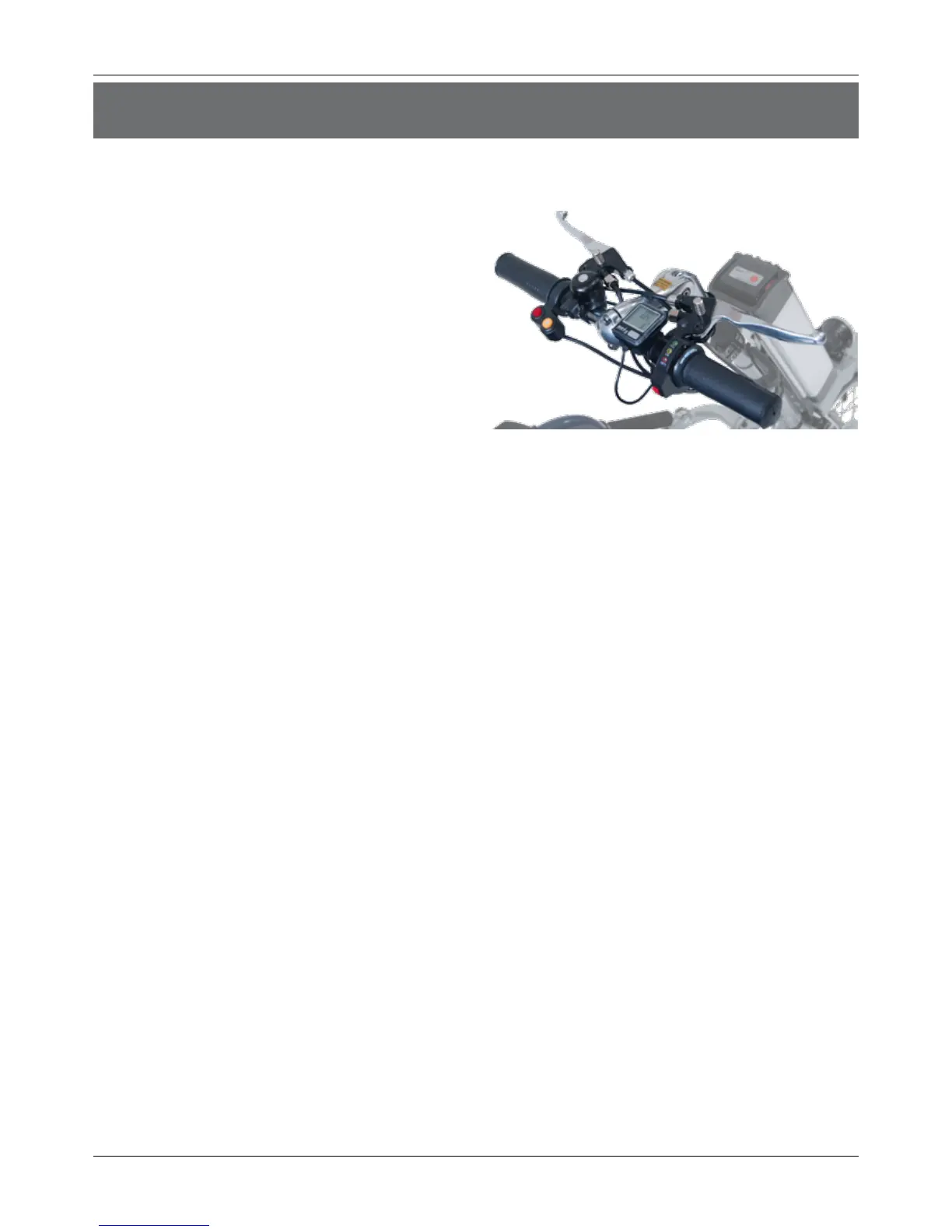
turned on in two locations. The rst is a red
switch on the right side of the Battery. The
other is a red switch on the indicator, next to the
Speedometer on the Handlebar. Both switches
must be in the ON position for the Firey
TM
to
function.
Brakes
There are two lever Brakes, one on each side of the Handlebar. Each Brake acts both
mechanically -- via bicycle-standard caliper brakes at the wheel -- and electrically -- by turning o
the power to the Hub Motor. NOTE: when travelling uphill, you must fully release the Brakes to
allow the Hub Motor to engage.
Each brake also oers the functionality of a Parking Brake to hold the Brake in the engaged
position. This is operated as shown on page 8.
Drive
To drive the Firey
TM
, place both hands on the Handlebar, ngers within easy reach of the Brakes.
Twist the Throttle with your right hand. The amount of twist will control your speed. Steer by
pushing left or right on the Handlebar according to the direction intended.
The Firey
TM
includes a Speedometer display on the Handlebar to record speed and distance
traveled. A separate user manual is included.
Reverse
To enhance maneuverability, the Firey
TM
may be driven in reverse. To engage, you MUST rst come
to a complete stop. Then press and hold the red Reverse button on the left side of the handle
while twisting the Throttle. Use caution and ensure that there is a clear path before moving. To
travel in the forward direction again, you MUST rst come to a complete stop. If you do not stop
rst, the Firey
TM
will continue to travel in the same direction, even though the button has been
released.
Headlight
It is recommended to use the Headlight in low-light conditions to improve your visibilty, both of
your environment and to others. To turn the Headlight on, press the yellow button next to the
Reverse button. To turn it o, press the yellow button again.


 To Next Page