17
TIDE SETTING
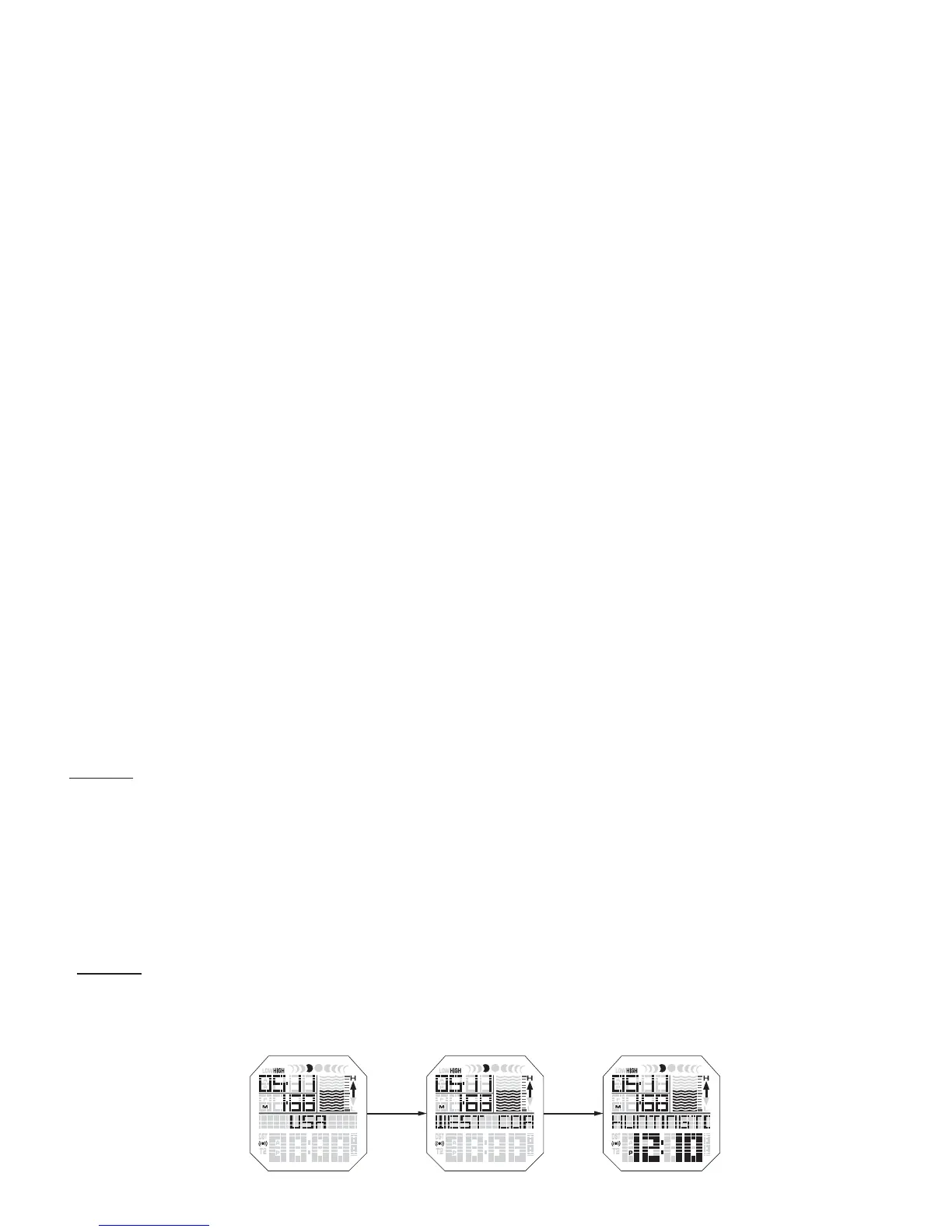
-Press MODE/SET to advance to TIDE MODE.
-HOLD MODE/SET in for 2 seconds to enter beach setting.
-To toggle between REGIONS use START/STOP & LAP/RESET.
When you find desired region press MODE/SET.
-Use START/STOP & LAP/RESET to toggle through to your desired COUNTRY.
Press MODE/SET to lock in your country.
-Use START/STOP & LAP/RESET to toggle to desired BEACH.
- HOLD MODE/SET in for 2 seconds to save selected beach.
-Once you set your beach you can use the START/STOP & LAP/RESET to
toggle through all tide information for today as well as past and future tides.
BB
COMMON OFFSETS -
USA
Los Angeles +13 San Diego +12 Sacramento +14
New York -14 Washington -10 Miami -4
Houston +3 Honolulu +10 Mexico City +6
BRAZIL
Rio De Janeiro -21 Florianopolis -19 Fortaleza -21
AUSTRALIA
Sydney +13 Perth -2 Melbourne +11
Brisbane +11 Adelaide +7 Hobart +14
Darwin +3 Alice Springs +4
SOUTH AFRICA
Cape Town -23 Durban -22
NEW ZEALAND
Aukland +19 Dunedin +23
INDONESIA
Bali +2 Jakarta +1 Mentawai 0
EUROPE
Lisbon -4 Bilbao -2 London -2
Rome +2 Paris -1 Athens +2
JAPAN
Tokyo -6 Okinawa -4













 To Next Page