27
OPERATING INSTRUCTIONS
All instructions start from Normal Time mode. (ie NT
displayed left hand box). Use the MODE button to find
the function you wish. (Note: You have 30 seconds to
complete each setting, if longer is taken the watch au-
tomatically returns to the prior setting and you must
start again.)
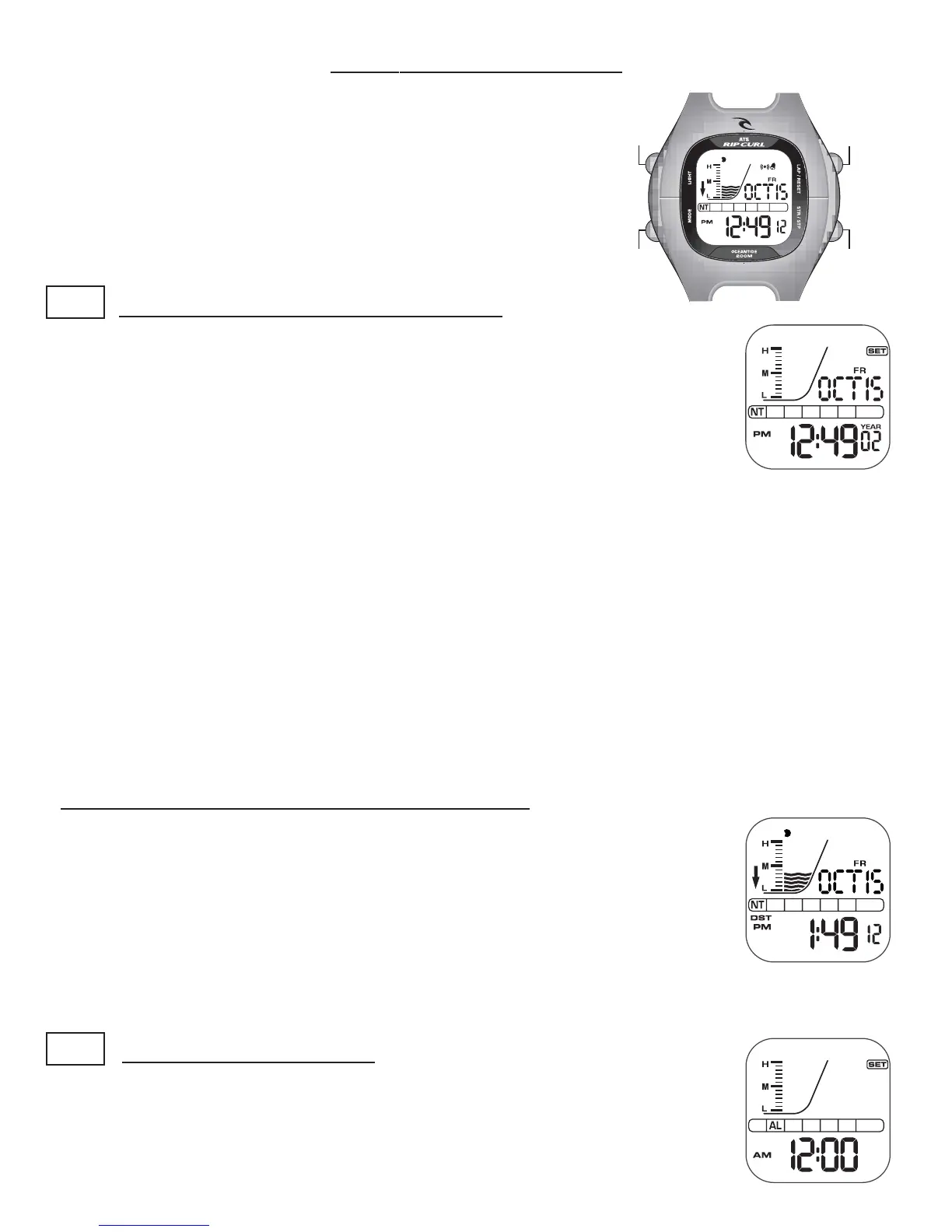
NT SETTING NORMAL TIME AND DATE :
• NT must be displayed in the first box from the left.
• Hold down MODE for 3 seconds till “SET” appears in the top right corner,
also the Year will appear and flash, advance the Year with LAP/RESET till
correct. (For quick advance hold in the LAP/RESET button)
• Push START/STOP the Month will flash, advance Month with LAP/RESET
till correct.
• Push START/STOP the Date will flash, advance the Date with LAP/RESET till correct.
• Push START/STOP the Hour will flash, advance the Hour with LAP/RESET till correct in AM
or PM.
• Push START/STOP the Minutes will flash, advance the Minutes with LAP/RESET till correct.
• Push START/STOP the 12HR (normal AM/PM time display) will be displayed. Press LAP/
RESET to change to 24HR (military time display). Press LAP/RESET Again to revert back.
When all new settings are done, you must push the MODE button to save.
Note: NT should always be set to local Standard Time, and then adjusted for Daylight Saving by
using the START/STOP. See DST below.
DST SETTING DAYLIGHT SAVING FUNCTION:
• NT must be displayed in the first box from the left.
• Once your NT is correct and set, you can simply push and hold for 5
seconds the START/STOP button to advance the time by one Hour for Day-
light Saving Time of the year (and the “DST” appears in the bottom left
corner).
• At the end of your areas daylight savings time, you simply push and hold
for 5 seconds the START/STOP button to return back one hour to Normal time.
LIGHT
MODE
LAP/RESET
START/STOP
AL SETTING ALARM TIME:
• From NT MODE push the MODE button once.
• AL is displayed in the second box from the left.
• Hold down MODE for 3 seconds till “SET” appears in the top right
corner. The Hour will also flash.













 To Next Page