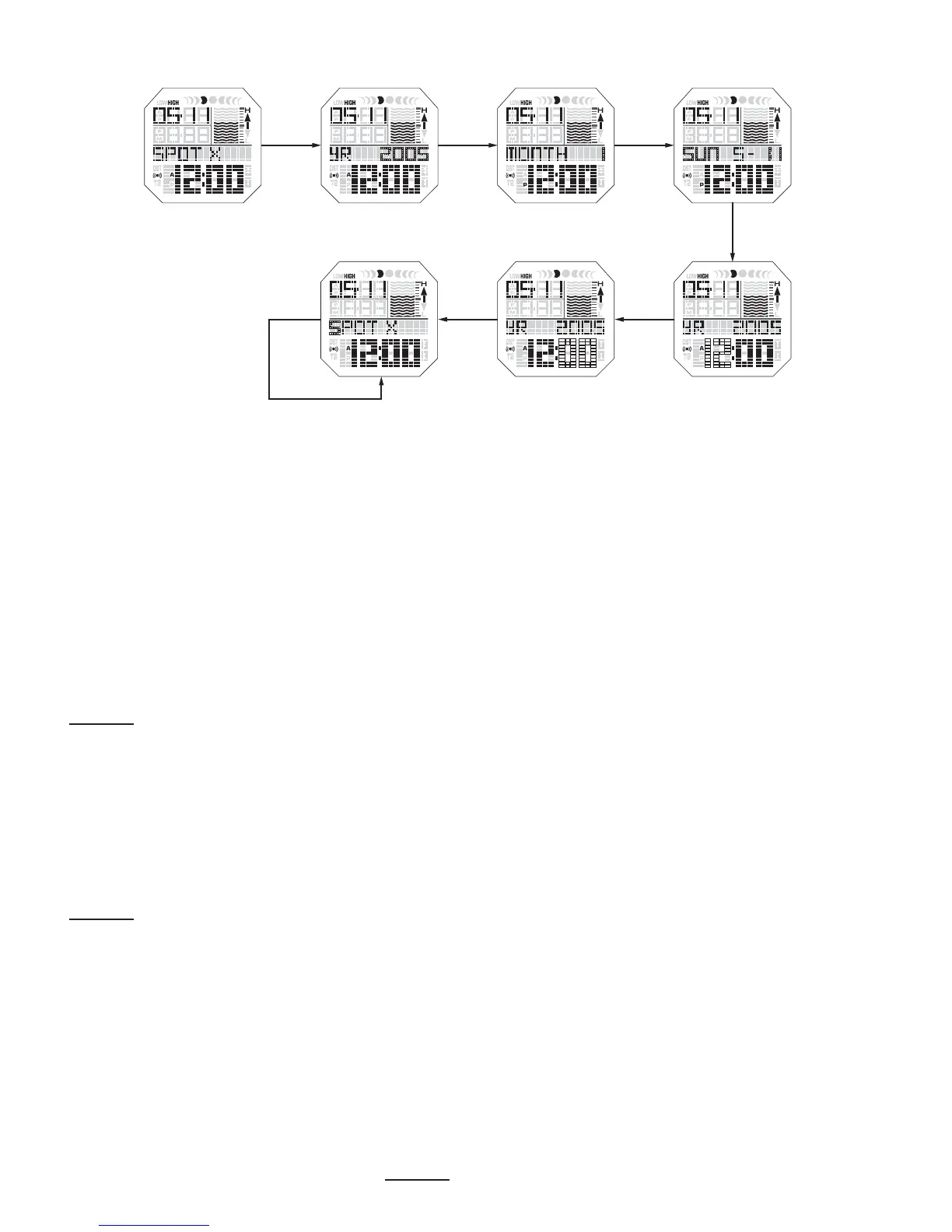
FUTURE TIDE SETTING
If you want to know tide and moon information for a specific date in the
future until December 2022 the FUTURE TIDE FUNCTION must be used.
-Press MODE/SET to advance to TIDE MODE. Press START/STOP or LAP/
RESET to toggle through tide data, one tide at a time, past or future, for the
selected beach or use the procedure below for a distant future or past
date.
-HOLD START/STOP in for 2 seconds, the year will flash, press START/
STOP & LAP/RESET to select the correct year.
-Press MODE/SET the MONTH will flash in top left hand corner, press START/
STOP or LAP/RESET to select the correct month.
-Press MODE/SET the DATE will flash, press START/STOP & LAP/RESET to
select the correct date.
-HOLD MODE/SET in for 2 seconds to save the date you want.
-Press START/STOP & LAP/RESET to toggle through the tide data.
CHRONOGRAPH (STOP WATCH) SETTING
-Press MODE/SET to advance to CHRONO.
-Press START/STOP to start or stop the chronograph.
-Press LAP/RESET to time laps while the chronograph is running. The
maximum number of laps is 99.
-To reset the Chrono to zero HOLD LAP/RESET in for 2 seconds.
Year Month Day/Date
HourMinuteSpot X Name
go to the next character
(wrap around after the 8th character)
Spot X Beach
(C) B B
B
B
B
B
20













 To Next Page