Installation and Programming Manual
3-14
I
I
n
n
s
s
t
t
r
r
u
u
c
c
t
t
i
i
o
o
n
n
s
s
f
f
o
o
r
r
U
U
s
s
i
i
n
n
g
g
T
T
h
h
e
e
P
P
r
r
o
o
g
g
r
r
a
a
m
m
m
m
i
i
n
n
g
g
M
M
a
a
t
t
e
e
r
r
i
i
a
a
l
l
(on pages 3-15 through 3-87)
The remainder of this manual contains information permitting you to program virtually all aspects of the Pro-24’s
operation. As already stated, it is divided into these eight categories.
1) SYSTEM 5) DIALER
2) ZONES 6) REPORT CODES
3) UTILITY OUTPUTS 7) ACCESSORIES
4) CODE MAINTENANCE 8) MISCELLANEOUS
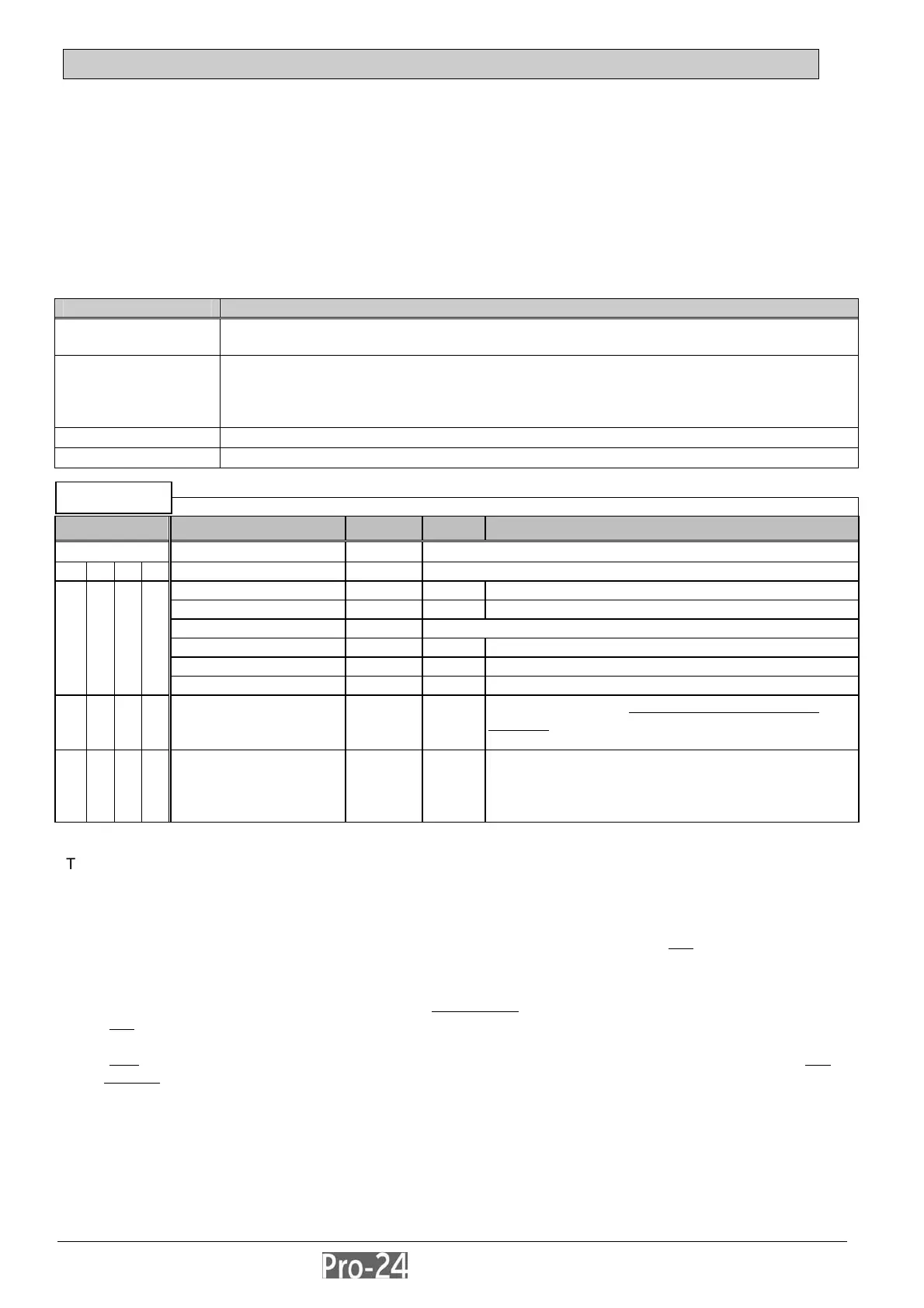
A sample of the programming material appears below, in tabular form. Note that the particular programming
category (here, SYSTEM) appears above the table. Within the table are several columns, each described below.
The first, Quick Keys, will be discussed separately.
Column Heading Description
Item
indicates the category, sub-category, or item to be programmed–which also appears
on the LCD Keypad’s display
Default
where applicable, indicates the value for the category or item which was provided by
the factory
because the default values have been carefully chosen, they should suffice in most
cases
Range
where applicable, the range of values available are listed, as well
Explanation
provides additional details and clarification for the categories and/or its items
SYSTEM
Quick Keys Item Default Range Explanation
1 TIME DEFINE --- Specifies the Duration of an Action
1 1 Exit/Entry Delay 1 --- Entry/Exit Delays (Group 1)
1 1 1 1 Entry Delay 1 30 sec 0-255 duration of Group 1 Entry Delay
1 1 1 2 Exit Delay 1 45 sec 0-255 duration of Group 1 Exit Delay
1 1 2 Exit/Entry Delay 2 --- Entry/Exit Delays (Group 2)
1 1 2 1 Entry Delay 2 45 sec 0-255 duration of [Group 2] Entry Delay
1 1 2 2 Exit Delay 2 60 sec 0-255 duration of [Group 2] Exit Delay
1 1 3 Bell Timeout 04 min 01-90 duration of external sounder(s) during alarm
1 1 4 Bell Delay 00 min 00-90
the amount of delay before the external sounder
operates
after the onset of an alarm; each keypad’s
sounder is unaffected by this value
1 1 5
Switched Auxiliary
Break
10 sec 01-90
specifies the amount of time that the power supplied
to the system’s smoke detectors will be interrupted
during a user-initiated smoke detector reset, typically
performed after a Fire Alarm
The main intent of the Quick Keys is to independently arrive at a single programming category or item without
having to navigate through the entire hierarchical programming structure, depicted on pages 3-12 and 3-13.
Note that the Quick Keys heading is divided into four columns containing a numerical sequence
The correct use of Quick Keys assumes that you are starting from the vantage point of any
of the eight categories
in the HOME column (on page 3-12). As a reminder of this, a mini-display of the SYSTEM category (which appears
right after successfully entering Installer Programming) appears above each Quick Key heading.
For example, to use Quick Keys to set or change the Bell Timeout
period:
first
, from the normal Pro-24 User display enter the Installer Programming Mode by pressing [.] + [7] + [1],
enter your Installer Code (the factory default is 0 2 9 6) and press [ENTER]
next
, from the SYSTEM classification: press the [1] [1] and [3] keys (if required, you may change the Bell
Timeout value accordingly)
Note that when programming such categories and items in sequence, it’s not always necessary to use all the Quick
Keys listed. Instead, use the [.] key to “back out: of a category–and either the [DOWN-arrow] or [UP-arrow] keys to
go down or up a list, respectively. With a little practice (see the Installer Programming Tutorial on page 3-10),
programming should become very easy, indeed.
INSTALLER PROG:
1)SYSTEM ↓



 To Next Page