62
[Owner PIN]
Specify a PIN for authorizing document printing and editing.
Use 1 to 32 alphanumeric characters.
• The [PDF le with PIN] function appears if you specify
[PDF] in [Format for PC] as the le format of the scanner.
Other format cannot be specied.
• You cannot specify the same password to “User PIN” and
“Owner PIN”.
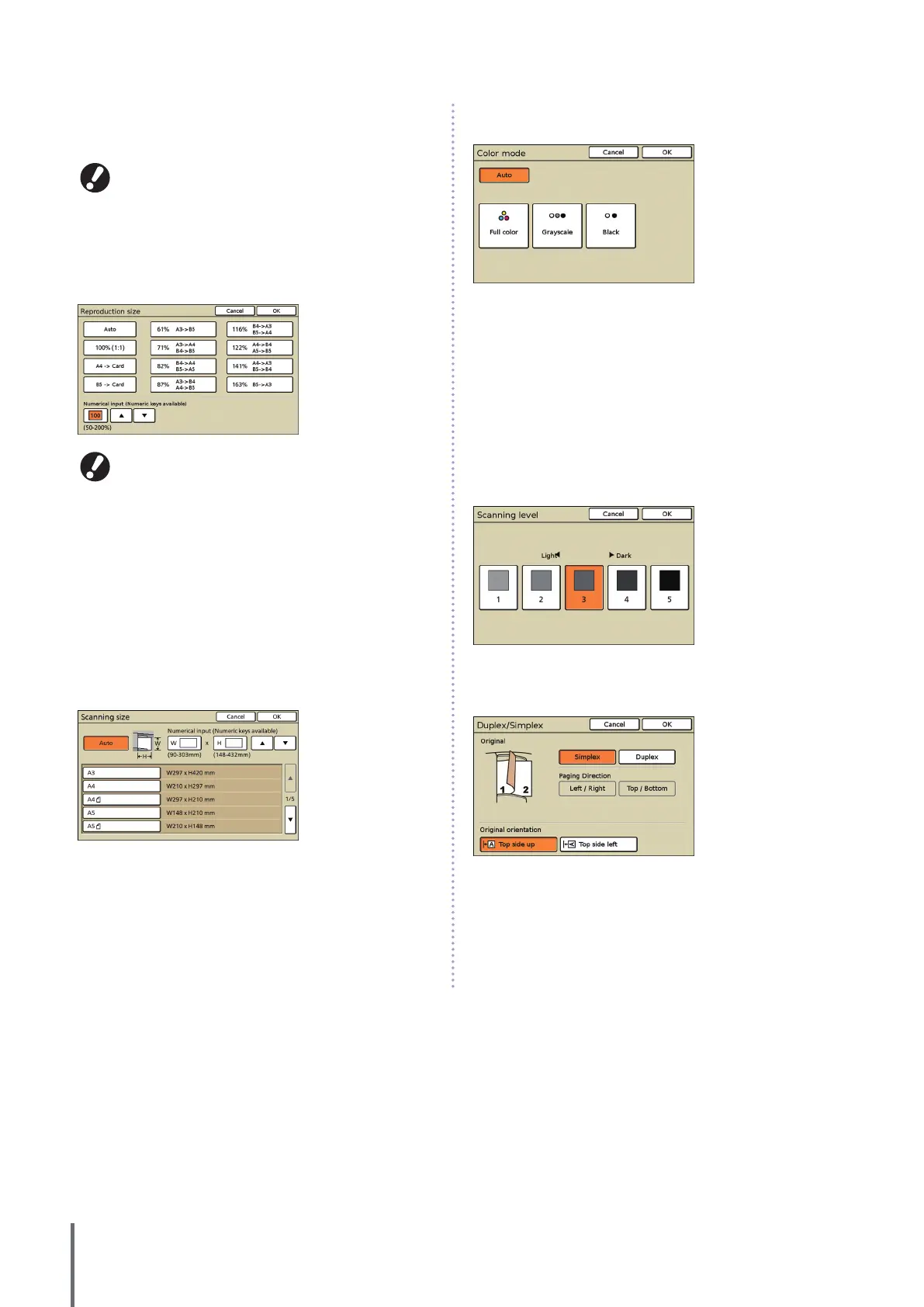
e [Reproduction size]
Specify scanning at enlarged or reduced sizes.
[Reproduction size] is available only when you specied
[400dpi] or [600dpi] as the [File format] resolution.
[Auto]
Originals are scaled automatically during scanning.
[100% (1:1)]
Scan at the original size.
Preset Scaling
Select from preset scaling levels.
[Numerical input]
Enter a desired scaling value, in a range of 50–200%.
f [Scanning size]
Specify the scanning size of an original.
[Auto]
The scanning size is automatically calculated and set from the
original size and reproduction size.
[Numerical input]
Use [] and [] or the numeric keys to enter the desired value.
[Image size list]
Select sizes from the list displayed.
g [Color mode]
Specify color or monochrome scanning.
[Auto]
Color or monochrome scanning is selected automatically.
[Full color]
Scan in color.
[Grayscale]
Scan in grayscale.
[Black]
Scan in black and white (two levels).
h [Scanning level]
Specify the scanning density for scanned images.
i [Duplex/Simplex]
When scanning duplex originals, specify the type of original.
ComColor Series Basic Guide 06


 To Next Page
 Loading...






