12 – 13
RN (Version 1.0)
CHAPTER 12. ADF SCANNING SECTION
REMOVING THE PICKUP ROLLER
2. Removing the Pickup Roller
(1) Switch off the power and open the ADF unit. Now remove the two screws (M3 x 10), and remove the
ADF cover. Finally, close the ADF unit.
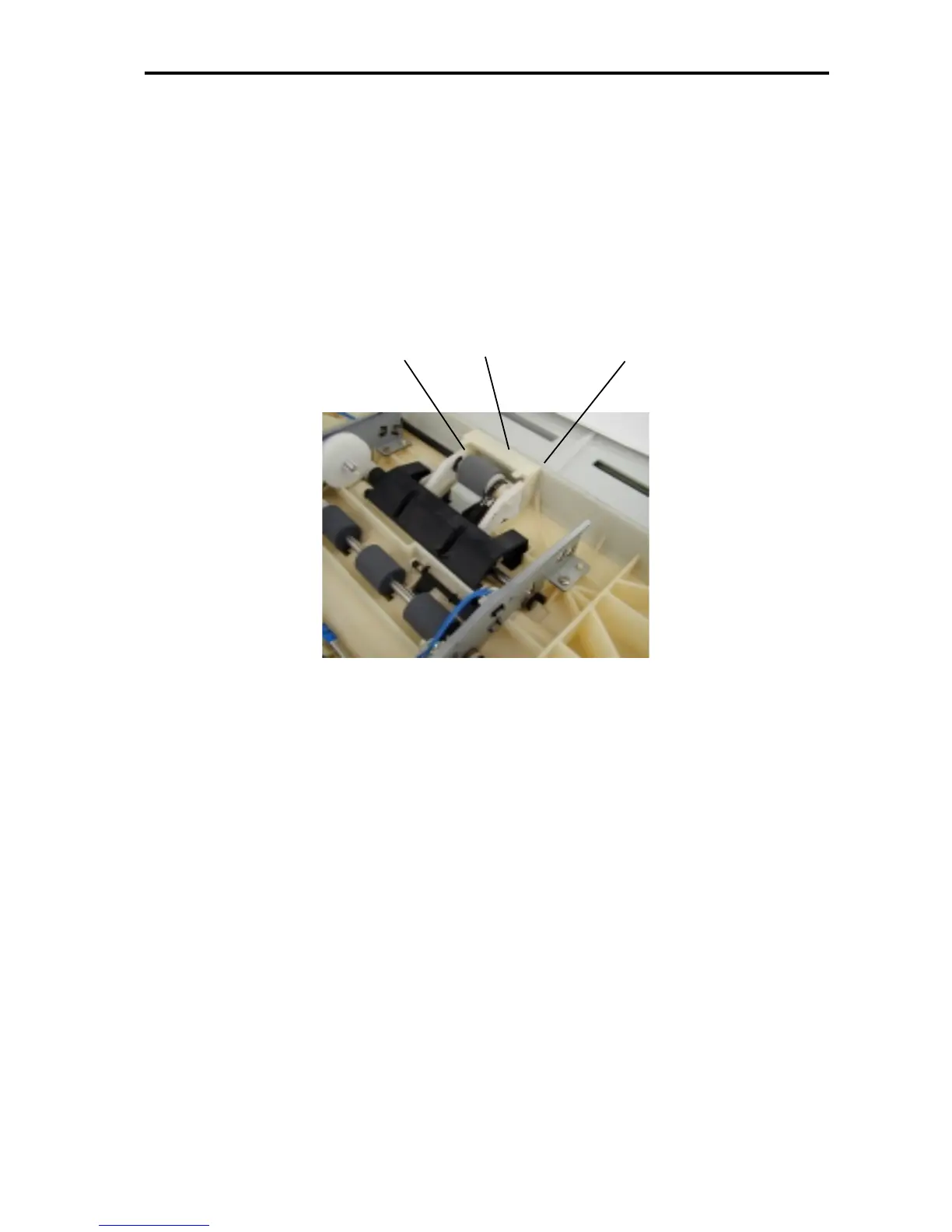
(2) Pull apart both ends of the Pickup roller frame ass’y [B] holding the Pickup roller [A], and remove the
Pickup roller [A]. (Take care not to drop the washer on the right-hand side gear of the Pickup roller.)
[Precautions on Reassembly]
• Do not forget to insert the washer on the right-hand side gear on the Pickup roller.
A: Pickup roller
B: Pickup roller frame ass’y
A
B
B











 To Next Page