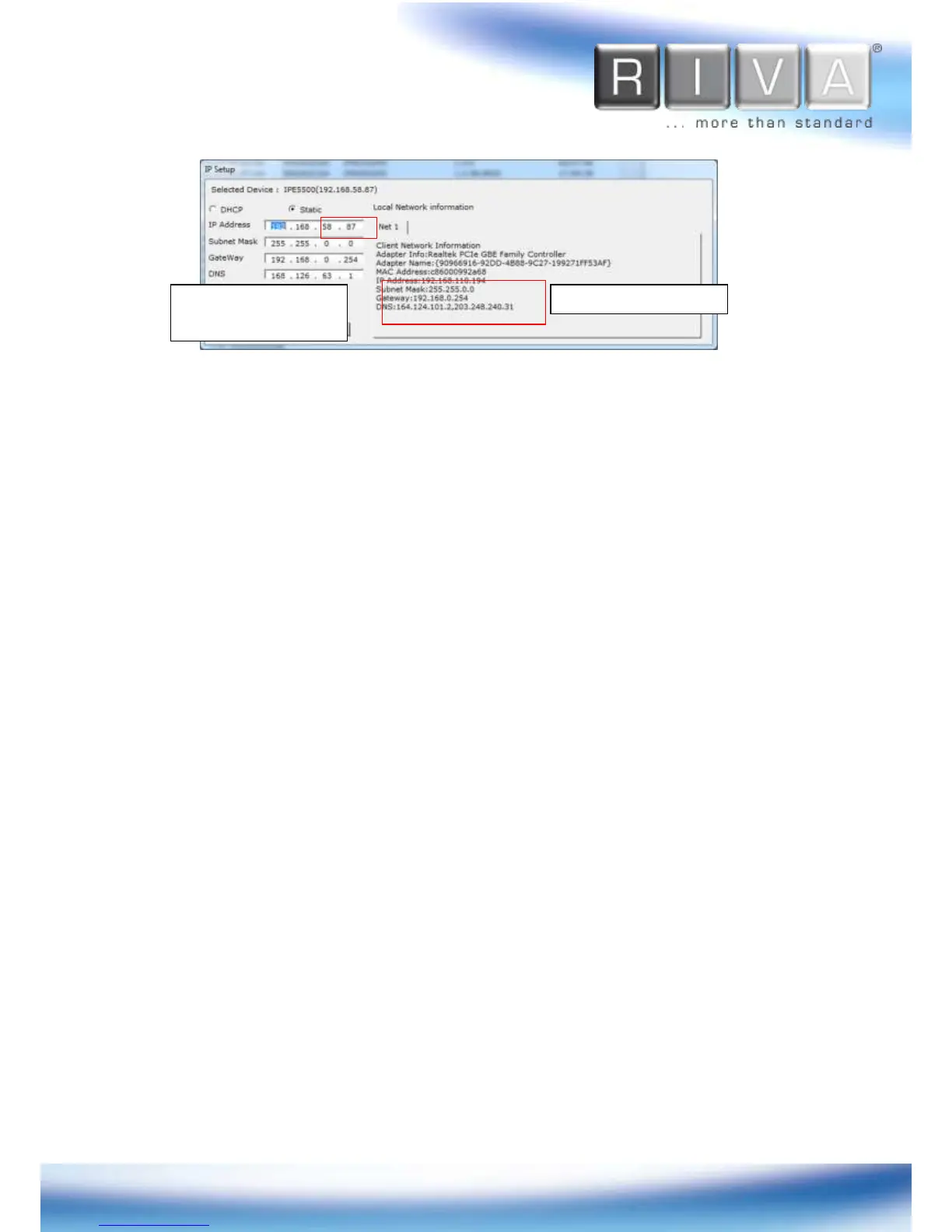
3. In the IP Setup’s window, information under ‘Local Network information’ displays the
user/PC’s network area information. Those information need to be incorporated to
the IP Address, Subnet Mask, Gateway, and DNS boxes, except the last 2 sets of
IP Address, which are to be the unique numbers for the device. Refer to the image
above for the setting
4. Click ‘Setup’ to complete the modification. When the dialog box appears to request
user name and password, enter the default value for the administrator account
(case-sensitive) as below:
ID:
root
Password:
pass
Give new unique IP address in
last two sets and mirror other
information in other boxes



 To Next Page