RTC Series RTC Installation Guide
01A.04 15
3. Follow the instructions of the dialog boxes and complete the installation. Once
the installation is complete, start the web browser again and check if video
stream is displayed in the main view frame.
If “
This software requires the Microsoft XML Parser V6 or higher.
Please download MSXML6 from the Microsoft website to continue.
Error code: Cannot create XMLDOMDocument.
” message appears,
download and install the Microsoft Core XML Services (MSXML)
6.0.
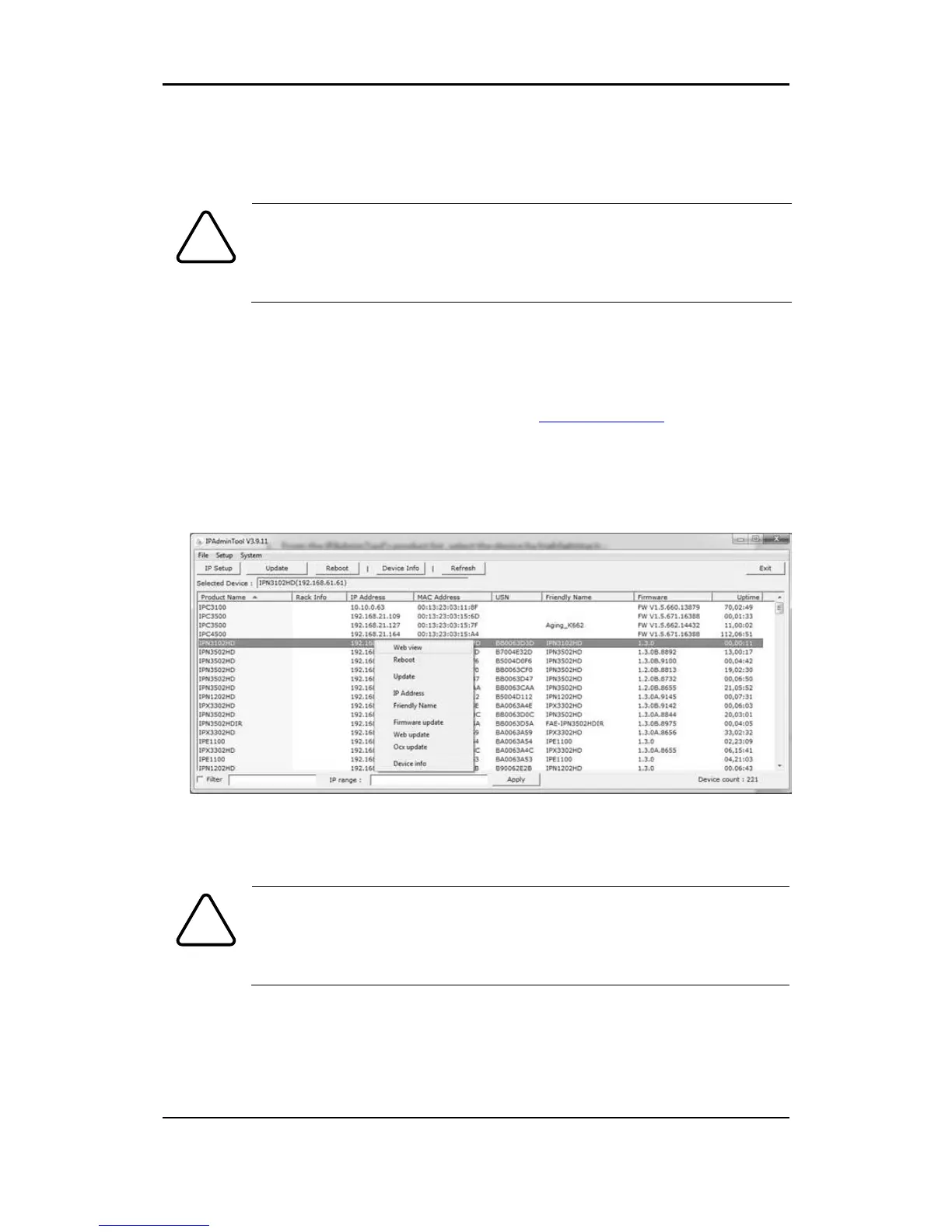
5.2.1. View video using IPAdmin Tool
IPAdminTool automatically searches all activated network encoders and IP
cameras and shows the product name, IP address, MAC address and etc.
IPAdminTool and the manual can download from www.rivatech.de homepage.
1. From the IPAdminTool’s product list, select the device by highlighting it.
2. Right-click the mouse and select web-view
3. The system’s default web browser opens the device’s address.
Whether directly accessing the streaming video through typing IP
address on a web page or taking steps through IPAdminTool, the
ActiveX is needed to be installed for the Microsoft® Internet
Explorer to have the complete configuration privileges.



 To Next Page