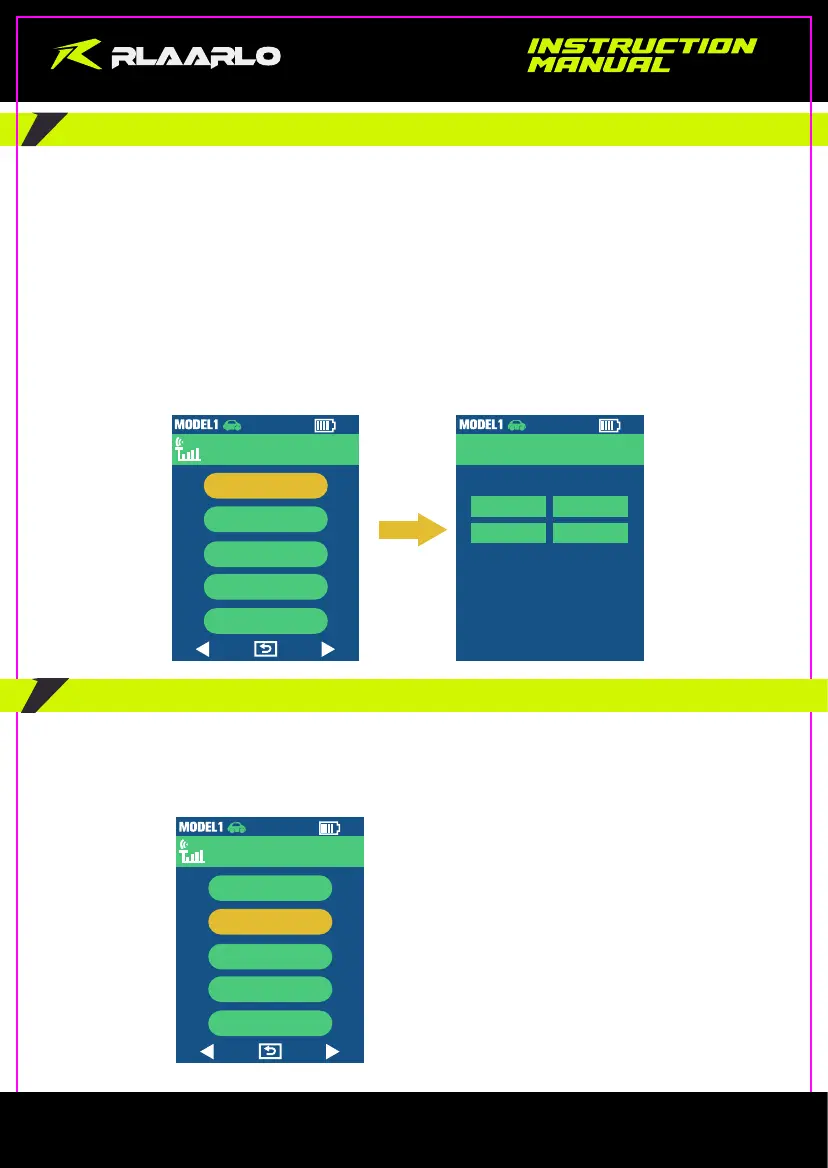
5.3 Code matching
Enter the Code Matching interface through “Radio”--> “Pairing”.
The transmitter has 2 code matching methods, you can choose one of them:
Method 1:
A.Power on the receiver first;
B.Press the BINDING BUTTON on the receiver;
C.Finally, turn on the transmitter.
Method 2:
A.Power on both the receiver and transmitter;
B.Press the BINDING BUTTON on the receiver;
C.Enter the transmitter’s code matching page “Pairing” to perform code matching.
5.4 Loss of control protection
Enter the Loss of control protection interface through “Radio”--> “Fail Safe”.
The default Fail-Safe value of the transmitter is 1500 (center value) for each channel. The Fail-Safe value of each
channel can be set according to the needs. However, you only can enter the “Fail Safe” interface when the
receiver is connected.
2.4G
Radio
Pairing
Fail Safe
Control
Postback
Training
4 / 5
2.4G
Radio
Pairing
Fail Safe
Control
Postback
Training
Frequency
Pairing
Start
RF Send
Close
4 / 5
- 6 -



 To Next Page