Use Instruction
Operation menu introduction
W985
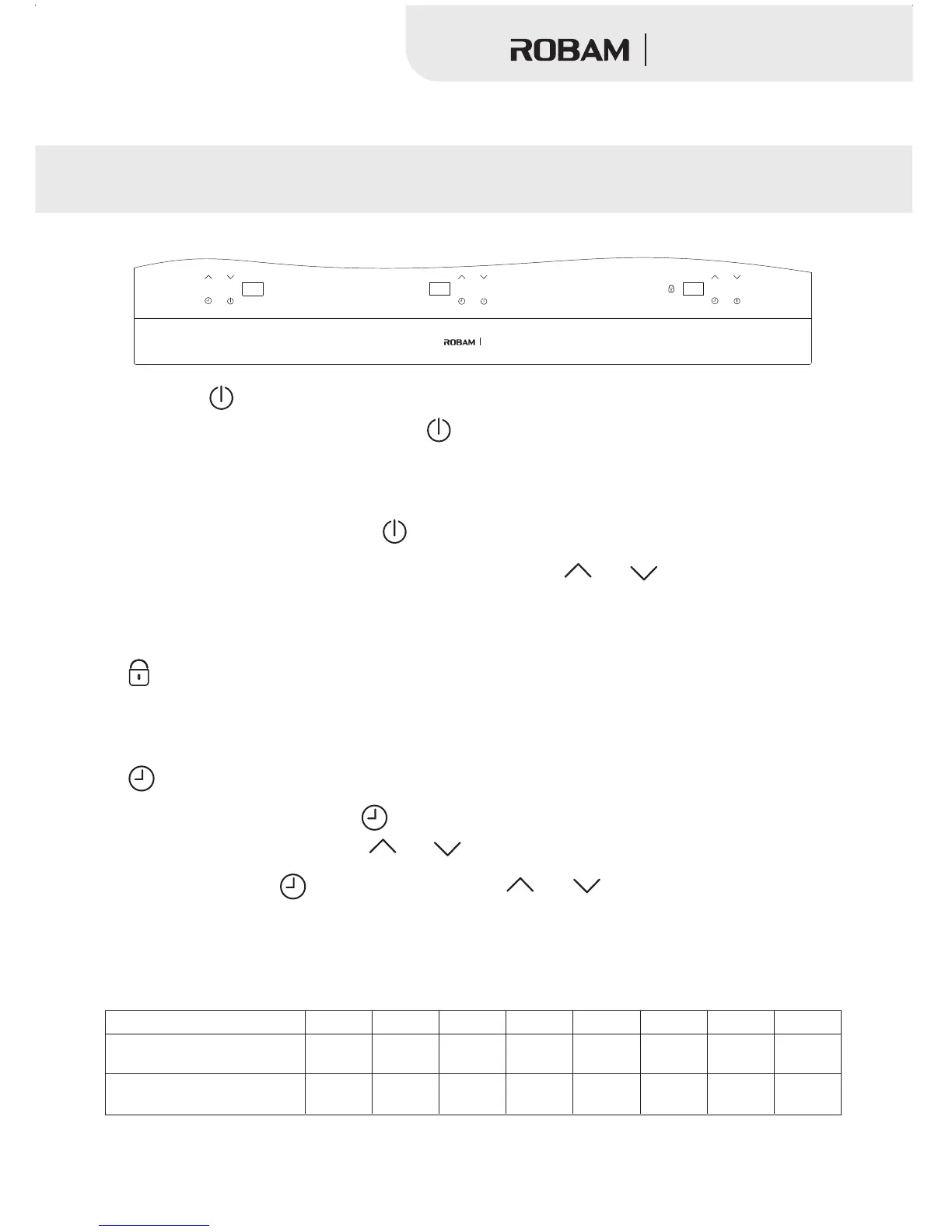
1. Power key “ ”:
A. Connected to the power, press the key the machine is in standby situation for cooking, the
motor fan to spin, the digital screen list “_ _”. If there have no any operation in one minutes, the
machine will be change to power off situation automatically.
“ ”,
B. In any working state, press the key one time, the machine will power off;“ ”
When the appliance is in standby situation, press the key “ ” “ ”
the heating program of P4 automatically, press to adjust time, power, temperature, add or minutes by
each time pressing.
or The appliance will start
2. Lock the working state, avoiding faulty operation.“ ”
In any working situation, when press this key more than 2 mintues, the appliance will start the lock
function ,If customer want to cancel this function, please press this key more than 3 minutes again.
3. Reservation for turning off.“ ”
A.In any work state, press the key the function of reservation for turning off is working when the
digital screen list"00". press the key “ ”or “ ”to confirm the time you need, measured in minute.
“ ”,
B. when the function of is working, press the key to adjust timing according to the
cooking demand , press this key one time, the timer will increase or reduce one minute.
“ ” “ ” or “ ”
Performance
1.Constant temperature control separated by 8 level, power rate as the following list, P1,P2 for intermittent heating.
Program
Electromagnetic
heating power
P1
400W
400W
P2
700W
500W
P3
1100W
600W
P4
1300W
700W
P5
1500W
800W
P6
1700W
900W
P7
1900W
1000W
P8
2100W
1100W
5
Ceramic heating power
Multifunction Hob


 To Next Page