13
5. Control menu
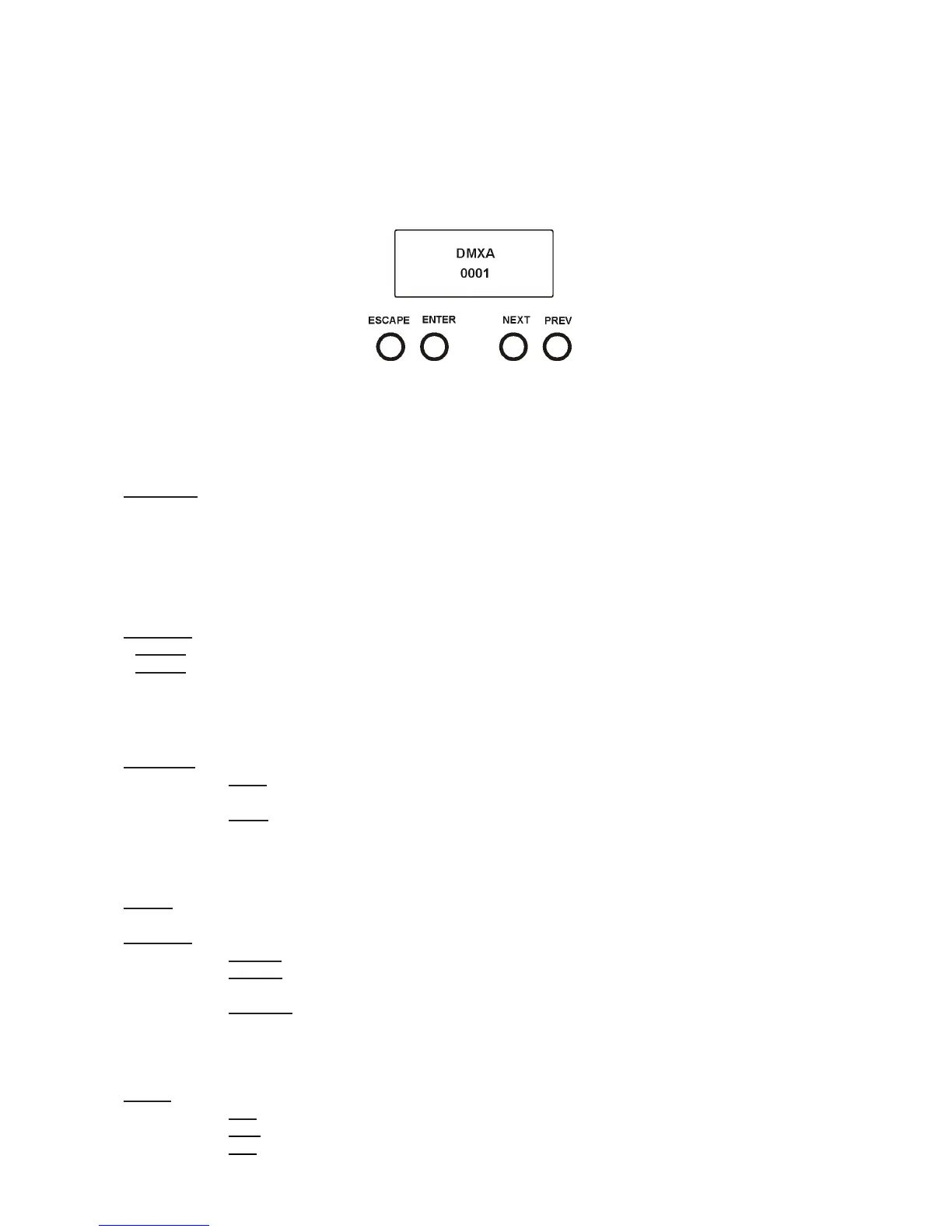
The ROBIN LEDBeam 150 is equipped with 2-row LCD display which allows to set the xture´s behaviour ac-
cording to your needs, obtain information on its operation, test its various parts and lastly program it, if it has
to be used in a stand-alone mode.
Control panel:
[ESCAPE] button used to leave the menu without saving changes.
[NEXT] , [PREV] buttons for moving between menu items and for value adjusting.
[ENTER] button used to enter the selected menu (menu item) and to conrm adjusted value.
After switching the xture on, display shows current DMX address.
5.1 Addressing (DMXA)
Set DMXA- Use this menu item to set the DMX start address of the xture, which is dened as the rst channel
from which the ROBIN LEDBeam 150 will respond to the controller.
If you set, for example, the address 23, the ROBIN LEDBeam 150 will use channels 23 - 44 for control (if Mode
1 is selected).
Please, be sure that you do not have any overlapping channels in order to control each ROBIN LEDBeam 150
correctly and independently from any other xture on the DMX data link.
If there is no data received at the DMX input, the display will start to ash "0001” with actually stored DMX address.
DMX Pres - DMX preset. Use the menu to select desired channel mode.
Mode 1 - 22 control channels (default)
Mode 2 - 16 control channels
5.2 Fixture information (Info)
POn Time - Power on time. Select this menu to read the number of xture operation hours.
Total -
The item shows the total number of the operation hours since
the ROBIN LEDBeam 150
has been fabricated.
Reset -
The item shows the number of the operation hours that the
ROBIN LEDBeam 150
has been powered on since the counter was last reset.
In order to reset this counter to 0, press and hold both [NEXT] and [PREV] buttons and the
[Enter] button at the same time.
DMX In - DMX readout. The menu is used to read DMX values of each channel received by the xture.
Hea Temp - Hhead Temperature. The menu shows temperature on the LED module.
Current - A current temperature of the LED module.
Highest - A maximum temperature of the the LED module since the xture has
been fabricated.
High Res - A maximum temperature of the the LED module since the counter
was last reset.
In order to reset this counter, press and hold both [NEXT] and [PREV] buttons and the
[Enter] button at the same time.
Sw Ver - Software versions. Select this item to read the software version of the xture modules.
IC-1 - A pan/Tilt processor.
IC-2 - A display processor.
IC-3 - LED control processor.



 To Next Page