51
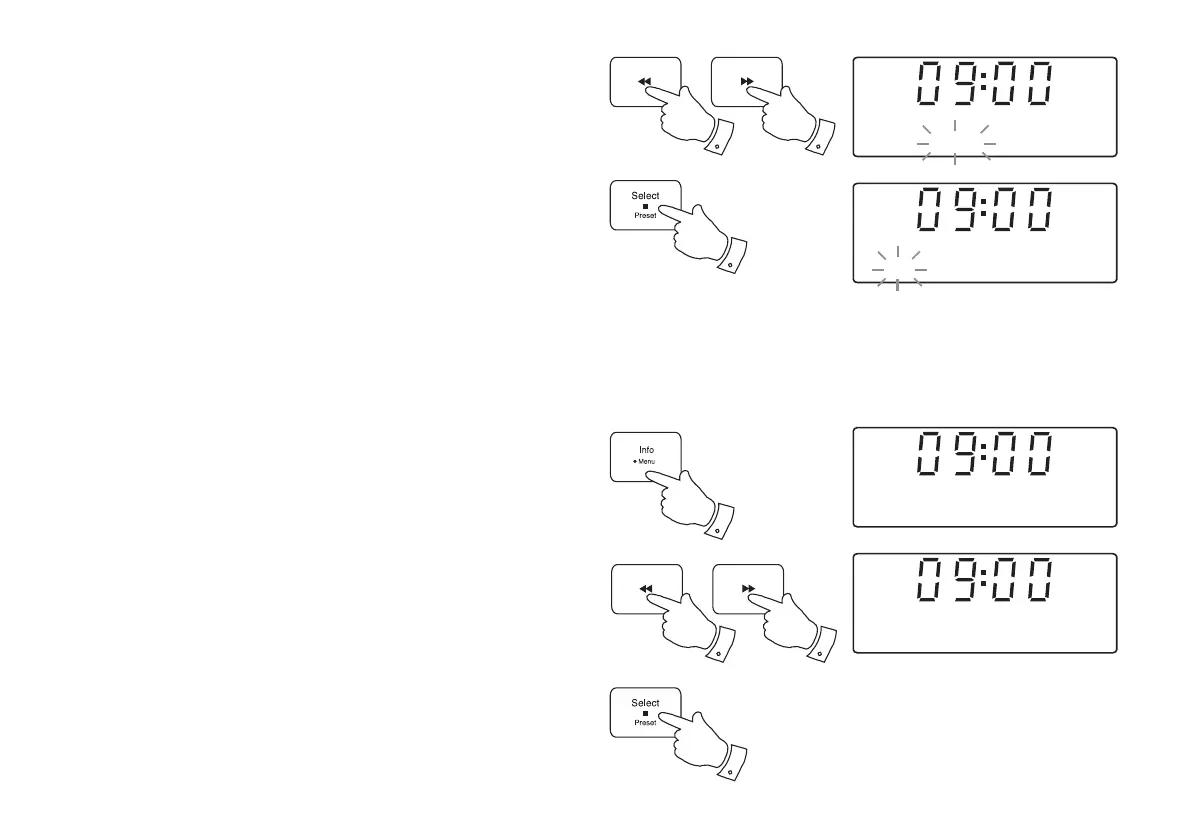
9. Press the Tuning Up or Down buttons to select the current year.
10. Press and release the Select button to enter the year setting. The
month will then fl ash on the display.
11. Press the Tuning Up or Down buttons to set the current month.
12. Press and release the Select button to enter the month setting. The
day will then fl ash on the display.
13. Press the Tuning Up or Down buttons to change the day as needed.
14. Press and release the Select button to confi rm the clock setting. The
sound system will exit the menu.
To return to auto clock set mode
The auto clock set mode may be set while the unit is in standby or while
playing.
1. Press and hold the Menu button.
2. Press the Tuning Up or Down buttons until 'Set clock' appears on
the display. Press and release the Select button.
3. Press the Tuning Up or Down buttons until 'Auto' appears on the
display. Press and release the Select button.
4. The sound system will set its time according to the information received
with the DAB broadcast when the radio is tuned to a DAB station.
10-14
9-13
9-13
Set month
<
>
10 MAR 2014
Set date
<
>
10 MAR 2014
1
2,3
2,3
2,3
Set clock
<
>
Set clock
<
>
Auto


 To Next Page