24
Display options - Bluetooth mode
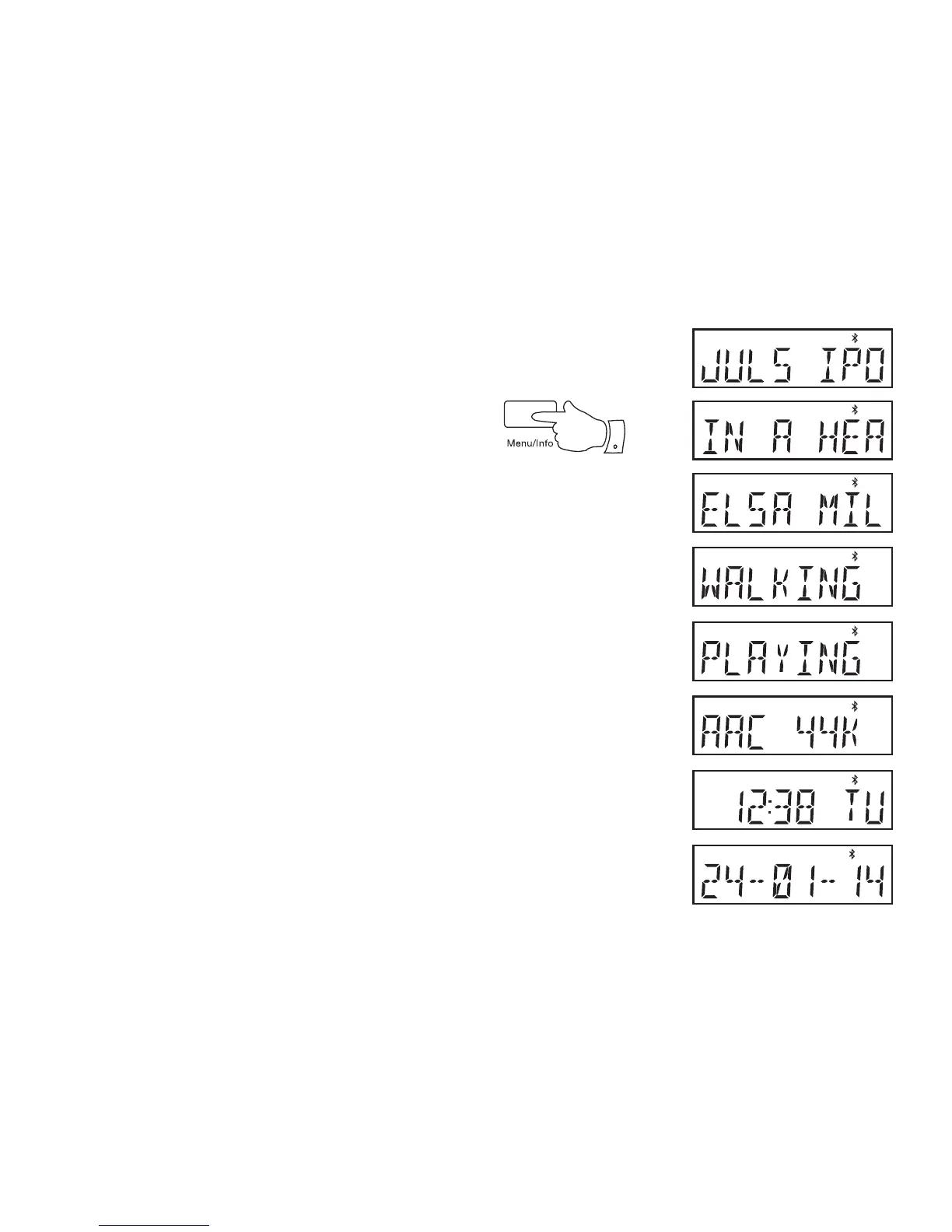
Your radio has a range of display options when in Bluetooth mode:-
1. Press and release the Menu / Info button to cycle through the various
options. The display will revert to displaying the time approximately
20 seconds after the last button press.
a. Device name Displays the name of your device.
b. Track title Displays the title of the track currently
playing.
c. Artist Displays the artist information for the track
currently playing.
d. Album Displays the album information for the track
currently playing.
e. Status Displays the playback status of the current
track.
f. Codec & sampling rate Displays the Bluetooth audio format and
sampling rate used for the currently
playing track.
g. Time and day Displays the current time and day of the
week.
h. Date Displays the current date.
g
h
1
‘
a
b
c
d
e
f



 To Next Page