27
Setting the clock manually - cont
10. Press and release the Tuning control to enter the minutes setting.
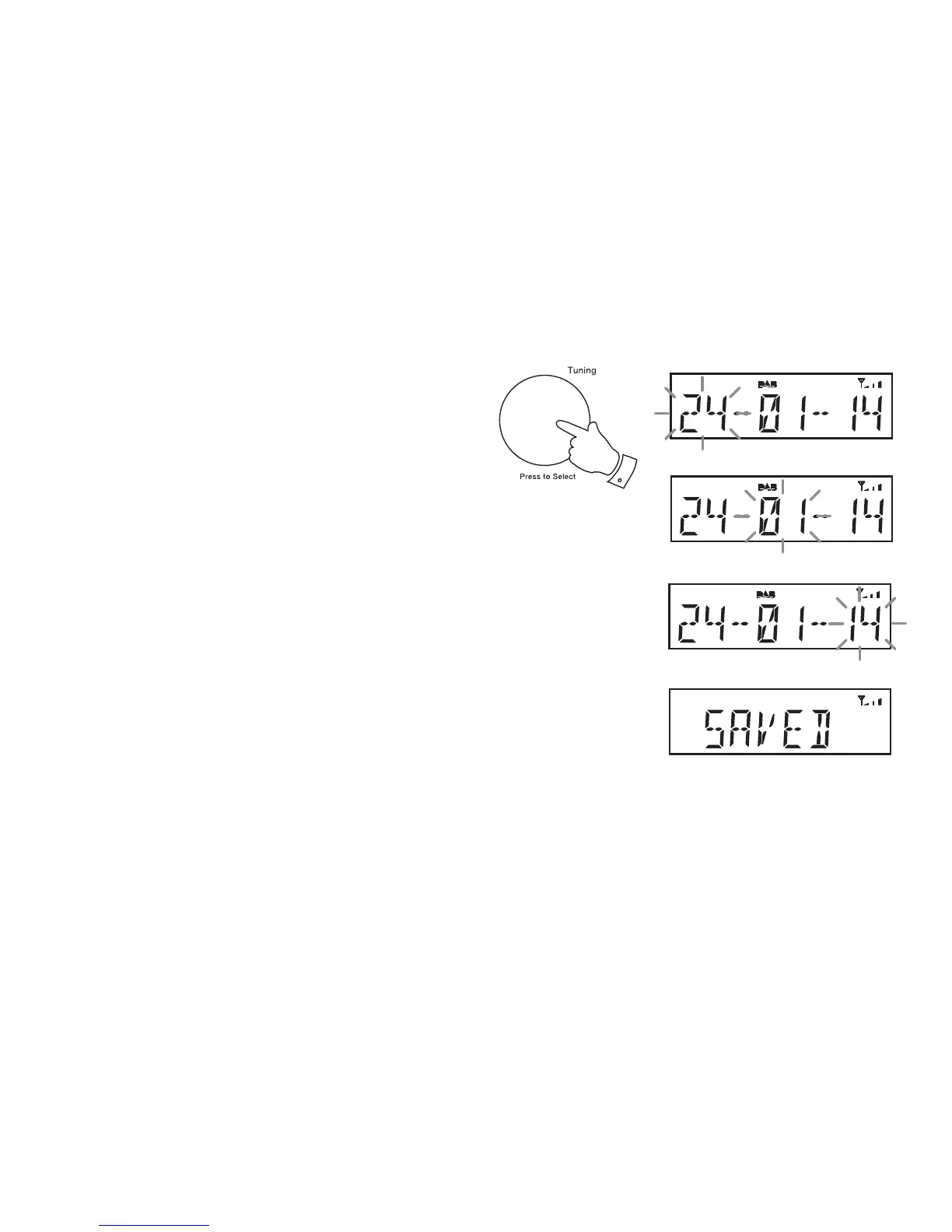
The day will then fl ash on the display.
11. Rotate the Tuning control to select the current day.
12. Press and release the Tuning control to enter the day setting. The
month will then fl ash on the display.
13. Rotate the Tuning control to select the current month.
14. Press and release the Tuning control to enter the month setting. The
year will then fl ash on the display.
15. Rotate the Tuning control to select the current year.
16. Press and release the Tuning control to confi rm the time setting.
'SAVED' will show on the display before exiting the clock setup.
10-16





 To Next Page