22
1
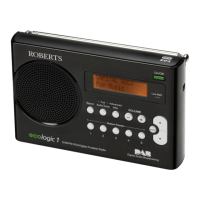
Auxiliary input socket
1. Connect a stereo or mono audio source (i.e. CD player, MP3 player,
etc.) to the Auxiliary input socket.
2. Press the On/Off button to switch on the radio. Press and release
the DAB/FM button until the display shows "AUX IN".
Note that the Auxiliary Input mode can only be selected when a plug
is inserted in the socket.
3. Adjust the Volume control on your player and on the radio for
comfortable listening.
4. Remove the cable from the Auxiliary input socket or press and
release the DAB/FM button to cancel Auxiliary Input mode.
Note: If the radio is in Auxiliary input mode with no input signal being
applied for more than 15 minutes then it will automatically switch to the
standby mode. The display will go off in such a case. To use the radio
again, simply switch the unit on.


 To Next Page