15
Setting the alarm time
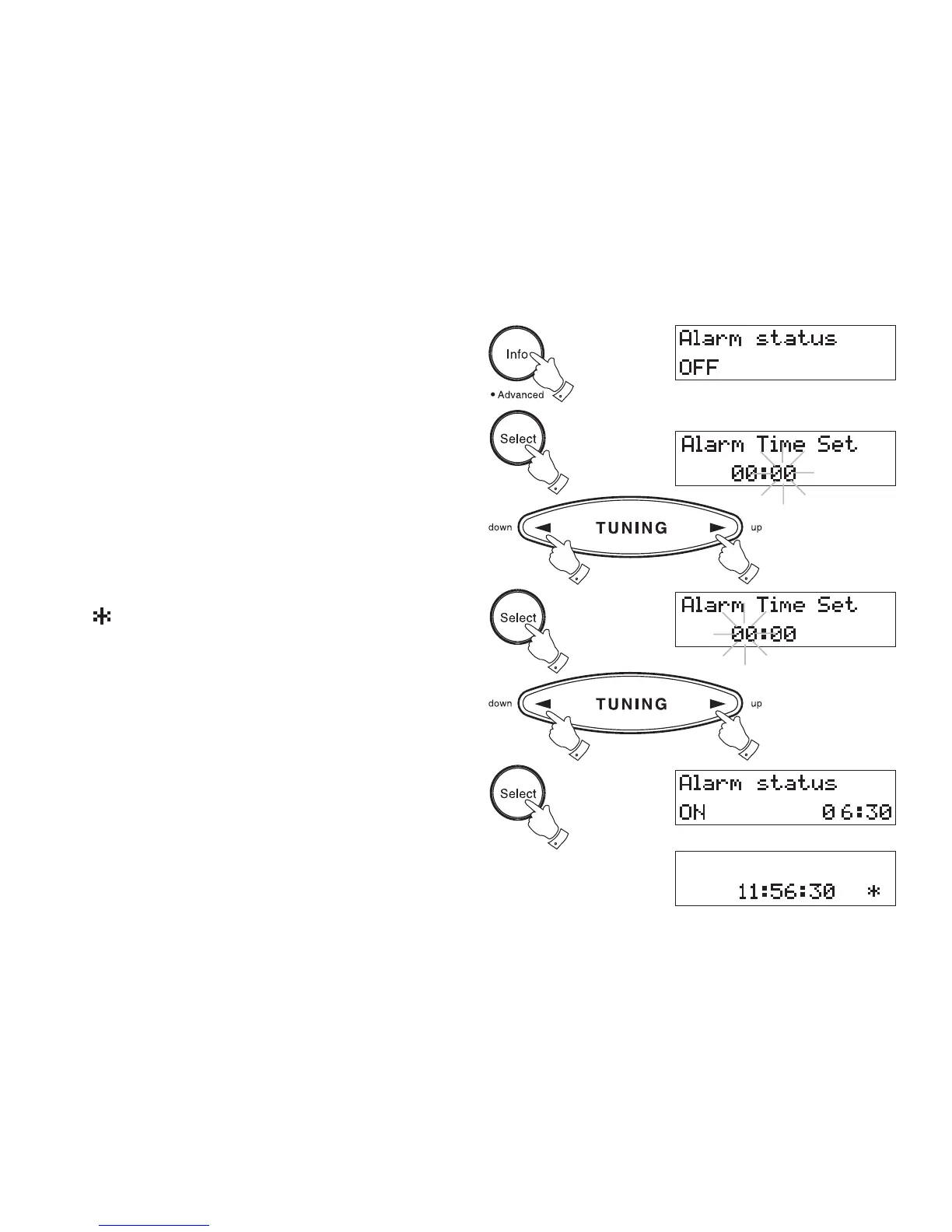
1. Repeatedly press and release the Info button until the display
shows Alarm Status.
2. Press the Select button the display will show Alarm Time Set. The
minutes digits will begin to flash in the display. Set the required minute
using the Tuning Up/Down buttons.
3. Press the Select button. The hours digits will begin to flash in the
display. Set the required hour using the Tuning Up/Down buttons.
4. Press the Select button to confirm the alarm setting. The display
will show Alarm Status On together with the alarm time. After a few
seconds the display will revert to showing real time.
A
symbol will appear in the display indicating that the alarm is
active.
Note: Alarm times are set using 24Hr format e.g. 2:30PM is
entered as 14:30
1
2
2
2
3
2
3
3














 To Next Page