If you need any further advice, please call our Technical Helpline on :-
020 8758 0338 (Mon-Fri)
16
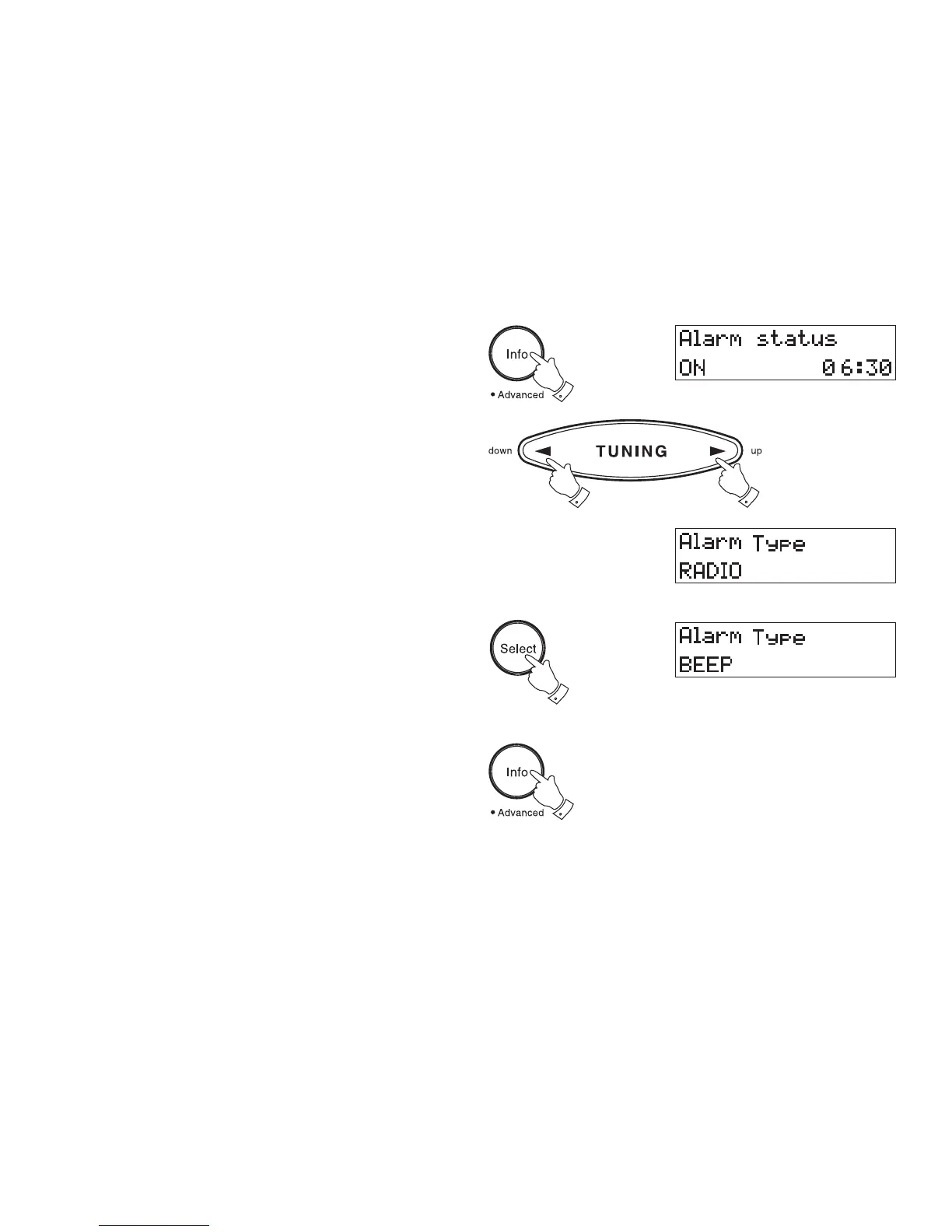
Selecting alarm type
Your clock radio can be set so as to wake you to either radio or beep
type alarm.
1. Repeatedly press and release the Info button until the display
shows Alarm Status.
2. Press either the Tuning Up or Down buttons to enter alarm type
setting.
3. Press the Select button to change between Radio and Beep
alarms.
4. Press the Info button to confirm the selection.
Note: when alarm is set to wake by radio your clock radio
switch on to the last used station.
1
2
2
3
4














 To Next Page