21
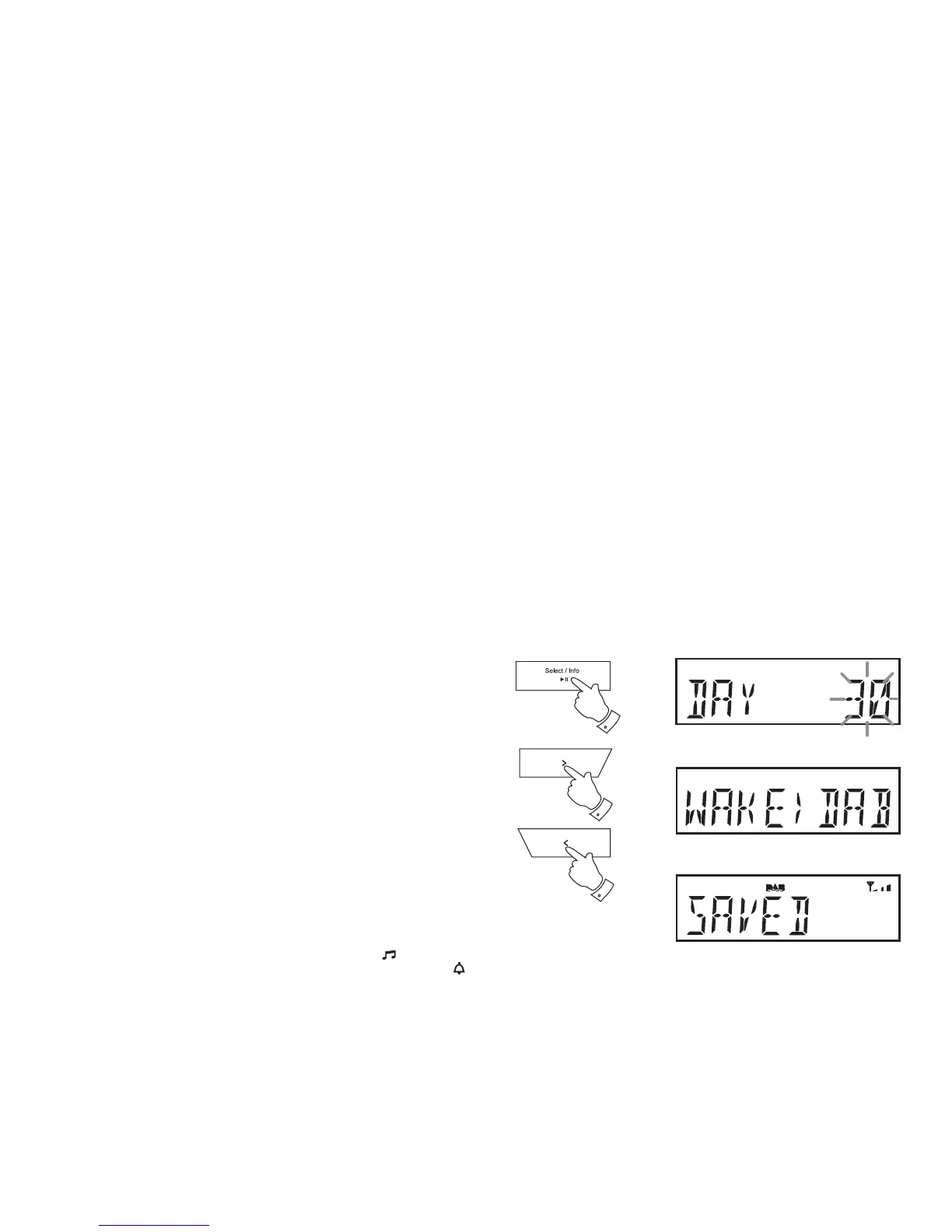
16. Press the Select button to enter the alarm month setting. The alarm
day will fl ash on the display.
17. Press the Tuning Up or Down buttons to choose the alarm day.
18. Press the Select button to enter the setting. The alarm source option
will fl ash on the display.
19. Press the Tuning Up or Down buttons to choose the desired alarm
source (DAB, FM, IPD (iPod), BUZ).
20. Press the Select button to confi rm the alarm settings. The display will
show 'SAVED' and the clock radio will return to normal radio mode.
Important: If using your iPod or iPhone as the source for the alarm, then
be sure to dock your iPod or iPhone. If the iPod or iPhone is not detected
a buzzer alarm will sound instead.
Radio and iPod alarms are indicated in the display by the
symbol and
the corresponding alarm number. Buzzer alarms are indicated by the
symbol and the corresponding alarm number.
When your clock radio is set to wake by the radio alarm, your clock radio
will switch to the last used DAB or FM radio station.
The volume used for the radio or iPod alarm will start softly and gradually
increase in level. If the radio cannot connect to the specifi ed radio station
the buzzer alarm will be used instead.
When the buzzer alarm activates it will start softly and gradually increase
in level.
Note: If the radio or iPod is switched on because of the alarm you can
control basic functions such as the volume control.
16-20
17-19
17-19


 To Next Page