If you need any further advice, please call our Technical Helpline on :-
020 8758 0338 (Mon-Fri)
22
Cancelling alarms
The alarm will sound at the selected times for up to 60 minutes unless
cancelled. The alarm icon will fl ash on the screen and the radio will
automatically switch back to standby mode when the 60 minutes have
elapsed.
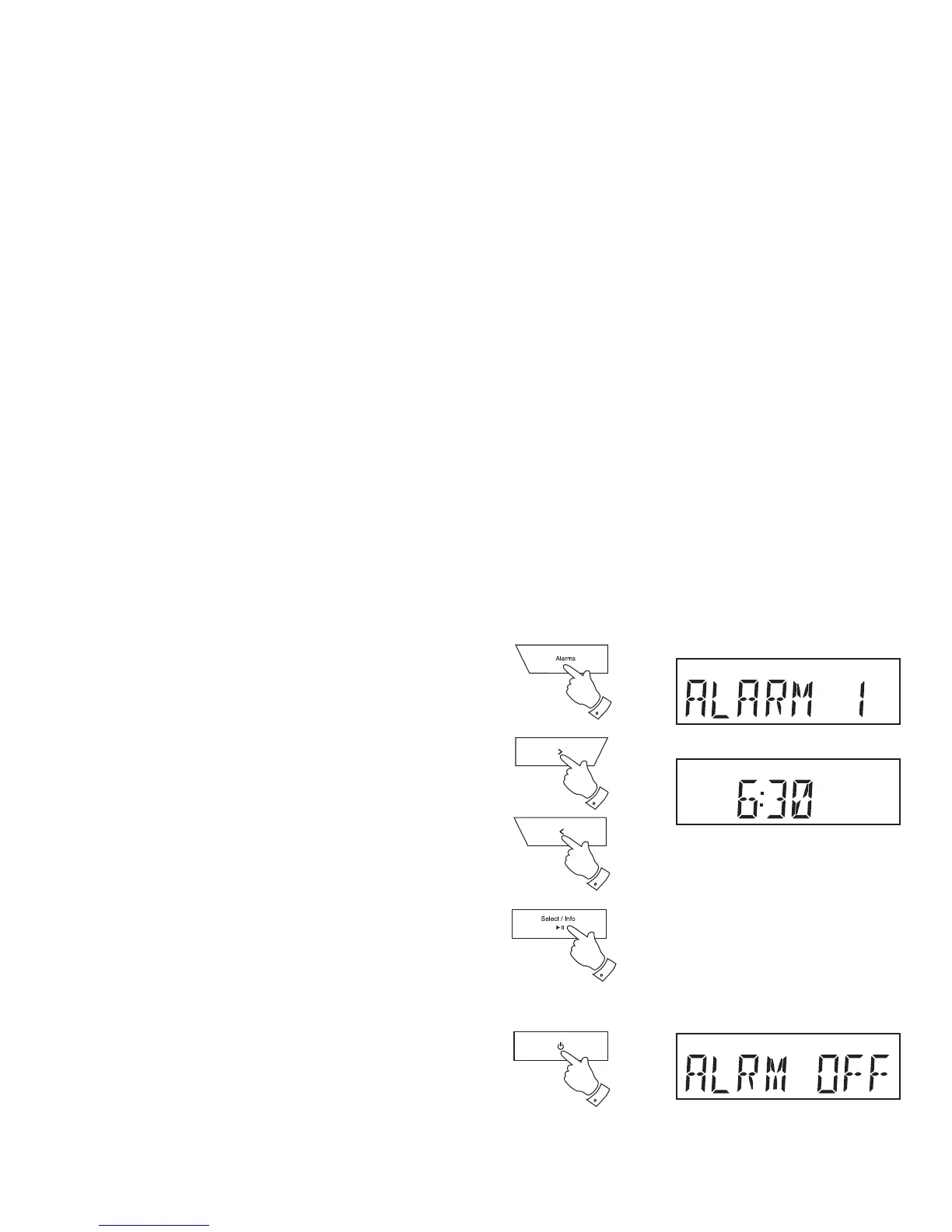
1. While an alarm is sounding it can be cancelled by pressing the
On / Standby button.
To view the alarm settings
1. Press the On / Standby button to switch on the clock radio.
2. Press and release the Alarm button to enter the alarm setup.
3. Press the Tuning Up or Down buttons to view alarms 1 or 2.
4. Press the Select button to cycle through each of the settings for the
chosen alarm.
You may use the Tuning Up and Down buttons to modify any particular
setting if desired, using the Select button to enter the modifi cation.
4
3
3
2
1


 To Next Page