If you need any further advice, please call our Technical Helpline on :-
020 8758 0338 (Mon-Fri)
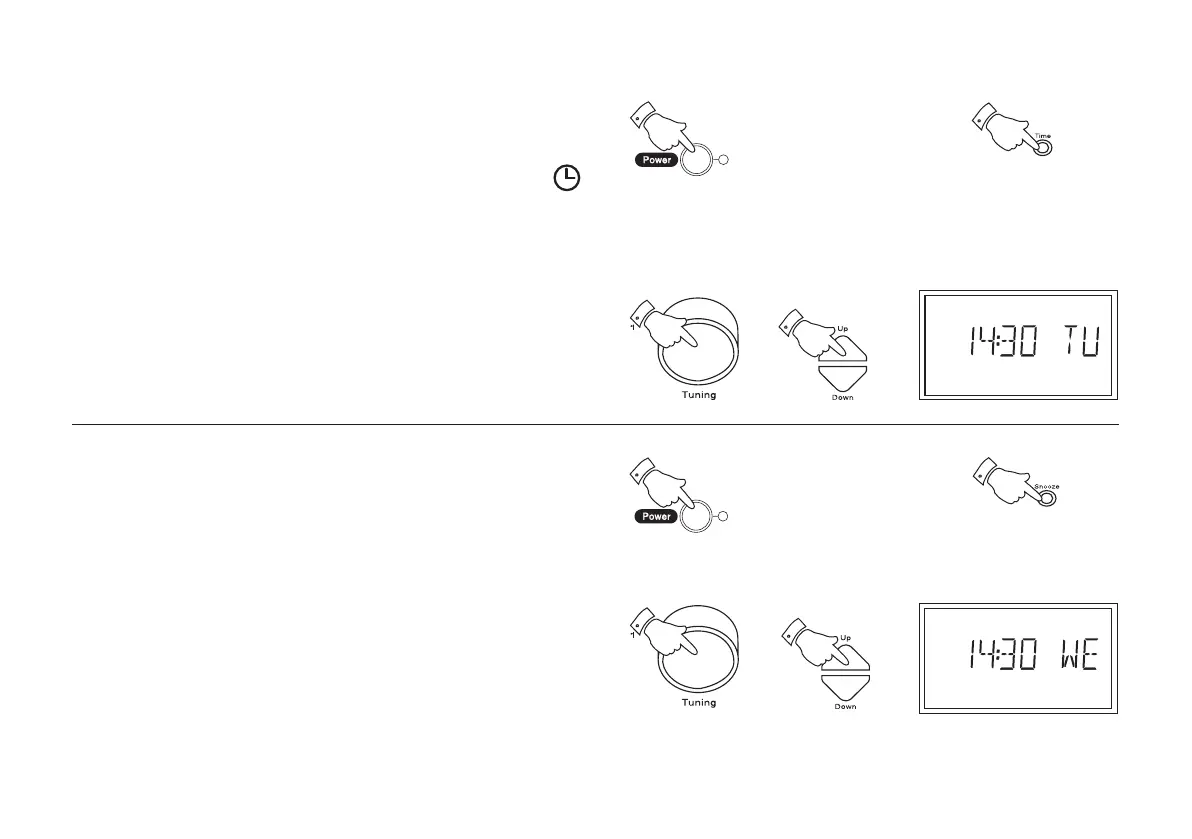
Setting the clock manually
1. Ensure that the radio is switched off.
2. Repeatedly press the Time button until the auto time symbol
is removed from the display.
3. Press and hold down the Time button.
4. Whilst the Time button is held down set the time by rotating the
Tuning control or by pressing the Up or Down buttons. The clock
uses the 24 hour system e.g. 2:30pm is shown as 14:30
5. Release the Time button when clock setting is complete.
Setting the day of week manually
1. Ensure that the radio is switched off.
2. Press and hold down the Snooze button.
3. Whilst the Snooze button is held down set the day of week by
rotating the Tuning control or by pressing the Up or Down buttons
4. Release the Snooze button when day of week setting is complete.
8
r9999 instruction book.PMD 7/28/2005, 4:07 PM9



 To Next Page