Controls (contd.)
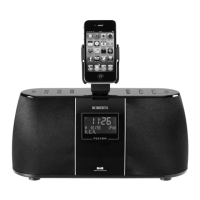
1. iPod cable and connector - This must be connected to the docking connector
on your iPod in order to use the radio.
2. Hold switch - Slide this switch up to prevent accidental operation of all buttons
on . The display will show ‘Locked’ if a button is pressed while Hold is
applied. Slide down to re-enable the buttons.
3. Play / Pause / Mute / Power button - Acts as Play / Pause in Remote mode.
In DAB or FM mode will mute radio. Press and hold for 2-3 seconds to switch
and your iPod on or off.
4. Mode button - Press to cycle through DAB / FM / Remote modes.
5. Next / Forward / Scan button - In DAB mode press to select next radio
station, press and hold to scan for additional DAB stations. In FM mode,
press to step frequency up, press and hold to scan. In Remote mode press
to select the next track or press and hold to fast-forward the current track.
5



 To Next Page