74
Display and Audio
Setting up your My EQ profi le
If you fi nd the preset equaliser functions not to your liking, you may set up a custom
treble and bass setting as follows:
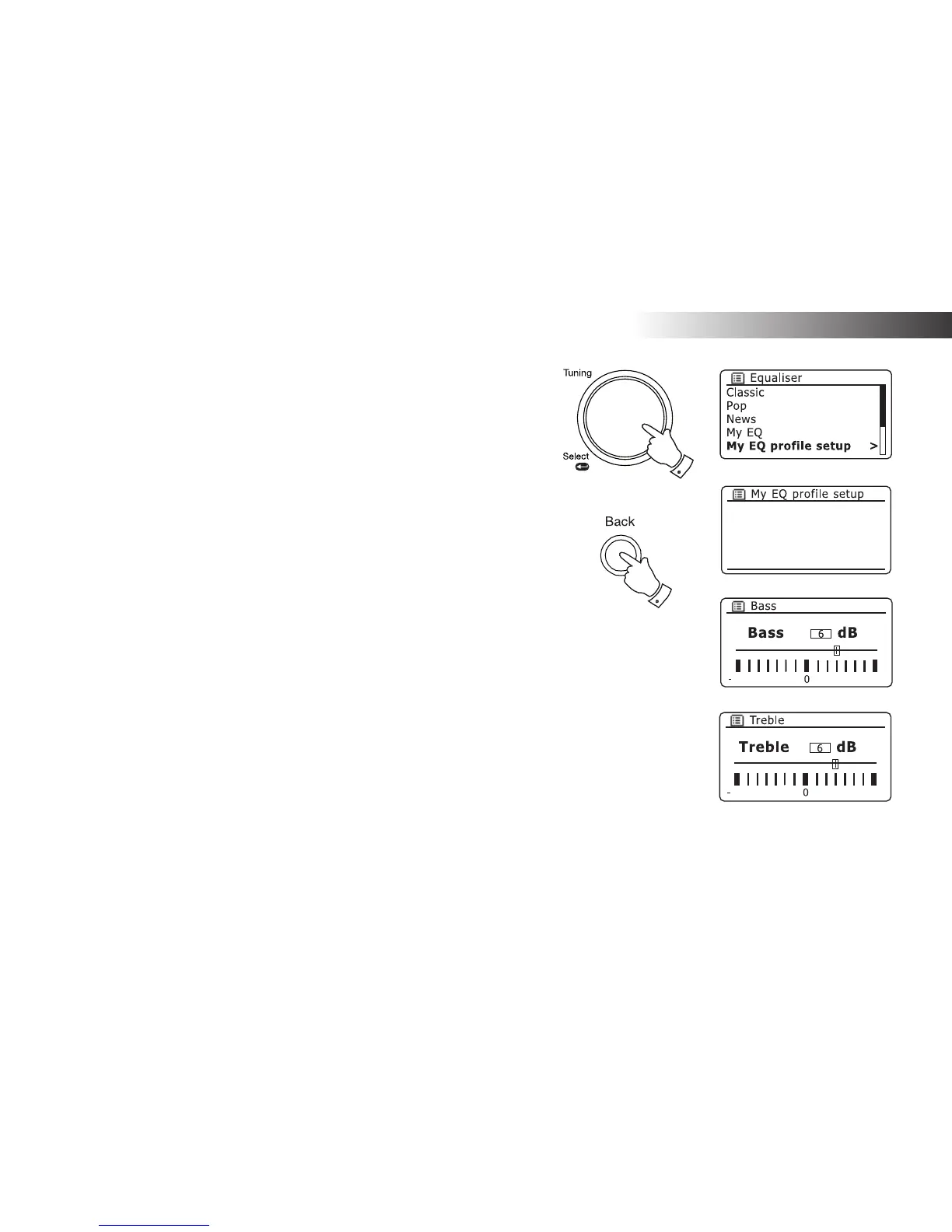
1. Follow steps 1-3 on the preceding page in order to enter the Equaliser menu.
2. Rotate the Tuning/Select control until 'My EQ profi le setup' is highlighted
on the display. Press the control to enter the adjustment mode.
3. To adjust the bass level rotate the Tuning/Select control until 'Bass' is highlighted
on the display. Press the control to enter the adjustment mode and rotate the
control until the desired level (between -14 and +14) is displayed. The sound
will change as you turn the control. Press the control when you are happy with
the bass setting.
4. To adjust the treble level rotate the Tuning/Select control until 'Treble' is highlighted
on the display. Press the control to enter the adjustment mode and rotate the
control until the desired level (between -14 and +14) is displayed. The sound
will change as you turn the control. Press the control when you are happy with
the treble setting.
5. Press the Back button and the display will prompt you to save the changes. If
you wish to save the changes rotate the control to highlight 'YES'. If you do not
wish to save the changes highlight 'NO'. Press the Tuning/Select control to enter
the selection.
6. To use the 'My EQ' profi le rotate the Tuning/Select control until 'My EQ' is
highlighted, and then press the control to make the selection.
To quickly cancel the effect of the 'My EQ' profi le rotate the Tuning/Select control
until 'Normal' is highlighted on the display and press the control to select. The treble
and bass settings will be remembered for the next time that you wish to use the 'My
EQ' setting.
The loudness setting in the My EQ profi le enables a brighter sound with an enhanced
stereo image. It is switched on by default. To adjust, select the 'Loudness' option and
press the Tuning/Select control to toggle loudness on or off.
14
14
14
14
Bass: 0
Treble: 0
Loudness: Off
1-6
5



 To Next Page