81
Clear network settings
In the event that you pass your radio on to someone else you may wish
to remove all the network settings stored. This function will clear all stored
network settings from your radio.
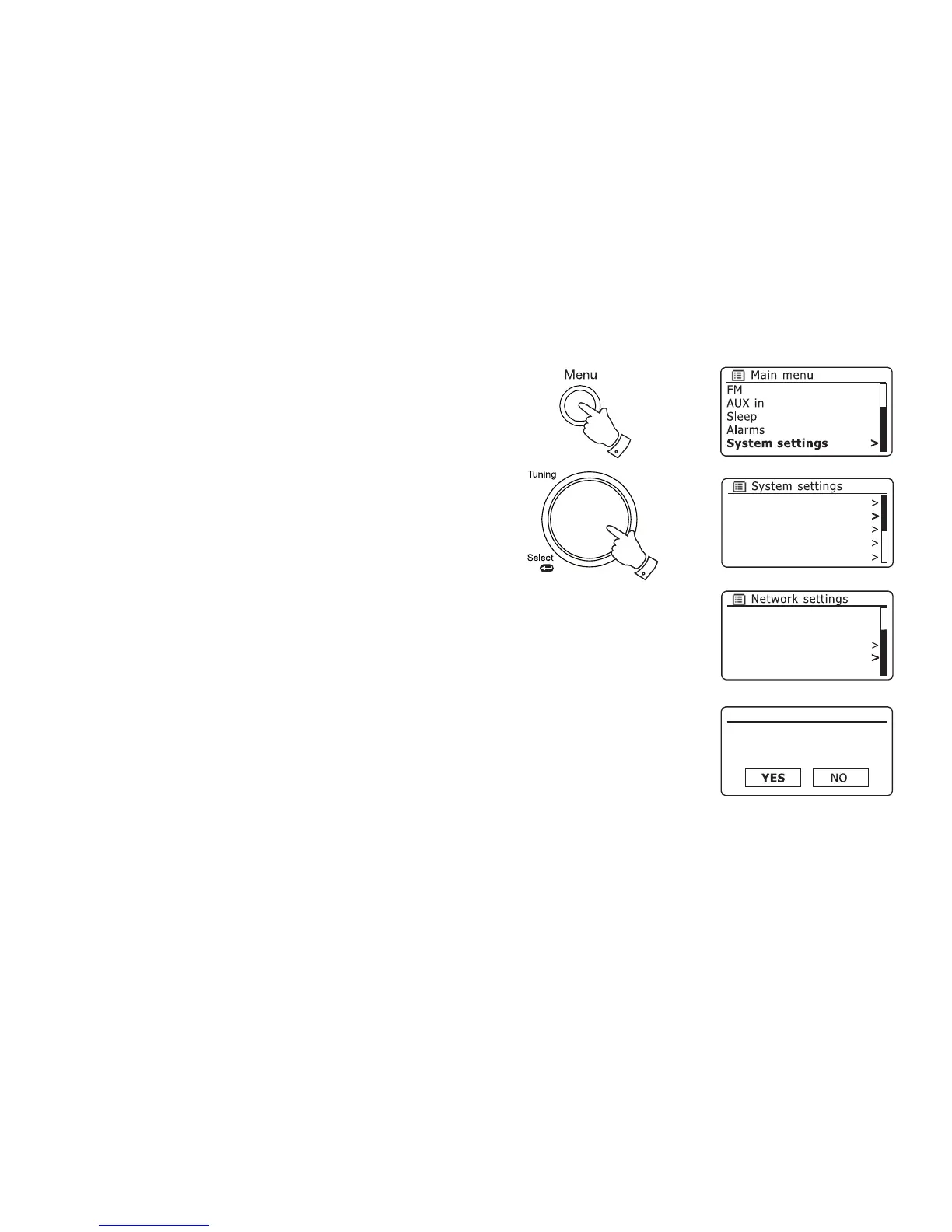
1. Access the menu for the current mode by pressing the Menu button.
Rotate the Tuning/Select control until 'System settings' is highlighted
on the display. Press the control to enter the settings menu.
2. Rotate the Tuning/Select control until 'Network' is highlighted on the
display. Press the control to enter the Network settings menu.
3. Rotate the Tuning/Select control until 'Clear network settings' is
highlighted on the display. Press the control.
4. The radio will offer a 'YES' or 'NO' selection. Rotate the Tuning/Select
control to select 'YES' and then press the control. The network settings
will be deleted.
5. If you do not wish to clear the network settings, highlight 'NO' and then
press the control. The display will revert to the previous menu.
Equaliser
Network
Time/Date
Brightness
Language
Network settings
Clear network settings?
1-5
1
Manual settings
NetRemote PIN Setup
Network profile
Clear network settings
Keep network connected



 To Next Page