Time and Schedule Cleaning
The host can make schedule settings for the cleaning time. The schedule
timing function can only be realized by the remote control. Before making the
schedule timing, please ensure that the time of the remote control is consis-
tent with your local time.
Tips: When you set the clock or the schedule, please make sure that the remote
control is close to the machine.
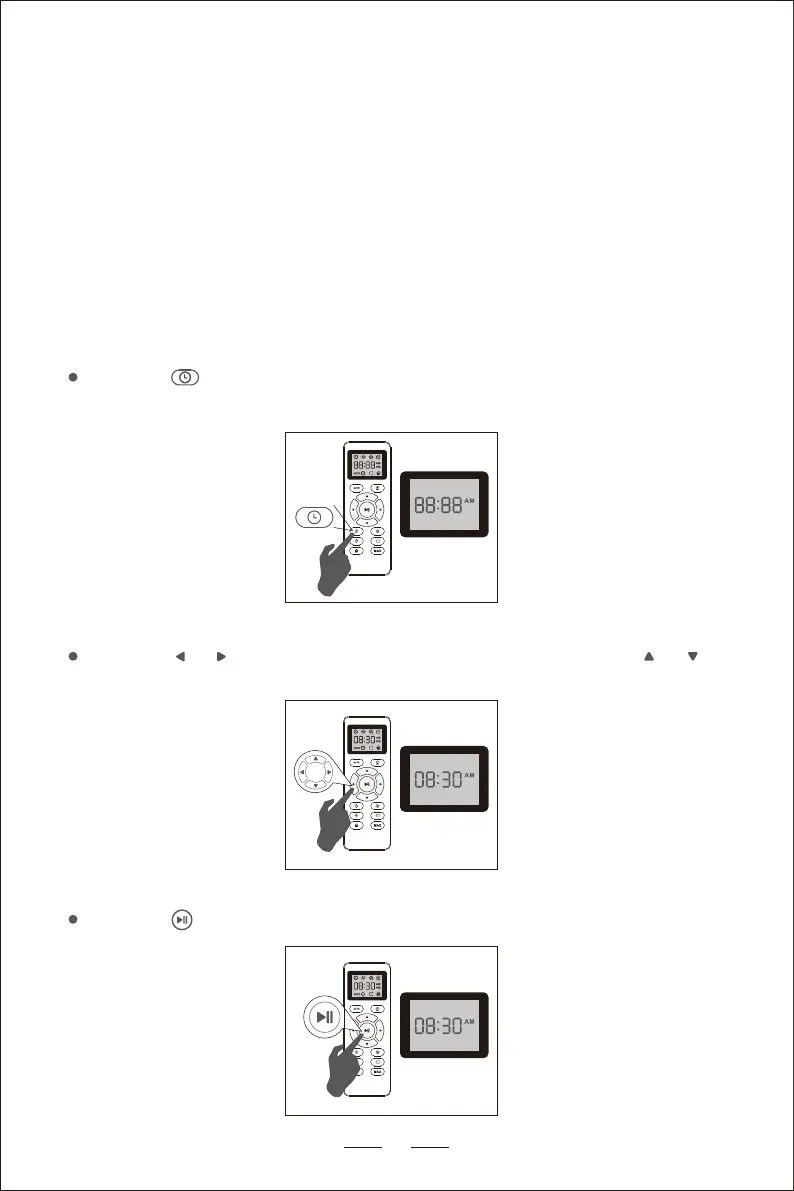
Remote Control Display Time Setting
Press the on the remote control. The setting in the time display starts to
flash.
14
*
Press the or to select the minute or hour setting. Press the or to
set the desired time.
Press the again, after the clock is set, the machine will emit a "beep".


 To Next Page