Roboguard 26
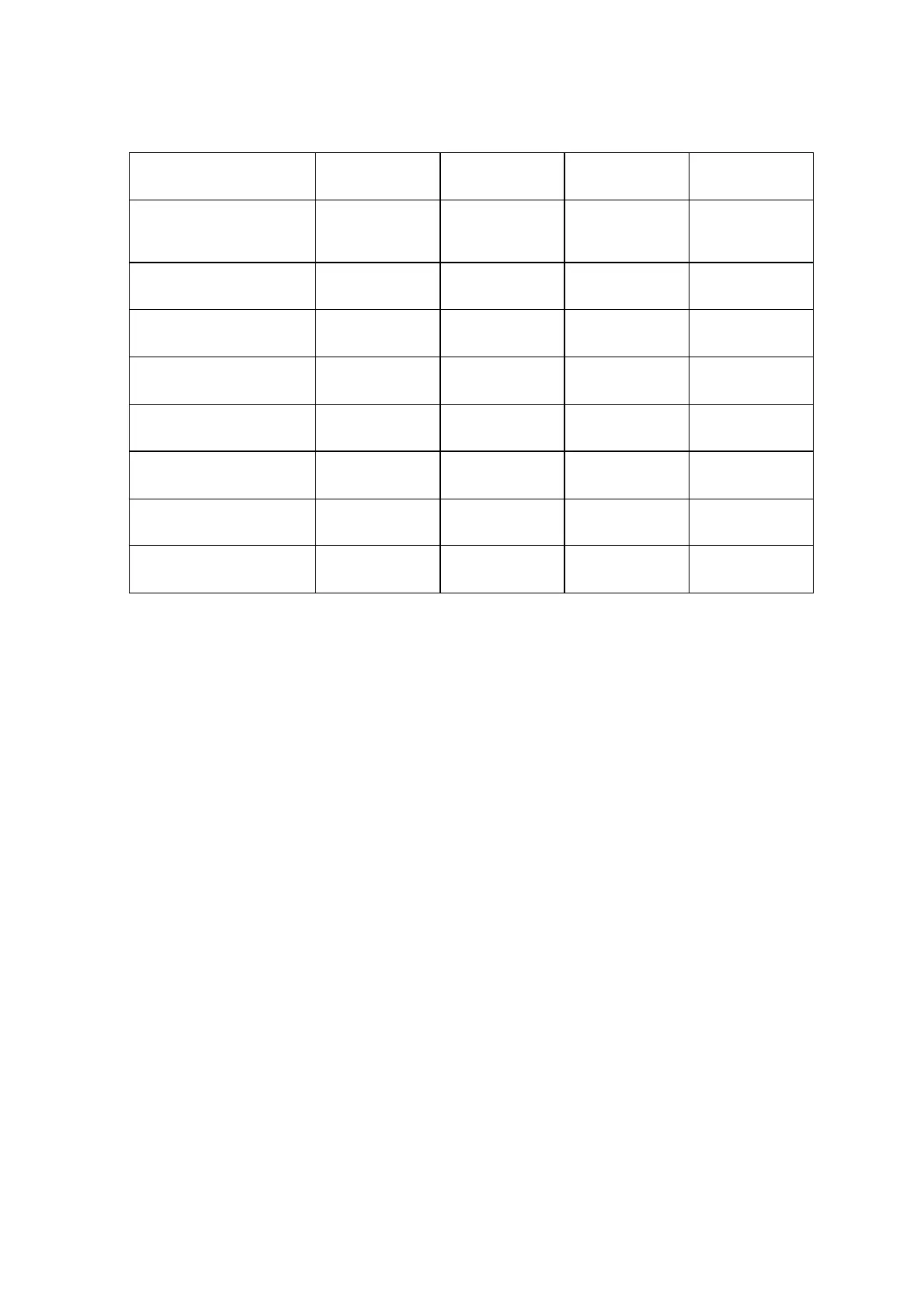
Output Port operation chart
Programming Sequence
Determine the desired output configuration from the output port chart.
Disconnect the power to the keypad.
Hold down the tamper and status buttons and simultaneously re-power
the keypad.
The red tamper and status LED's will now both be flashing, you are
now in output port programming mode.
Press the desired zone button
Press the Tamper Button once to register a N/O selection or the
Status Button to register a N/C selection. All LED’s will flash and the
unit will beep 10 times.
Output Port Wiring:
The keypad output switches use open collector low-side transistor
drivers rated at a maximum of 500mA which is sufficient to switch a
relay, timer board or alarm panel.
The output voltage is normally held at 0V and will switch open
circuit or to an externally connected voltage for 1 second when
triggered.
To trigger alarm panels you should connect an external 1k ohm
(typically) resistor from the port output to the required voltage.
ZONE 1 ZONE 2 ZONE 3 ZONE 4
1,5,6 1 1 1
Guard 2 1,5,6 2 2 1
Guard 3 1,5,6 3 3 2
Guard 4 1,5,6 4 4 2
Tamper 1,5,6 5 3
Status 2 6 4
Remote 1 3 5 5
Remote 2 4 6 6


 To Next Page