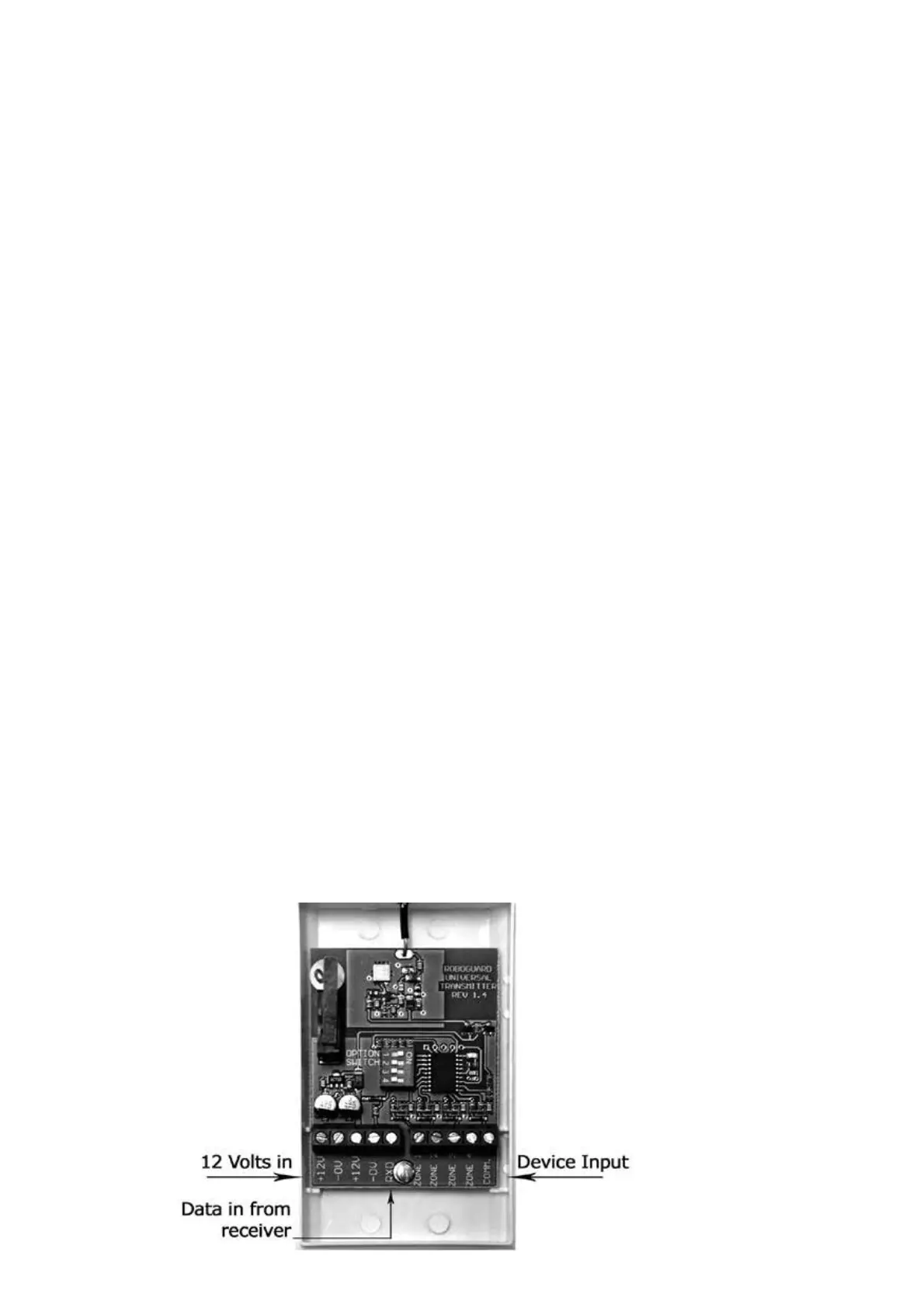
Roboguard 37
You can now trigger each device to check transmission to
your receiver.
Finally, connect any unused input zones on the uTx to Common.
This will stop the uTx from sending auto-test data from these
zones.
AUOTOTEST:
The uTx will supervise the devices connected when in Roboguard Mode,
but not in Remote Mode.
If the device does not return to default state but remains in triggered
state the uTx will fail Auto test on all receivers except the uRx.
Failed Auto test will trigger the Status LED on your receiver as well as
configured output ports depending on your receiver configuration. (See
your receiver user manual)
NOTE: You can protect the installation by entering the uTx into a zone
on the receiver using the Tamper Switch on the board. Opening the
case will trigger the zone tamper only.
HOW TO DETERMINE THE ZONE INPUTS OF AN OLD SITE:
Disconnect the Zone input wires one at a time.
The N/C zones will transmit on disconnection (LED will burn solid for 1
sec) and with N/O zones, the LED will continue to flash as normal, as
they are still N/O


 To Next Page