36
5.7 Batteries Replacement
WARNING!
Follow the instructions below. Complete replacement of one battery before starting to replace the second
battery.
Replacing the batteries:
- Lift the bumper and remove the batteries fuse;
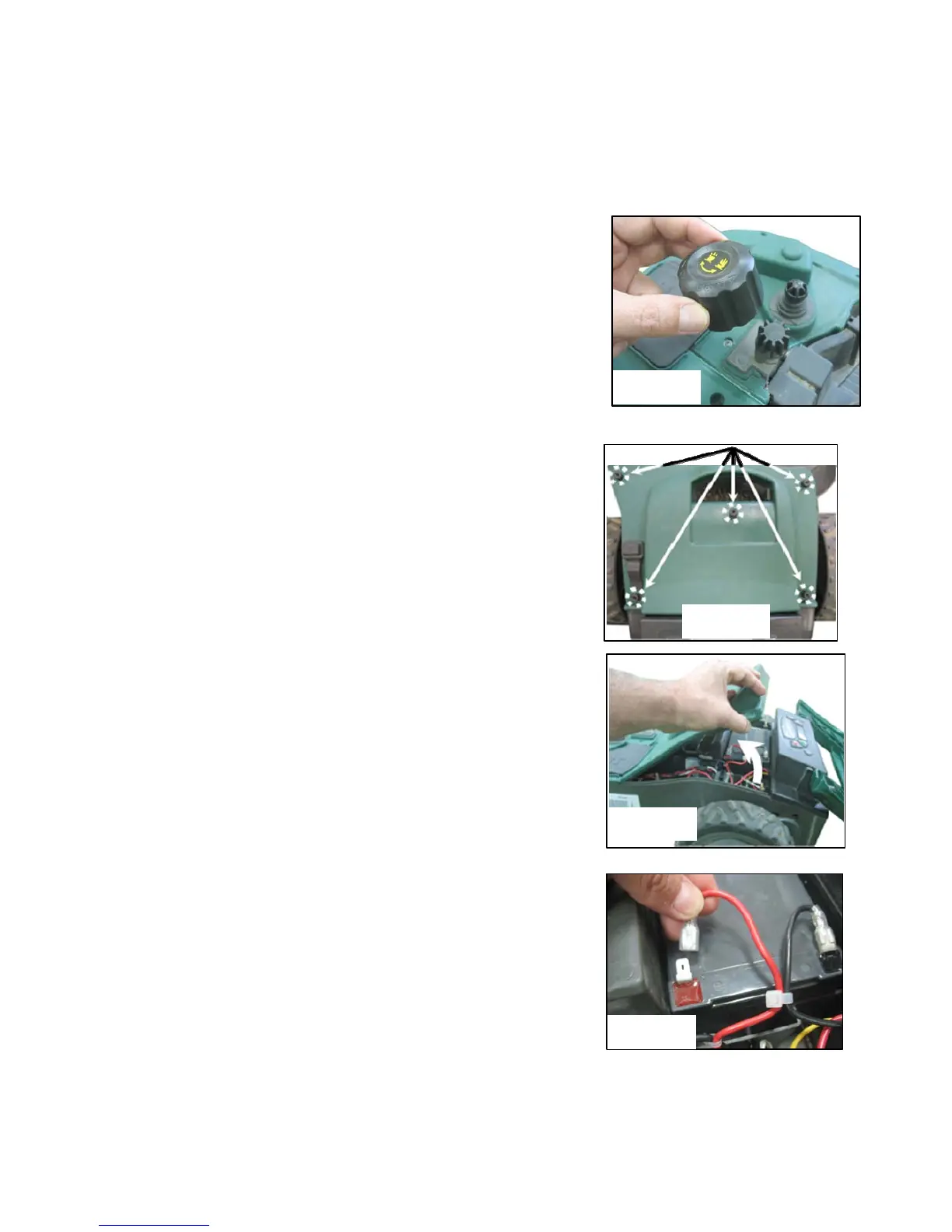
- Remove the cutting height adjustment knob by lifting it
upwards (figure 5.4)
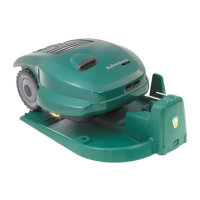
- Unscrew the five nuts manually at the rear side of the Chassis
cover (figure 5.5). If you find it difficult use a wide flat
screwdriver;
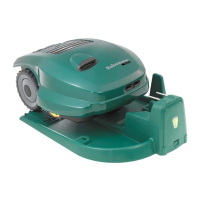
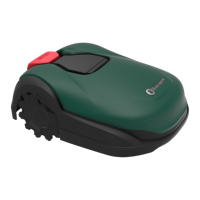
- Lift the rear side of the cover (see figure 5.6) and disconnect
only the two cables from the left battery (figure 5.7);
Place the new battery and connect the cables to the battery
tabs when the red and the black cables are fitted to the color
on the battery;
- Disconnect the cables from the right battery;
- Place the new battery and slightly crimp the battery
connectors with plyers, so that they fit tightly on the battery
tabs.
- Connect the cables to the battery tabs respectively by color;
- Place the cover back in its position and screw the five nuts
manually, confirm they are tight enough;
- Insert the batteries fuse and confirm the Robomow wakes up.
Figure 5.4
Figure 5.5
Figure 5.6
Figure 5.7


 To Next Page