14
Common Issues
Issue Solution
Cleaning does
not resume
after
recharging
• Make sure that the robot is not in DND mode.
DND mode will prevent auto top-up. If the
robot is placed manually on the dock before it
is recharged automatically, it will not be able
to continue cleanup.
The robot
cannot return
to the dock
after spot
cleaning or
when it has
been moved
manually
• After spot cleaning or a significant position
change, the robot will re-generate the map.
If the dock is too far away, the robot may not
be able to return for recharging and must be
placed on the dock manually.
The robot
begins to miss
certain spots
• The wall sensor or cliff sensors may be dirty.
Clean them with a soft, dry cloth.
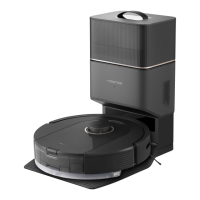
Red LED
indicator on
the Auto-
Empty Dock
• The dustbin cover is not in place. Check and
correct installation.
• The fan is not operating properly. Potentially
due to overheating protection resulting from
frequent starting and stopping. Unplug the
power cable and try again after 30 minutes.
• Voltage error. Check that local voltage meets
the requirements listed on the dock.
Issue Solution
Reduced
emptying
performance
or unusual
noise when
emptying
• The main brushes or main brush cover is
not properly installed. Check and correct
installation.
• The filter, air duct, suction inlet, air inlet,
or dustbin is blocked. Clean to remove
blockages.
Auto-emptying
does not start
when the
robot returns
to the dock
• Auto-emptying is disabled. Check in-app
settings.
• Dustbin cover is not in place. Check and
install.
• Auto-emptying will not be triggered if the robot
is moved to the dock manually. Start emptying
manually.
• Auto-emptying will not be triggered if the
robot returns to the dock without cleaning.
• The robot will not auto-empty after returning
to the dock in Do Not Disturb (DND) mode.
Adjust cleaning or DND duration, or start
emptying manually.
• The battery level is lower than 10%. Charge
the robot until the battery reaches 10%.



 To Next Page