support@robotiq.com
T: 1.418.380.2788 option 3
August 2018
V1.1
HAND-E
QUICK START GUIDE
support.robotiq.com
New product has a 1-year warranty from the above date.
Refer to your product instruction manual for details.
8. TEST AND JOG
THE GRIPPER
For installation on
CB-Series
Universal Robots
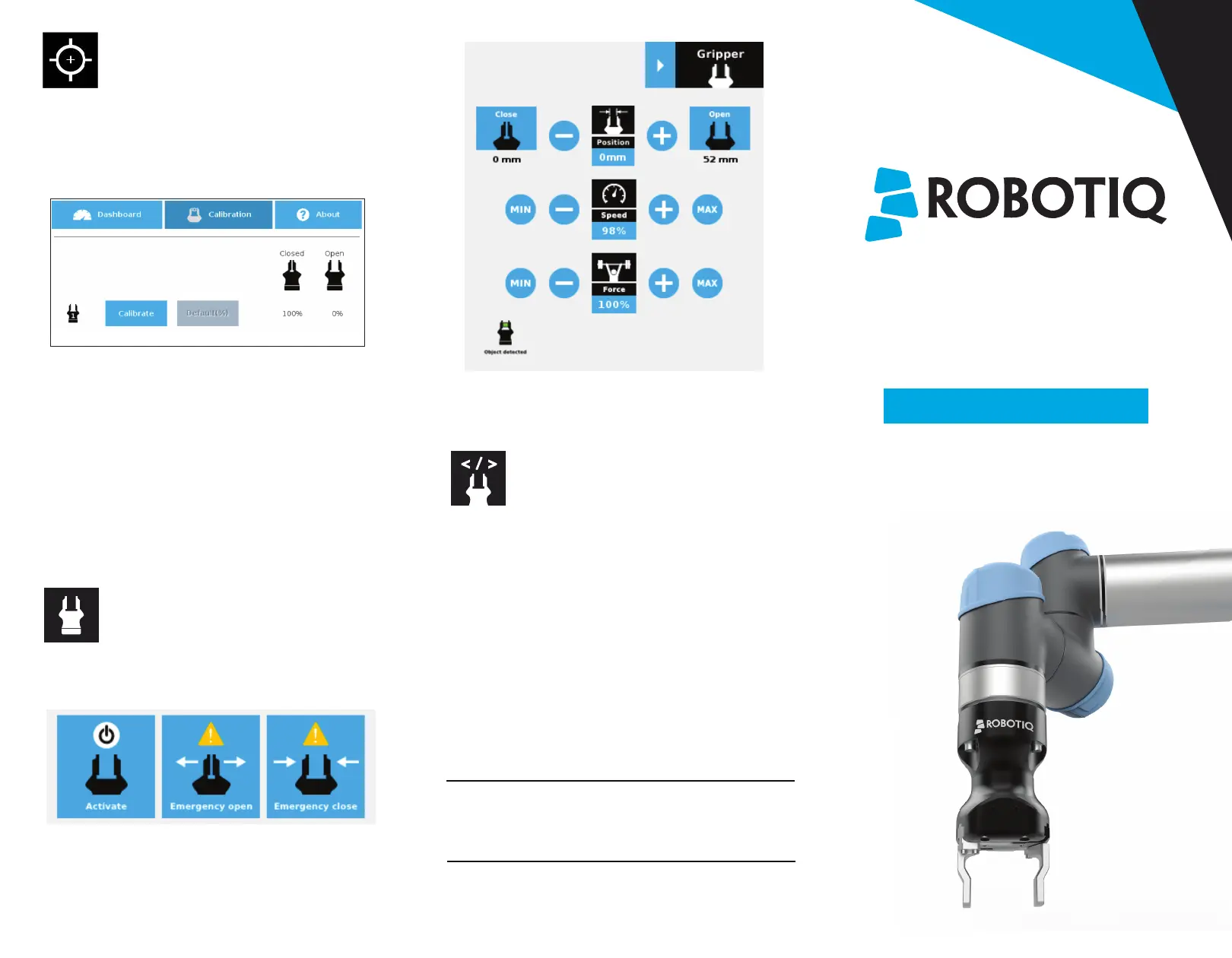
• Tap the Gripper button to expand the Gripper toolbar.
• Tap Activate to initialize the Gripper and access the
toolbar.
• Depending on the PolyScope settings used, the
Gripper position measurements can either display in
metric or imperial units.
• The Gripper toolbar allows you to jog and test the
Gripper. For more information, refer to the
instruction manual.
7. HOW TO CALIBRATE
THE GRIPPER
• From a robot program, go to the Installation tab and
select Gripper in the left pane.
• Tap the Calibration tab.
• Tap the Calibrate button next to the Gripper icon to
start the Calibration wizard.
• The wizard prompts the user to fully close the Gripper,
regardless of the type of fingers/fingertips used.
• Measure the distance between the fingers/fingertips
and enter the measurement in the appropriate box.
• Tap the Continue button.
• The user is then asked to fully open the Gripper.
• Measure the distance between the
fingers/fingertips and enter the measurement in the
appropriate box.
• Tap the Continue button to complete the
Calibration wizard.
9. USE NODES TO PROGRAM
WITH THE GRIPPER
Gripper Node
• From your robot program, go to the Structure tab.
• Go to the URCaps tab.
• Tap the Gripper button.
• Go to the Command tab to edit your Gripper’s action.
Grip Check Node
• From your robot program, go to the Structure tab.
• Go to the URCaps tab.
• Tap the Grip Check button.
• Go to the Command tab to edit the node.
• Select a condition (If object is detected vs. If object is
not detected).
• If applicable, enter the object dimension for validation.



 To Previous Page