Robustel GoRugged R3000 Wireline - 4 Ethernet Ports User Guide
RT_UG_R3000 Wireline- 4 Ethernet Ports _v.1.1.0 02.07.2015 85 / 116
Confidential
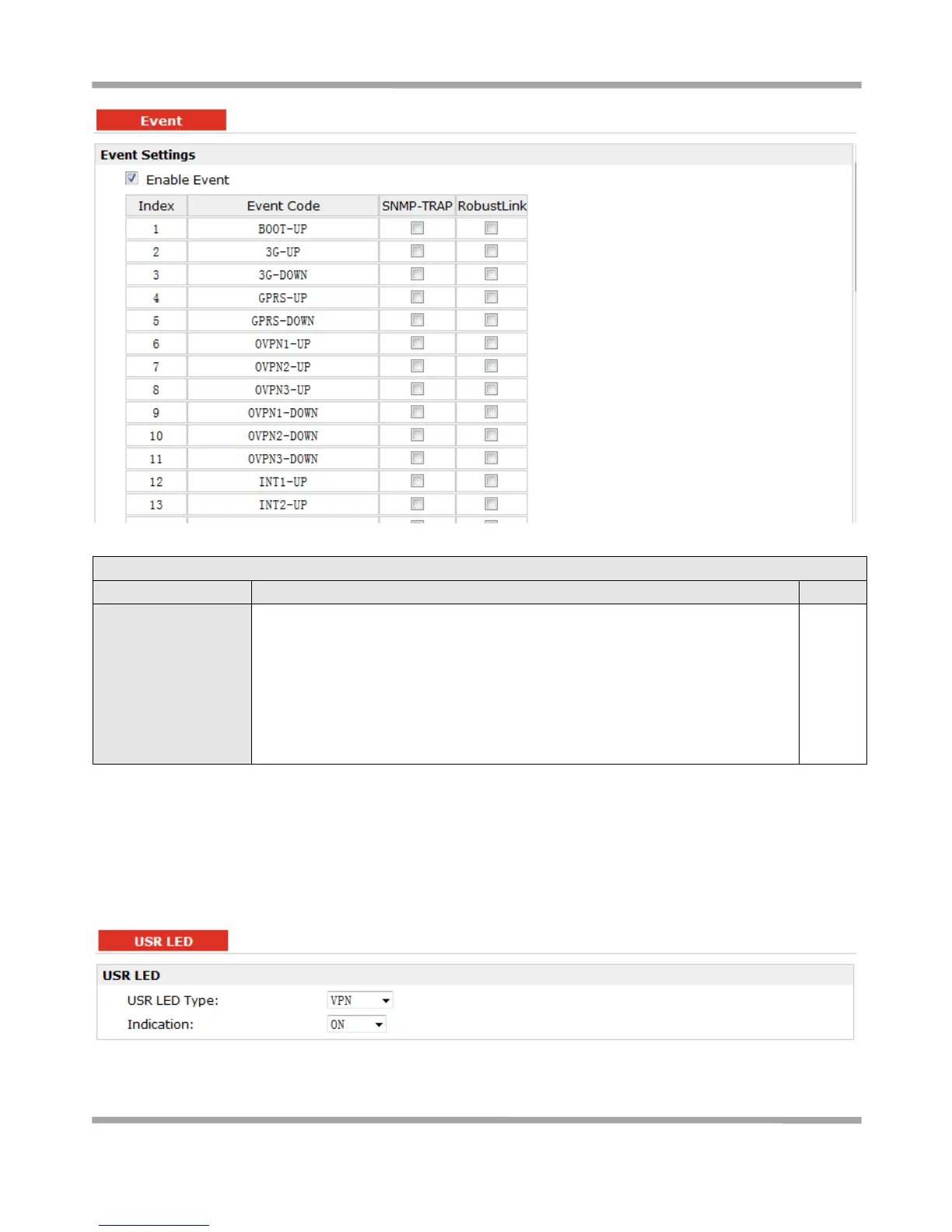
Click to enable Event feature.
This feature is used to report R3000 Wireline’s main running event to
SNMP-TRAP or RobustLink. There are numbers of Event code you can select,
such as “BOOT-UP”, “3G-UP”, “3G-DOWN”, etc. For example if you click “3G-UP”
and select “RobustLink” as the server, when R3000 Wireline dial up to connect to
3G network, it will send event code “3G-UP” as well as relevant information to
RobustLink.
3.32 Configuration -> USR LED
This section allows users to change the display status of USR LED.
Note: Please refer to “Status” -> “System” -> “LEDs Information” -> “USR”.











 To Next Page