Robustel GoRugged R3000 Wireline - 4 Ethernet Ports User Guide
RT_UG_R3000 Wireline- 4 Ethernet Ports _v.1.1.0 02.07.2015 40 / 116
Confidential
Show the MAC address of R3000 Wireline’s WiFi interface.
Associated Clients @ AP
mode
Show current associated wireless client devices’ BSSID and IP address.
Scan Results @ Client
mode
Show current scan results of any wireless network (access point), such
as SSID, Channel, Signal Level, Flags (the security mode and encryption
algorithm flags of access point).
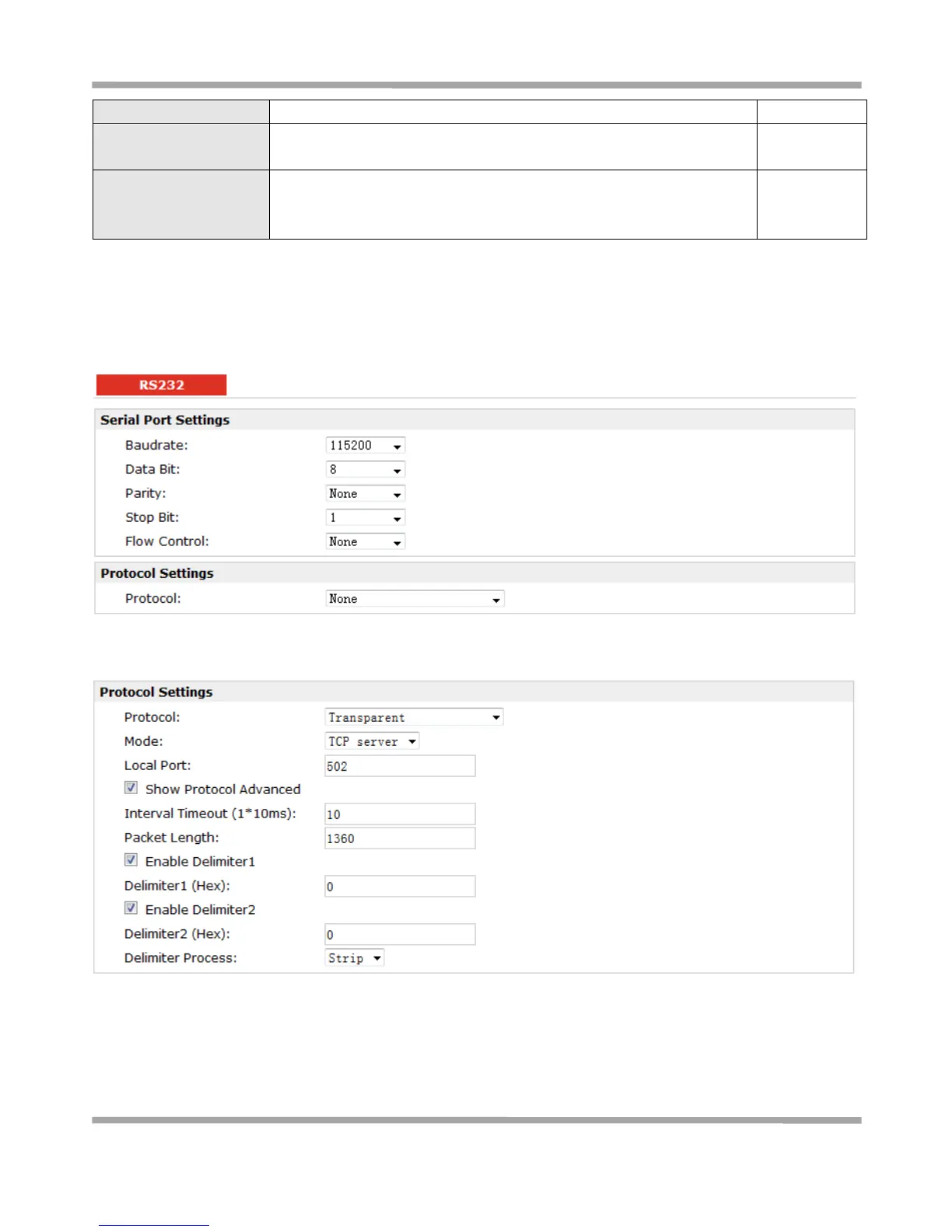
3.13 Configuration -> Serial
This section allows users to set the serial (RS232/RS485) parameters.
When Select Protocol “Transparent”:
When Select Protocol “Modbus”:











 To Next Page