2013 年 11 月 01 日
Maintain
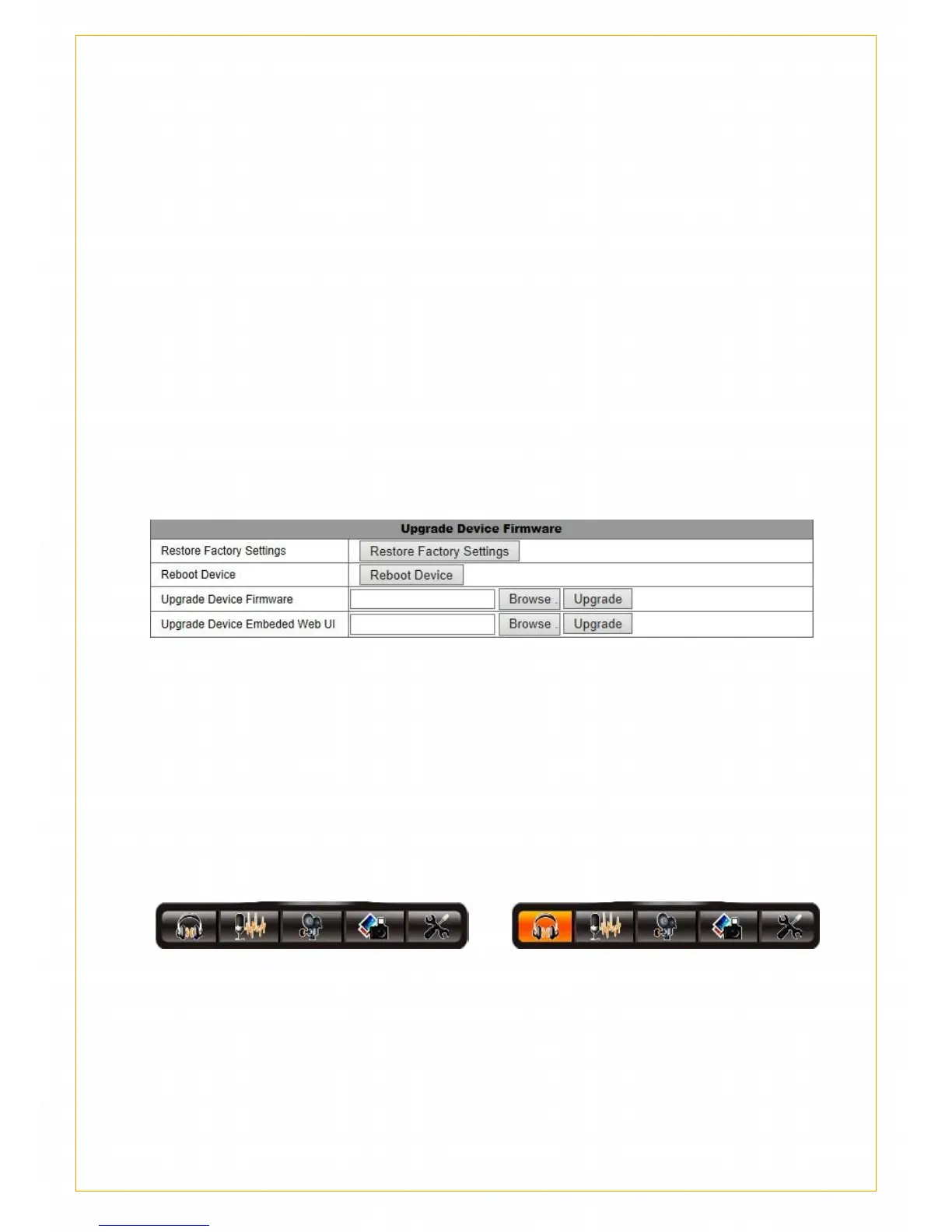
Click on "Restore Factory Settings", you can restore the factory default
camera parameters.
Click the "Restart camera", you can reboot the camera.
Upgrade the system firmware: Click "Browse" to select the system
firmware upgrade package file, click "Upgrade" Waiting camera system
restart to complete the firmware upgrade is completed.
Interface Firmware upgrade Click "Browse" to select the interface
firmware upgrade package file, click the "upgrade" the restart waiting for
the camera to complete the interface firmware upgrade.
Chapter 5 Network Camera
5.1 Monitor-Intercom
Monitor
Click the left mouse button to enable the listener to listen, When the icon
turns to the below picture(right) means it is in a listening state;
Intercom
Click the left mouse button to enable the intercom intercom function,
When the icon turns to the below picture(right) means it is in a listening
state;


 To Next Page