2013 年 11 月 01 日
4.4.1 Network setting
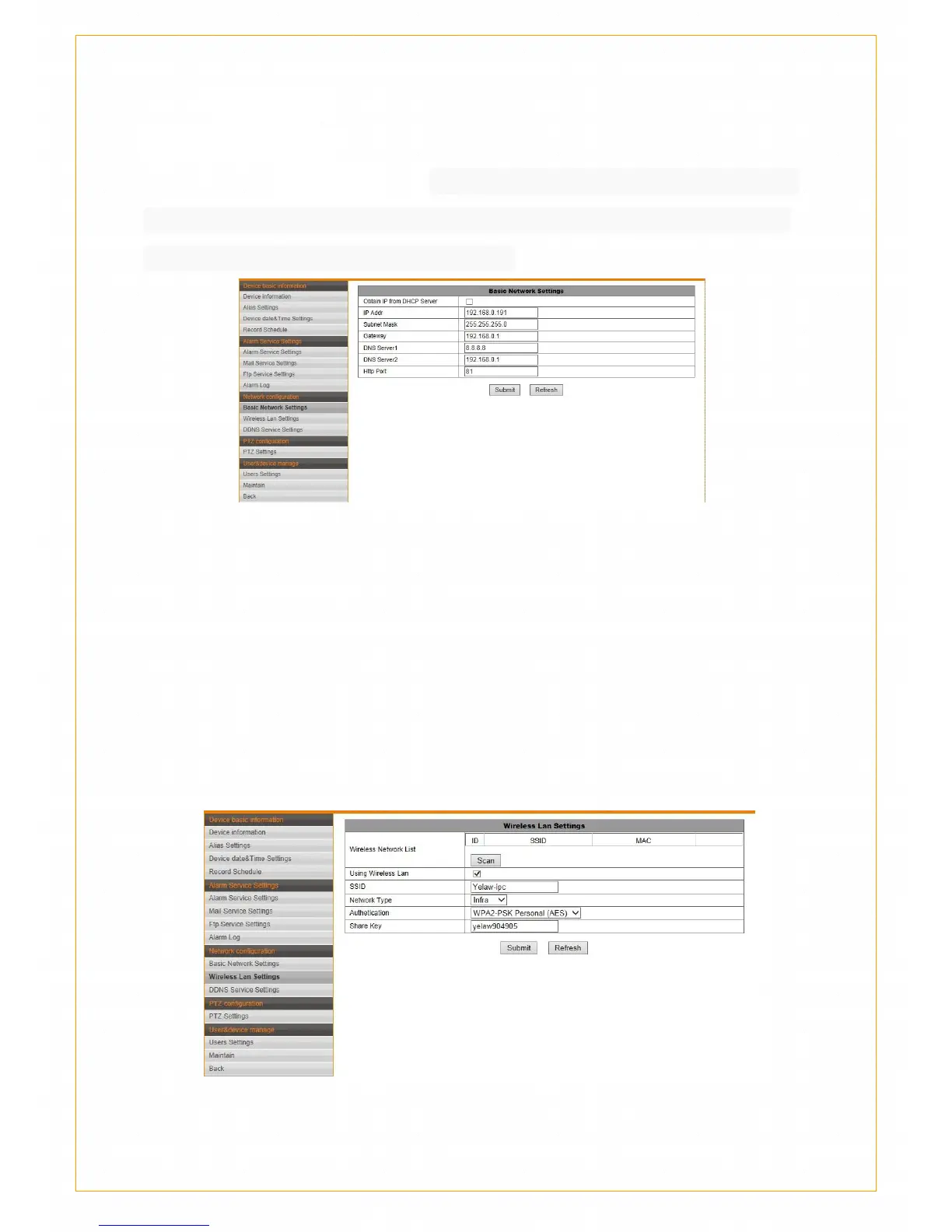
Basic network setting
Support DHCP Dynamic IP and Static IP. Use Static IP If you need set the
router port mapping. Do not modify above parameters arbitrarily without
certain levels computer network support.
Wireless LAN setting
Below set figure for wireless networking,where the security mode
support :WEP、WPA Personal(TKIP)、 WPA Personal(AES)、
WPA2Personal(AES)、 WAP2 (TKIP+AES) five ways.,the camera will
automatically match the wireless network encryption.Selected wireless
network name that you want to add, input password click the “setting”
button, unplug the network cable follow the page guides , it will be connect
after the camera restart.
The reason you can not connect the wireless camera are the following:


 To Next Page