11RF-RBKIT
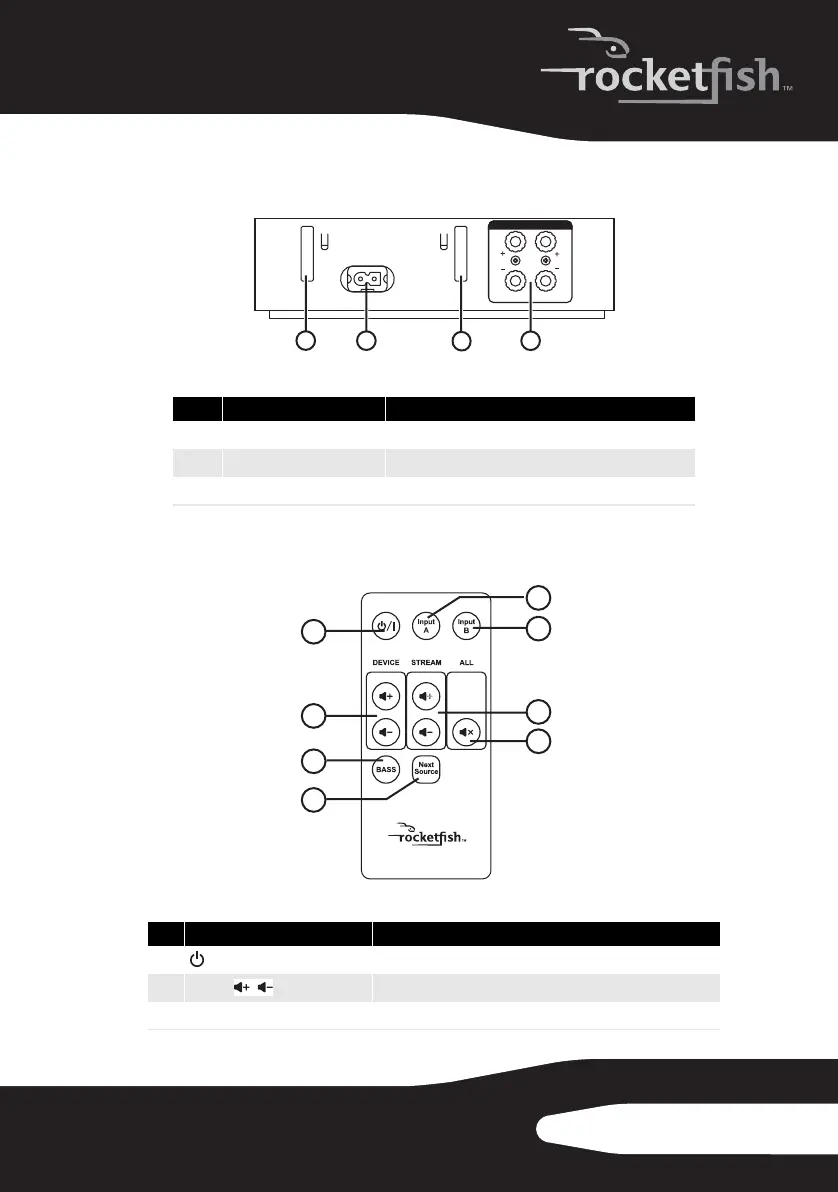
Receiver back panel
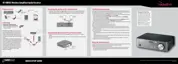
Remote control
# Feature
1 & 3
Removable cable spool slots Use to mount the cable spool on the receiver.
2
AC IN connector Plug the AC power cord into this connector.
4
SPEAKER OUT jacks Connect your speakers to these jacks.
# Feature
1
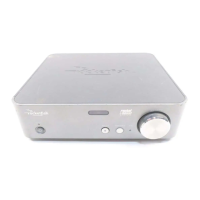
/| Standby/On button
Press to turn the receiver on. Press again to go to standby.
2
Volume buttons (device)
Press to adjust the volume of the speaker system.
3
BASS button Press to activate or deactivate bass enhancement.
SPEAKER-OUT (4-8 Ohm)
R
L
120V~,60Hz
AC IN
1
4
2
3
1
2
3
4
6
7
8
5
/
RF-RBKIT_09-0473_MAN_ENG_V1.fm Page 11 Thursday, August 27, 2009 6:44 PM


 To Next Page