15RF-RBKIT
Replacing the battery in the remote control
Note: The remote control comes from the factory with an insulator sheet isolating it.
Please pull the tab to remove the insulator sheet and enable your remote control's
battery.
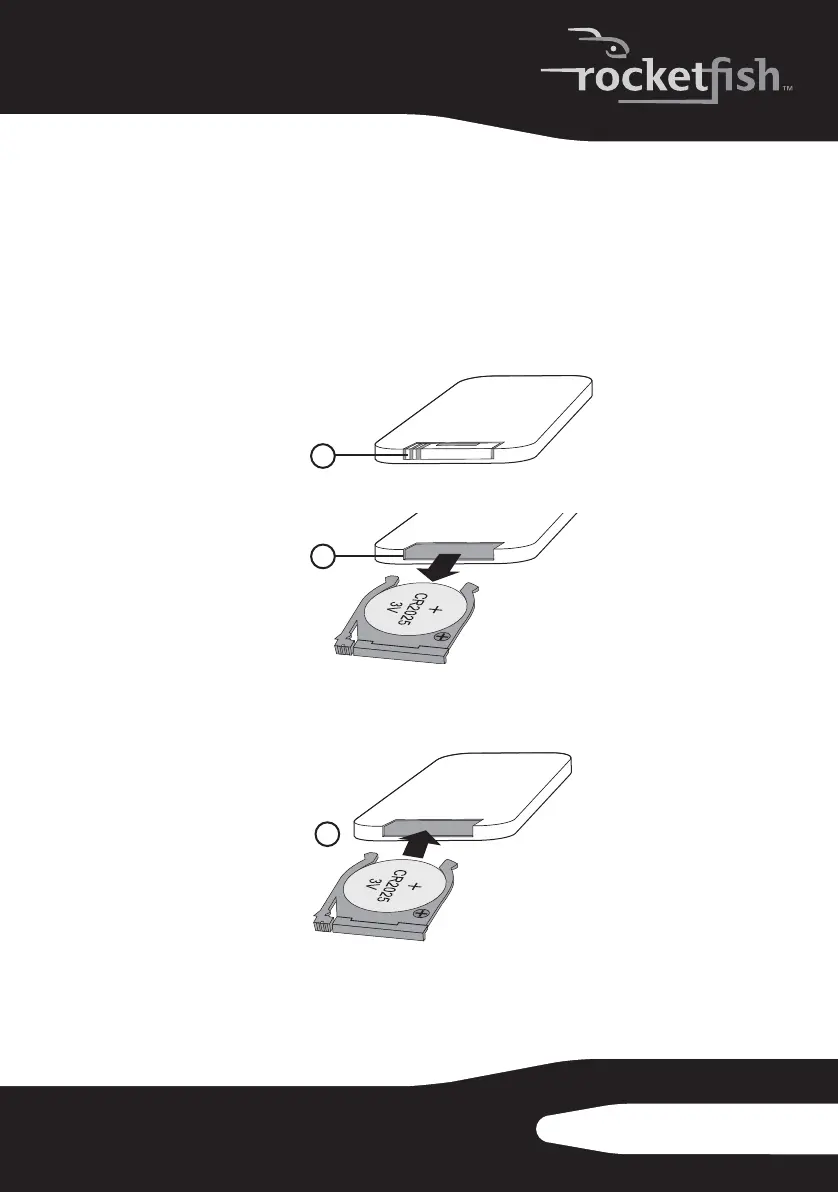
To replace the battery:
1 Squeeze and pull to release the battery tray (1). You can remove the
battery tray (2) with your fingernails by using the spaces set back in the
remote control.
2 Match the polarity on the lithium cell with a plus sign (+) on the battery
tray.
3 Slide the tray with the new battery into the battery compartment (3)
until it clicks into place.
1
2
3
RF-RBKIT_09-0473_MAN_ENG_V1.fm Page 15 Thursday, August 27, 2009 6:44 PM


 To Next Page