EasyManua.ls Logo

RocketFish RF-WHTIB-A - User Manual

RocketFish RF-WHTIB-A
24 pages
Print Icon
To Next Page IconTo Next Page
Loading...
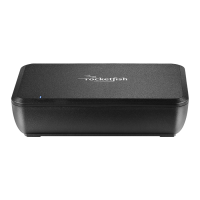
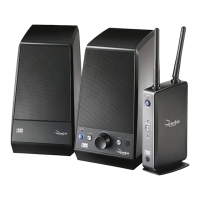
Universal Wireless Rear
Speaker Kit
RF-WHTIB-A
User Guide
Before using your new product, please read these instructions to prevent any damage.
RF-WHTIB_13-0050_MAN_V1_ENG.fm Page 1 Tuesday, March 26, 2013 11:51 AM

Other manuals for RocketFish RF-WHTIB-A

Questions and Answers

  • K
    Kimberly LeJul 31, 2025
    Why is there no sound coming from my RocketFish Speakers?
    • N
      Nicole VelasquezJul 31, 2025
      If you're not getting any sound from your RocketFish Speakers, here are a few things to check: * Make sure your home theater receiver is powered on and the volume is turned up. * Ensure the correct input is selected on the receiver. * Verify that the speaker wire connections are correct and secure. * Check that both the wireless sender and receiver are connected to a working power outlet. Also, confirm that the LEDs on the front of both units are lit solidly, indicating proper communication. If the LEDs are lit solidly, the communication is working correctly and all speaker wires and the home theater receiver operation should be checked. * Keep in mind that depending on the audio source, sound may not always play from the rear speakers.
  • S
    Sierra ThomasNov 14, 2025
    What to do if my RocketFish RF-WHTIB-A Speakers have sound interference or no communication?
    • P
      Paul SullivanNov 14, 2025
      If you're experiencing sound interference or a lack of communication between the sender and receiver with your RocketFish Speakers, try the following: * Move the wireless sender and receiver to find the best reception. * Reduce the distance between the sender and receiver (maximum distance is 100 feet). * Ensure the power cords are correctly connected, and the LEDs on both units light up when powered on. If they are solidly on, a communication link has been successfully established between the units. * Other devices may be causing interference. Try turning off cordless phones, microwaves, or Wi-Fi routers (ensure the wireless sender is more than 18 inches away from any Wi-Fi routers) one at a time to see if that resolves the issue. * If the LEDs are flashing, press and hold the ...

Summary

Safety Information

Important Safety Instructions

Essential safety precautions to prevent damage, fire, or electric shock when using the device.

Installation Guide

Connecting the Wireless Sender

Instructions for connecting the wireless sender to the home theater receiver and power.

Connecting the Wireless Receiver

Instructions for connecting the wireless receiver to rear speakers and power.

Troubleshooting

Common Problem Solutions

Solutions for issues like no sound, sound interference, and connection problems.

One-Year Limited Warranty

Warranty Terms and Service

Details the warranty period, coverage, exclusions, and service acquisition process.

RocketFish RF-WHTIB-A Specifications

General IconGeneral
BrandRocketFish
ModelRF-WHTIB-A
CategorySpeakers
LanguageEnglish

Related product manuals