EasyManua.ls Logo

RocketFish RF-WSP313 - User Manual

RocketFish RF-WSP313
19 pages
Print Icon
To Next Page IconTo Next Page
Loading...
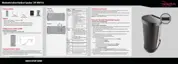
User Guide
Before using your new product, please read these instructions to prevent any damage.
Bluetooth Indoor/Outdoor Speaker | RF-WSP313
RF-WSP313_13-0633_MAN_V1_ENG.fm Page 1 Friday, August 9, 2013 2:02 PM

Other manuals for RocketFish RF-WSP313

Questions and Answers

  • B
    Brian MartinezJul 27, 2025
    What to do if there is no sound output via Bluetooth on RocketFish RF-WSP313?
    • J
      James MorrisJul 27, 2025
      If there's no sound output via Bluetooth on your RocketFish Speakers, first ensure that the volume level is not set to the minimum on the speakers themselves. Also, check that the volume level of your Bluetooth device connected to the speaker is not set to the minimum and that your Bluetooth device is not muted.
  • R
    Ricky SextonAug 1, 2025
    What to do if Bluetooth connection cannot be established on RocketFish Speakers?
    • A
      April OlsonAug 1, 2025
      If a Bluetooth connection cannot be established between your RocketFish Speakers and your Bluetooth device for the first time, and the connection fails, turn off your device, then turn it on again to clear the device name. Then, try making the connection again.
  • R
    Rhonda PenningtonAug 8, 2025
    How to troubleshoot RocketFish Speakers when there is no power?
    • D
      Daniel GarciaAug 8, 2025
      If your RocketFish Speakers have no power, ensure the AC adapter is correctly connected. Also, the built-in lithium battery may be drained. If so, charge the battery by connecting the AC adapter.
  • K
    Kyle RamirezAug 14, 2025
    Why is there no sound output in AUX IN mode on my RocketFish RF-WSP313?
    • J
      Jamie RodriguezAug 14, 2025
      If you are experiencing no sound output in AUX IN mode with your RocketFish Speakers, verify that your stereo audio cable is correctly connected to the AUX IN jack of the speaker and that the AUX cable is firmly connected. Also, ensure that the volume level of the speaker and the connected external device are not set to the minimum.
  • S
    shannon60Aug 19, 2025
    Why do my RocketFish Speakers power off automatically?
    • A
      Amanda HolderAug 20, 2025
      Your RocketFish Speakers may be powering off automatically because the system enters saving energy mode if it does not connect with any audio source for more than 15 minutes. To resolve this, simply turn the system on again.

Summary

Safety Information

Key Safety Instructions

Lists critical safety guidelines for operating the appliance.

Setting Up Your Speaker

Connecting AC Power Adapter

Instructions on how to connect the speaker to a power source.

Charging the Built-in Battery

Selecting Audio Source

Using Your Bluetooth Speaker

Adjusting Speaker Volume

Bluetooth Device Pairing

Reconnecting Bluetooth Device

Switching Bluetooth Devices

External Audio Source Playback

Playing Music via AUX IN

Instructions for connecting and playing audio via the AUX IN jack.

Troubleshooting Common Issues

RocketFish RF-WSP313 Specifications

General IconGeneral
BrandRocketFish
ModelRF-WSP313
CategorySpeakers
LanguageEnglish

Related product manuals