EasyManua.ls Logo

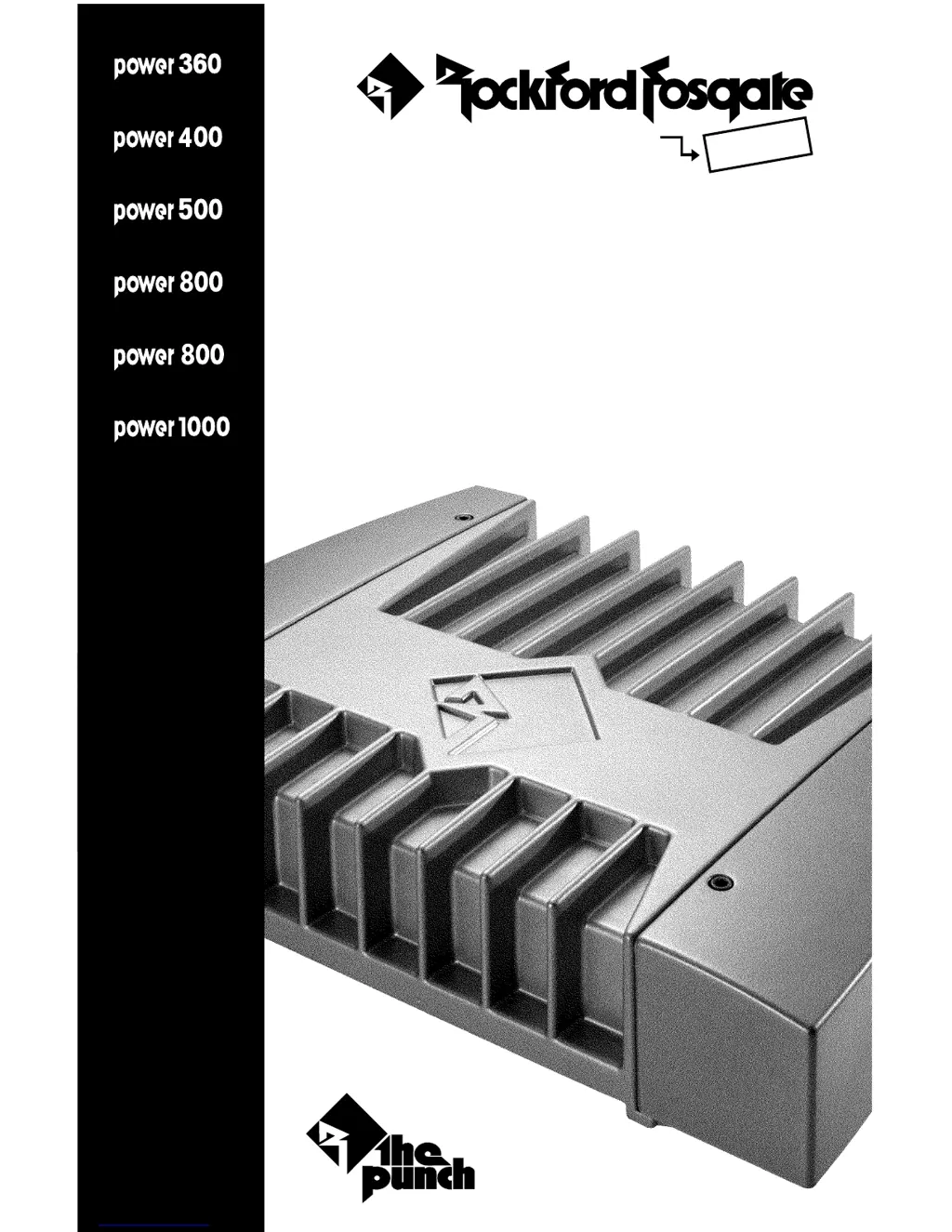
Rockford Fosgate 1000 - User Manual

Rockford Fosgate 1000
52 pages
Print Icon
To Next Page IconTo Next Page
Loading...
p
owe
r
®
2-channel
2-channel
trans•
ana
trans•
ana
trans•
ana
trans•
nova
4-channel
2-channel
2-channel
trans•
ana
4-channel
trans•
ana
Power AMPLIFIER
INSTALLATION & OPERATION
® ®
car audio
fanatics
for

Questions and Answers

  • R
    rsaundersJul 26, 2025
    What to do if my Rockford Fosgate 1000 Amplifier does not turn on?
    • J
      Jill FieldsJul 26, 2025
      If your Rockford Fosgate Amplifier isn't turning on (and the power LED is off), here's what to check: * First, ensure the voltage at the REM terminal is between 10.5 and 15.5 volts. If it's not, inspect the alternator, battery, fuse, and wiring, repairing as needed. If the voltage exceeds 15.5 volts, have your electrical system checked by a certified car service center. * Next, verify the voltage at the B+ terminal is within the same range (10.5 to 15.5 volts). Again, check the alternator, battery, fuse, and wiring. Also, have the electrical system inspected if the voltage is too high. * Finally, confirm the amplifier is properly grounded, checking the wiring and repairing if necessary.
  • M
    Monique MaddenJul 30, 2025
    Why is the speaker output low or distorted on my Rockford Fosgate 1000?
    • A
      Anthony ComptonJul 30, 2025
      Low or distorted speaker output from your Rockford Fosgate Amplifier can stem from several issues: * The input gain signal might be incorrectly set. Try readjusting the input gains on the amplifier. * The source unit output might be too low or non-existent. Test the system with a source that is known to be working, and repair or replace the original source as necessary. * Low battery voltage or significant voltage drops to the amplifier under load could be the culprit. Check the alternator, battery, fuse, and power/ground wiring, and repair as needed.
  • S
    Susan CookAug 10, 2025
    What to do if my Rockford Fosgate 1000 makes noise when turning on?
    • Q
      qwatkinsAug 10, 2025
      If your Rockford Fosgate Amplifier is producing a 'turn-on pop,' here's what you can do: * A voltage spike from the preceding component's output might be entering the amplifier through the input signal. Disconnect the input signal to the amplifier and turn the amplifier on and off. If the noise is gone, connect the REM lead of the amplifier to the source unit using a delay turn-on module. * A voltage spike from the remote turn-on lead might be entering through the REM input terminal. Try using a different 12-volt source for the amplifier's REM lead (e.g., directly from the battery). If the noise disappears, use a relay to isolate the amplifier from the noisy turn-on output.
  • C
    Christopher MillerAug 15, 2025
    Why am I getting engine noise when using high-level inputs on my Rockford Fosgate 1000?
    • A
      Angela OlsonAug 15, 2025
      If you're experiencing engine noise when using high-level inputs on your Rockford Fosgate Amplifier, it might be because the TOPAZ input circuitry (in Rockford amps) doesn't have a reference to 'chassis ground.' To resolve this, supply a reference ground to the TOPAZ input circuit. You can do this by connecting the shield of the RCA input from the auxiliary amp to the chassis ground of the radio. Alternatively, connect the RCA shield to the amplifier's power ground terminal.
  • R
    Roy PriceAug 20, 2025
    What to do if my Rockford Fosgate 1000 has no sound but the power LED is on?
    • H
      hudsonjessicaAug 20, 2025
      If your Rockford Fosgate Amplifier has power (LED is on) but no sound, consider these potential causes: * The RCA input from the source unit might be disconnected or malfunctioning. Check the connections, try a different source and cables that you know are working, and repair or replace any faulty components. * Speaker leads might be shorted. Disconnect the existing speakers and test with speakers and wires that are known to be working. If the amplifier then plays sound, inspect and repair the wiring and installation of your speakers. * The speakers themselves might be defective. Disconnect the current speakers and test with speakers that are known to work. If the amplifier works with different speakers, check and repair your original speakers.
  • J
    Jason BanksNov 4, 2025
    How to fix engine noise in my Rockford Fosgate 1000 Amplifier?
    • M
      Makayla MartinezNov 4, 2025
      Engine noise in your Rockford Fosgate Amplifier can be frustrating. Here's how to troubleshoot it: * The noise could be radiating into the RCA signal cable. Check the connections and reroute the RCA cables away from high-current sources. * A component in the signal chain may be faulty. Check the connections, then bypass any additional components (like crossovers and equalizers) between the source unit and the amplifier. Reconnect them one by one to identify the problematic component. Repair or replace components as needed. * Noise may be radiating into the speaker cables. Disconnect the existing speakers and connect a test speaker to the amplifier's output terminals. If the noise disappears, reroute the speaker cables away from high-voltage sources. * Multiple grounds in the audio...

Summary

Specifications

Power 360 2-channel Specifications

Detailed specifications for the Power 360 amplifier, including power ratings and impedance.

Power 400 4-channel Specifications

Detailed specifications for the Power 400 amplifier, including power ratings and impedance.

Power 500 2-channel Specifications

Detailed specifications for the Power 500 amplifier, including power ratings and impedance.

Power 800 2-channel Specifications

Detailed specifications for the Power 800 (2-channel) amplifier, including power ratings and impedance.

Power 800 4-channel Specifications

Detailed specifications for the Power 800 (4-channel) amplifier, including power ratings and impedance.

Power 1000 2-channel Specifications

Detailed specifications for the Power 1000 amplifier, including power ratings and impedance.

Introduction

Power Amplifier Accessory Pack

Lists the components included in the power amplifier accessory pack for installation and operation.

Power Amplifier Feature Chart

Design Features

Power 360 2-channel Design Features

Describes the design features and layout of the Power 360 2-channel amplifier.

Power 400 4-channel Design Features

Describes the design features and layout of the Power 400 4-channel amplifier.

Power 500 2-channel Design Features

Describes the design features and layout of the Power 500 2-channel amplifier.

Power 800 2-channel Design Features

Describes the design features and layout of the Power 800 2-channel amplifier.

Power 800 4-channel Design Features

Describes the design features and layout of the Power 800 4-channel amplifier.

Power 1000 2-channel Design Features

Describes the design features and layout of the Power 1000 2-channel amplifier.

Installation Considerations

Mounting Location

Trunk Mounting

Guidance on mounting the amplifier in the vehicle's trunk for optimal cooling.

Passenger Compartment Mounting

Guidance on mounting the amplifier in the passenger compartment, ensuring adequate ventilation.

Engine Compartment Mounting

Warning against mounting the amplifier in the engine compartment due to warranty void and damage.

Battery and Charging

Wiring the System

Using Passive Crossovers

Table of Crossover Component Values

Installation (2-Channel Models)

Power Connections (2-Channel Models)

Details how to connect power to the amplifier for 2-channel models.

Bridged;Mono Mode (2-Channel Models)

Illustrates how to configure the amplifier for bridged or mono operation.

Installation (4-Channel Models)

Power Connections (4-Channel Models)

Details power connections for Power 400 and Power 800 4-channel models.

Installation (Power 1000)

Power Connections (Power 1000)

Details power connections for the Power 1000 2-channel amplifier.

Bridged;Mono Mode (Power 1000)

Illustrates bridged/mono operation for the Power 1000 2-channel amplifier.

Operation

Crossover Operation

Explains how to use the amplifier's internal crossover settings for different modes.

Remote Punch Bass Operation

Details the function and use of the Remote Punch Bass control for bass adjustment.

Pass-Thru Operation

Explains the Pass-Thru feature for daisy-chaining to another amplifier.

Phase Warp

System Diagrams

400 Watt 3-Way System Diagram

Wiring diagram for a 400 Watt 3-way system configuration.

650 Watt 4-Way System Diagram

Wiring diagram for a 650 Watt 4-way system configuration.

1050 Watt 4-Way System Diagram

Wiring diagram for a 1050 Watt 4-way system configuration.

1300 Watt 4-Way System Diagram

Wiring diagram for a 1300 Watt 4-way system configuration.

Troubleshooting

Amplifier Does Not Turn On

Diagnoses and remedies for when the amplifier's power LED is off.

Amplifier Has No Sound

Diagnoses and remedies for when the amplifier has no sound but the power LED is on.

Speaker Output Low or Distorted

Diagnoses and remedies for low or distorted speaker output.

Amplifier Noise (Turn-on Pop)

Diagnoses and remedies for turn-on pop noise from the amplifier.

Engine Noise

Diagnoses and remedies for engine noise appearing in the audio signal.

Engine Noise with High-Level Inputs

Diagnoses and remedies for engine noise when using high-level inputs.

Dynamic Power Measurements

About Dynamic Power Measurements

Explains the IHF-202 standard for dynamic power measurement.

Music Power Dynamics

Discusses the dynamic nature of music and its effect on amplifier power measurement.

Loudspeaker Impedance and Phase

Explains how loudspeaker impedance and phase affect measurements.

Limited Warranty Information

International Information

Rockford Fosgate 1000 Specifications

General IconGeneral
BrandRockford Fosgate
Model1000
CategoryAmplifier
LanguageEnglish

Related product manuals