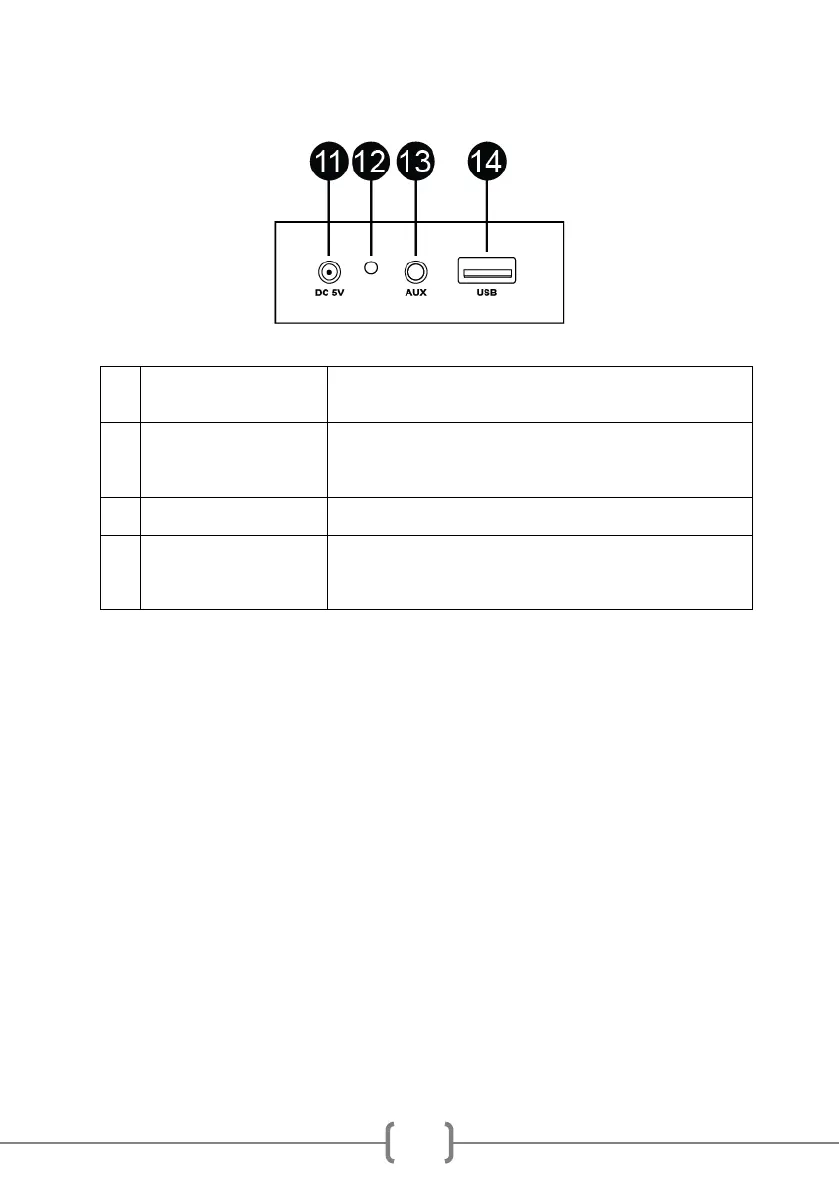
Location of Controls Rear
Connect the USB charge cable here and charge from a USB charger
or computer USB port.
Lights up red during charging.
NOTE: The speaker can be left connected to the charger when off or
in use; it will not overcharge.
Connect the external audio device here with the cable supplied.
Connect a USB drive to play stored MP3 music files.
You can also use this port to charge your phone by using the speaker
as a power bank.
Initial Setup
Unpacking
Unpack the Sing Cube karaoke speaker carefully. We recommend that you save the box and
packing materials in case you wish to store the speaker. Before setting up the unit, verify that
the following accessories are present:
• 1 x USB power cable
• 1 x AUX input audio cable
• 2 x Wired Microphones



 To Next Page