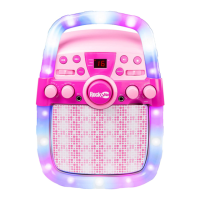
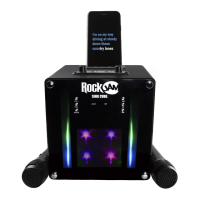
Switch between all input modes using the MODE button.
Note that you can also charge your phone from the USB socket on the speaker with a USB
cable (not supplied).
Song control
• Press the PLAY/ PAUSE button to alternately play and pause the song.
• Press the SKIP BACK button to go back to the start of the track. Press twice to select
the previous track. (Does not work in Aux mode).
• Press the SKIP FORWARD button to play the next track.
(Does not work in Aux mode).
Volume control
Adjust the connected microphone volume by using the separate Mic Vol control.
The speaker output volume can be adjusted in two ways as follows:
• Adjust the volume on the Bluetooth device, mobile phone, tablet computer, iPad etc.
• Turn the POWER/ VOLUME control to the left and right.
Switching the Lightshow On/Off
Press and hold the ECHO/ LIGHTS button to switch the lightshow on or off.
Voice Effects
Press the VOICE button to choose a voice effect. Cycle through the 4 different voice effects and
normal voice by pressing the button.



 To Next Page