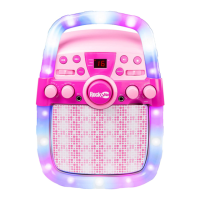
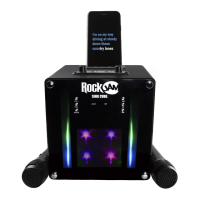
Listening to your iPhone, iPod, MP3 player etc. (AUX input)
You can listen to the sound of a connected external audio device such as an iPhone, an iPod or
MP3 player through your speaker. Connect one end of the 3.5 mm jack cable supplied to the
AUX input socket located at the back of the speaker, and the other end to your audio equipment
(iPhone, iPod, MP3, PC, CD player, etc). Press the MODE button to select the AUX input
mode, you will hear a “De de de” sound. Operate the audio device as normal.
NOTE: Use the SKIP FORWARD/ BACKWARD controls of the connected audio device to
control the song playback. Use the PLAY/PAUSE button on the speaker to mute and then
unmute the music playback.
Using the Microphone
You can sing along to any music playing from the karaoke speaker using the microphones
included. Plug the microphone/s into the MIC1/ MIC2 socket/s on the front of the speaker.
Adjust the microphone volume and echo control as desired. If any howling sound occurs, then
stand further away from the speaker or reduce the music or microphone volume until the
howling stops.
NOTE: Do not tap or bang the microphone as this can cause damage to both the microphone
and speaker. Be careful not to twist or strain the microphone cable and do not swing the
microphone by the cable as this will cause irreparable damage.
Troubleshooting Guide
If you encounter any issues while using the karaoke speaker then please check the following
before contacting the retailer or manufacturer for further help:
No power
• The power is not on; make sure the party speaker POWER/ VOLUME control is not turned
fully to the left.
• The karaoke speaker could be completely out of charge. Recharge the speaker using a USB
power supply and then try again.



 To Next Page