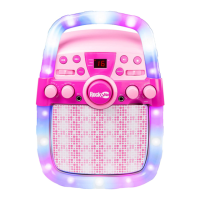
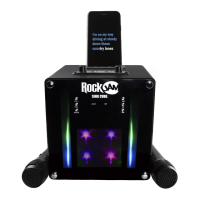
Charging the Karaoke Party Speaker
Unwind the USB power cable to its full length; connect one end to the DC 5V input jack on the
back of the speaker. Connect the other end to a USB power adapter or PC USB port. The
charge indicator LED will light up red to indicate charging. Charge for at least 4 hours before
first use.
Operation
Switching the Sing Cube Speaker On/ Off
Turn the POWER/ VOLUME control to the right to switch on. You will feel a click and a chime
will be heard. The speaker will power up in Bluetooth mode and will be actively searching for an
available Bluetooth audio device. To turn the speaker off, turn the POWER/ VOLUME control
fully to the left until you feel the click and cannot turn anymore.
Bluetooth Operation
The RockJam Sing Cube Speaker is a high-quality Bluetooth speaker. Music can be played
through the Speaker from a compatible Bluetooth device such as a mobile phone or tablet
device.
After the power up chime you will hear a “Ding Dong” sound. This means the speaker is
searching for a Bluetooth device.
Using your mobile phone or other Bluetooth enabled device, search for Bluetooth devices and
select ‘RJSC02’ from the list of devices found. The Bluetooth device should then connect to the
karaoke speaker. You will hear the same “Ding Dong” when a successful connection is
established.
USB Operation
You can listen to MP3 music files which are stored on a USB stick.
• Insert USB stick, the speaker automatically enters USB mode.
• Use the controls on the front of the speaker to play/ pause/ skip the music.



 To Next Page