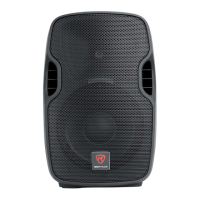
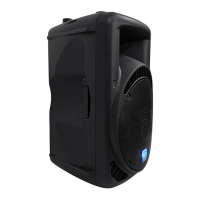
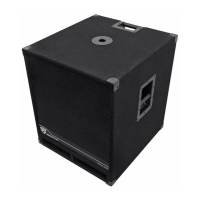
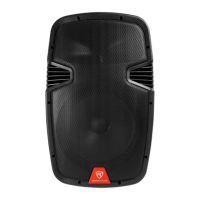
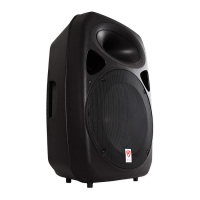
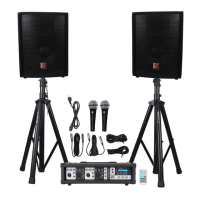
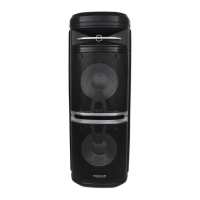
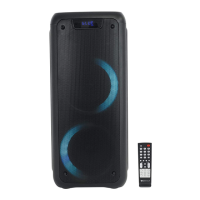
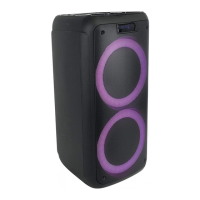
The Rockville BPA12 is a 12-inch active DJ/PA speaker with Bluetooth, designed for professional sound reinforcement in various settings, from intimate gatherings to larger venues. This speaker system is engineered to deliver a full spectrum of sound, ensuring clear vocal reproduction and deep bass.
Function Description
The BPA12 functions as a versatile active speaker, capable of receiving audio signals from multiple sources and amplifying them for public address or musical performances. Its primary function is to provide high-quality sound output for DJs, musicians, and public speakers. The speaker integrates a woofer and a tweeter horn to cover a wide frequency range, with the tweeter being more directional for optimal sound dispersion.
Key functionalities include:
- Audio Input and Amplification: The speaker accepts various audio inputs, including microphones (via XLR or 1/4" TRS), line-level sources (via XLR, RCA, and 3.5mm AUX), and digital audio from USB drives, SD cards, and Bluetooth-enabled devices. It then amplifies these signals for output.
- Bluetooth Connectivity: Users can wirelessly stream audio from their iPods, iPhones, MP3 players, Android phones, or any other Bluetooth-capable device. The speaker enters BT mode, and users can select "BPA12" from their device's available Bluetooth list to pair.
- USB/SD Playback: The speaker features dedicated ports for USB flash drives and SD cards, allowing for direct playback of digital audio files. When a USB or SD device is inserted, it automatically overrides other input modes.
- FM Radio: An integrated FM radio tuner allows users to listen to local radio stations. The system includes functionality to scan for and save available stations.
- Line Output: An XLR line output port enables the speaker to send its amplified signal to other powered subwoofers, additional powered speakers, or an external amplifier, facilitating the expansion of a sound system.
- Equalization: Built-in bass and treble controls allow users to adjust the sound output to suit their preferences or the acoustic characteristics of the environment. The remote control also offers preset EQ modes (Normal, Rock, Pop, Classic, Jazz, Country).
- Mounting: The BPA12 is designed for stand mounting, featuring a 35mm pole socket at the rear/bottom. This allows for elevated placement, ensuring the tweeter horn radiates sound above the listening crowd for optimal dispersion.
Usage Features
The BPA12 is designed with user-friendly features to ensure ease of setup and operation:
- Input Flexibility: The speaker offers a wide array of input options, making it compatible with various audio sources. This includes balanced XLR and 1/4" TRS inputs for microphones, and XLR, RCA, and 3.5mm AUX inputs for line-level devices like mixers, smartphones, tablets, and CD players.
- Independent Volume Controls: Separate volume controls for microphone input, line input, and MP3 playback (USB/SD/Bluetooth/FM) allow for precise mixing and level adjustment of different audio sources.
- Level Setting Best Practices: The manual provides clear instructions on how to properly set input volumes (gains) to prevent clipping and distortion. This involves unplugging other inputs, setting the source device volume, and slowly increasing the speaker's input volume until just before the clip indicator LED illuminates.
- Feedback Prevention: Specific guidance is provided to avoid microphone feedback, emphasizing the importance of positioning microphones behind the speaker and approaching the speaker from the rear when making adjustments.
- Remote Control: A wireless remote control is included, offering convenient access to various functions such as mode switching, playback controls (play/pause, stop, rewind, fast forward), volume adjustment, EQ presets, and direct track selection for USB/SD playback.
- LED Screen: An integrated LED screen displays current mode information (e.g., "bt" for Bluetooth, frequency digits for FM radio) and track numbers during USB/SD playback, enhancing user interaction.
- Public Address/Concert Mixer Setup: For larger setups, the manual outlines how to integrate the BPA12 with a passive mixing console, connecting the mixer's main outputs to the speaker's LINE INPUT XLR ports to manage multiple inputs and utilize multiple speakers.
- Balanced Connections: The XLR inputs and outputs are balanced, which is recommended for minimizing interference and ensuring a clean signal, especially when connecting to other professional audio equipment.
- Voltage Switchability: The unit can operate on either 110V or 220V, making it suitable for international use. Instructions for switching voltage are provided.
Maintenance Features
The BPA12 incorporates design elements and instructions that facilitate maintenance and ensure longevity:
- Fuse Compartment: The speaker includes an accessible fuse compartment with a specified fuse rating (250V/5A). The manual provides a clear diagram and step-by-step instructions for replacing the fuse, allowing users to address power-related issues easily.
- Ventilation: The design emphasizes the importance of proper ventilation to prevent overheating, contributing to the unit's stable operation and lifespan. Users are advised to ensure the unit is situated in a well-ventilated area.
- Moisture Protection: Users are explicitly warned not to expose the unit to any kind of moisture, which is a critical step in preventing electrical damage and ensuring the device's durability.
- Authorized Service: In cases of electrical shock risk or internal issues, users are instructed not to open the unit themselves, but to refer service to an authorized Rockville service center. This prevents user-induced damage and ensures professional repair.
- Cable Management: The troubleshooting section highlights the importance of using proper, undamaged cables and advises replacing damaged power cables immediately, which is a common maintenance practice to prevent power issues and ensure safety.
- Stable Placement: The manual recommends placing the unit on a level and stable surface, which helps prevent accidental falls and potential damage to the speaker or its internal components.
- Troubleshooting Guide: A comprehensive troubleshooting guide is included, offering solutions for common problems such as no power, no sound/distorted sound, buzzing, mic feedback, poor mic sound, Bluetooth pairing failures, and USB/SD playback issues. This empowers users to diagnose and resolve minor problems independently.


 To Next Page
 General