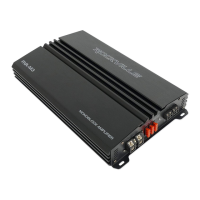
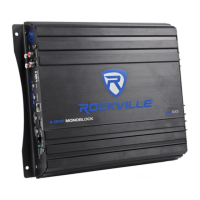
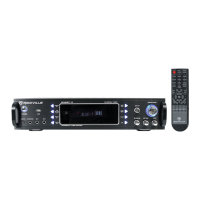
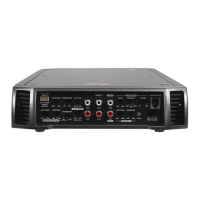
The Rockville RVA-M3/RVA-M2 is a Class D monoblock amplifier designed for car audio systems, offering robust power output and a range of features for optimal sound customization and protection. These amplifiers are 1 ohm stable, ensuring compatibility with various speaker impedance configurations, though the final impedance should not fall below 1 ohm to prevent overheating and damage.
Function Description:
The RVA-M Series amplifiers are designed to enhance the audio experience in vehicles by providing significant power to subwoofers. They feature a sophisticated IC-controlled protection circuitry that constantly monitors internal temperature and various voltages, automatically adjusting and protecting the amp from dangerous conditions. The amplifier includes a low pass electronic crossover, a subsonic filter, and a phase shift control, allowing users to fine-tune their subwoofer output for optimal integration with the rest of the audio system. Twin Amp Bridging capability allows two identical RVA-M2 or RVA-M3 amplifiers to be bridged for double the power output into a single 4-ohm load. The dash-mounted bass remote provides convenient control over the amplifier's bass level from the driver's seat.
Important Technical Specifications:
RVA-M2:
- RMS Power Output (CEA Compliant @ 14.4 Volts):
- 1 Ohm: 625 Watts (<1% THD, 70.2% efficient)
- 2 Ohm: 440 Watts (<1% THD, 82.4% efficient)
- 4 Ohm: 264 Watts (<1% THD, 83.7% efficient)
- Peak Power: 2500 Watts @ 1 Ohm (for reference)
- Minimum THD at Rated Power: < 0.1%
- Frequency Response: 10Hz – 300Hz
- S/N Ratio: >90dB
- Damping Factor: >150 @ 100Hz
- Voltage Protection: Under Voltage Protection at 9V, Over Voltage Protection at 16V
- Fuses: Three 25A External Fuses
- Dimensions (W x H x L): 13″ x 8.5" x 2.24"
- Weight: 7 Lbs
- Power Supply: High-Speed MOSFET
- Technology: Class "D"
- Crossover: Fully Adjustable 12dB/Octave with Differential Circuitry
- Low Pass Filter: 32Hz – 300Hz
- Subsonic Filter: 10Hz - 50Hz
- Bass Boost: 0db - 12dB
- Phase Shift: 0° - 180°
RVA-M3:
- RMS Power Output (CEA Compliant @ 14.4 Volts):
- 1 Ohm: 1000 Watts (<1% THD, 74.1% efficient)
- 2 Ohm: 600 Watts (<1% THD, 84.5% efficient)
- 4 Ohm: 360 Watts (<1% THD, 88.3% efficient)
- Peak Power: 4000 Watts @ 1 Ohm (for reference)
- Minimum THD at Rated Power: < 0.1%
- Frequency Response: 10Hz – 300Hz
- S/N Ratio: >90dB
- Damping Factor: >150 @ 100Hz
- Voltage Protection: Under Voltage Protection at 9V, Over Voltage Protection at 16V
- Fuses: Three 40A External Fuses
- Dimensions (W x H x L): 14" x 8.5" x 2.24"
- Weight: 7.8 Lbs
- Power Supply: High-Speed MOSFET
- Technology: Class "D"
- Crossover: Fully Adjustable 12dB/Octave with Differential Circuitry
- Low Pass Filter: 32Hz – 300Hz
- Subsonic Filter: 10Hz - 50Hz
- Bass Boost: 0db - 12dB
- Phase Shift: 0° - 180°
Usage Features:
- Input Sensitivity Adjustment: The LEVEL or INPUT LEVEL control matches the output level of the source unit to the amplifier's input level. It should be set to the maximum volume of the head unit before distortion, then backed down slightly.
- Low Pass Electronic Crossover: Features 12dB per octave fully adjustable crossovers. The LPF knob controls frequencies from 40Hz – 180Hz. Recommended setting for most installations is 80Hz – 150Hz.
- Subsonic Filter: Attenuates very low frequencies that can damage subwoofers. For sealed enclosures, set to 25Hz – 35Hz. For ported enclosures, set to ½ an octave below the tuned frequency of the port. Subsonic filters have steep slopes (18 or 24dB/Oct).
- Phase Shift Control: Synchronizes subwoofer output phase with other vehicle speakers (0 to 180 degrees). Adjust for best bass output.
- Twin Amp Bridging: Allows two identical RVA-M2 or RVA-M3 amplifiers to be bridged for double the power into a single 4-ohm load. The MASTER amplifier controls all functions, and its BRIDGE OUT RCA port connects to the SLAVE amplifier's BRIDGE IN RCA port.
- Mute Circuit: Anti-thump, mute-and-delay circuit eliminates turn-on and turn-off transients.
- Bass Remote: Dash-mounted control for adjusting bass level, includes a power LED indicator.
- Speaker Wiring Guide: Provides diagrams for various SVC and DVC woofer configurations, emphasizing the 1 ohm minimum impedance for single monoblock amplifiers. Warns against mixing different impedance speakers in series and/or parallel.
Maintenance Features:
- Protection Circuitry: IC-controlled system monitors heat sink temperature and voltages. A green LED indicates normal operation, while a red LED signifies a diagnostic condition. The amplifier enters self-preservation mode or shuts down if a fault is detected.
- Thermal Protection: Shuts off the amplifier at 80 degrees Celsius and automatically turns on again once cooled. Additional cooling fans are recommended in hot climates.
- Speaker Short-Circuit Protection: Activates if speakers short-circuit or impedance is too low. Requires disconnecting speakers to identify and replace faulty ones, then resetting the amplifier.
- Input Overload Protection: Shuts down or cycles the amplifier if input is overloaded. Requires reducing gain or head unit volume and resetting the amplifier.
- DC Offset Protection: Protects speakers from damaging DC voltages and prevents amplifier operation until the condition is remedied.
- Fuse Replacement: External fuses are equipped for protection. Always replace with fuses of the same value. Internal fuses (on the side of the amp) should also be replaced with the same value if blown.
- Connection Checks: Regularly check power and ground wires for tightness and corrosion. Loose or corroded connections can cause heat buildup, leading to melted terminals and potential damage. Upgrade to heavier gauge wire if wires feel hot.
- Troubleshooting Guide: Comprehensive guide for common issues like "Amp goes into protect mode" (short-circuit, thermal, blown speaker, wrong impedance, touching wires, reverse polarity, thin power wire, faulty RCA cables), "Amp won't power on" (fuse issues, loose connections, incorrect wiring), "Power but no sound" (incorrect RCA input, gain settings, speaker wire issues, receiver settings), "Amp is clipping" (too powerful speakers/subs, low impedance wiring, high gain, poor ground, thin power wire, multiple volume controls), "Distortion, background noise, crackling, or hissing" (wire routing, poor ground, engine noise, high gain, bad RCA/speaker cables), "Sound is too low" (high impedance, low gain, thin power/ground wire, reversed speaker wires, crossover settings, receiver level controls, underpowered amplifier), and "Amp keeps blowing fuses" (short in power cable, internal amplifier fault, incompatible subwoofers, incorrect impedance wiring).



 To Next Page
 General