EasyManua.ls Logo

Rockwell RK7241S - User Manual

Rockwell RK7241S
56 pages
Print Icon
To Next Page IconTo Next Page
Loading...
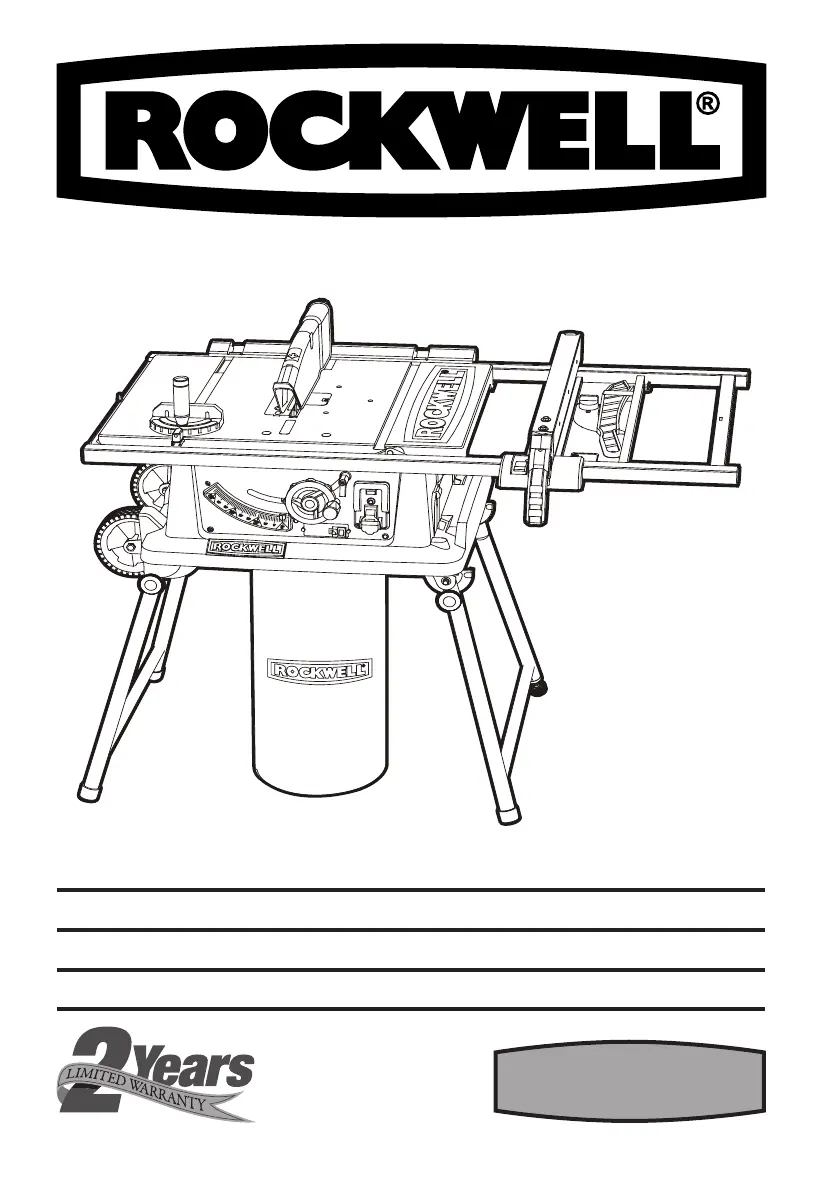
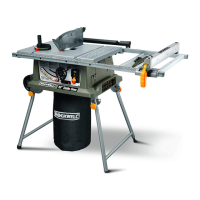
JOBSITE TABLE SAW WITH LASER PAGE 9 ENG
SIERRA DE MESA PARA OBRA CON LÁSER PAGE 23 ESP
ÉQUIPÉ DE ROUES POUR FACILITER LE TRANSPORT PAGE 39 FRE
RK7241S

Questions and Answers

  • W
    Wendy WilliamsAug 14, 2025
    What to do if my Rockwell RK7241S motor overheats?
    • G
      Gregory BuckAug 14, 2025
      If your Rockwell Saw motor overheats, stalls, or trips circuit breakers, it could be due to several reasons. The motor might be overloaded, so try feeding the work slower into the blade. Sawdust accumulation around the motor can cause improper cooling, so clean it out to ensure normal airflow. In some cases, the motor windings may be burned out, requiring a motor replacement. Also, ensure that your fuses or circuit breakers have sufficient capacity and replace them with the proper size if needed.
  • D
    Drew SandersAug 17, 2025
    Why Rockwell RK7241S motor will not reach full speed?
    • P
      phillip58Aug 17, 2025
      If your Rockwell Saw's motor will not reach full speed, it could be due to several factors. Check for low voltage and request a voltage check from your power company. An overloaded circuit can also cause this issue, so plug the saw into a different circuit without other appliances or motors. In some cases, the motor windings may be burned out, requiring a motor replacement. Additionally, an extension cord that is too long can cause this problem, so reduce the cord's length.
  • B
    bestbelindaAug 21, 2025
    How to fix excessive vibration in my Rockwell Saw?
    • O
      okennedyAug 21, 2025
      If your Rockwell Saw experiences excessive vibration, it could be due to a few reasons. The blade might be out of balance, damaged, or warped, in which case you should replace it. Ensure the saw is securely mounted by tightening all hardware. If the work surface is uneven, reposition the saw on a flat surface and adjust the legs. Also, check the saw blade installation.
  • J
    Jeffery HodgesAug 25, 2025
    What to do if my Rockwell Saw stalls when cutting?
    • R
      Rebecca BallardAug 26, 2025
      If your Rockwell Saw's cutting stalls the motor, burns the work, or binds when ripping, several factors could be at play. The blade may be dull, so replace or sharpen it. You might be feeding the material too quickly, so slow down the feed rate. Ensure the rip fence is parallel to the blade. Also, keep the table top clean of sawdust between the timber and guide fence. If you're working with a warped board, set the hollow side facing down and feed the work slowly.
  • E
    Erin DudleyAug 29, 2025
    How to improve cut quality of my Rockwell RK7241S Saw?
    • A
      Allison MorganAug 29, 2025
      If your Rockwell Saw blade makes poor cuts, it could be due to several reasons. The blade might be dull or dirty, so clean, sharpen, or replace it. Ensure you are using the correct type of blade for the cut you are making, and replace it if necessary. Also, check if the blade is mounted backwards and remount it correctly.
  • S
    swebsterSep 1, 2025
    What to do if my Rockwell RK7241S motor fails to start?
    • T
      Tanner WileySep 1, 2025
      If your Rockwell Saw motor fails to start, the switch might be faulty, and you should have the unit checked by a serviceman. The field or armature could be burned out, requiring motor replacement if necessary. Also, check for a circuit breaker issue or lack of power at the outlet, and install a fuse or check the breaker.
  • J
    Jessica SimmonsSep 5, 2025
    How to fix a rip fence that doesn't move smoothly on Rockwell RK7241S?
    • P
      Patrick ThompsonSep 5, 2025
      If the rip fence on your Rockwell Saw does not move smoothly, it might not be mounted correctly, so remount it. The rails could be dirty or sticky, so clean and wax them. Also, the clamp screw might be out of adjustment, so adjust it.
  • J
    Jerry RobertsSep 9, 2025
    What causes a hard to turn height adjusting wheel on Rockwell RK7241S Saw?
    • N
      nicholasvillaSep 9, 2025
      If the height adjusting hand wheel on your Rockwell Saw is hard to turn, the screw thread is likely fouled by sawdust. Clean it to resolve the issue.

Summary

Component Identification

Component List

Lists all parts of the table saw with their corresponding numbers for easy identification.

Electrical Safety and Grounding

General Grounding Procedures

Details essential grounding procedures for electrical safety and risk of shock.

Grounded Tools Voltage Specifics

Explains grounding for tools on different voltage circuits and proper adapter use.

Tool Usage and Workspace Safety

Double Insulated Tool Precautions

Specific safety advice for double-insulated tools, including parts and plug usage.

Workspace and Personal Safety

Guidelines for maintaining a safe work area, preventing unauthorized access, and personal protection.

Kickback Prevention and Cord Safety

Kickback Prevention and Control

Provides instructions on how to avoid kickback and protect against potential injury.

Extension Cord Safety Guidelines

Details safe usage practices for extension cords with the table saw.

Glossary and Health Precautions

Glossary of Technical Terms

Provides definitions for various terms related to woodworking and table saw operations.

Health and Environmental Warnings

Alerts users to health risks from dust exposure and chemical content.

Technical Data and Assembly Preparation

Technical Specifications

Details the key technical specifications of the table saw.

Unpacking and Setup Guidance

Guides users through the initial steps of unpacking the tool and preparing for assembly.

Assembly Procedures

Setting Up the Saw Stand

Step-by-step guide to assemble and set up the table saw stand for use.

Accessory Storage and Blade Installation

Explains accessory storage and provides instructions for saw blade installation.

Component Installation

Blade Guard and Riving Knife Installation

Details the installation and use of the blade guard assembly and the riving knife for safety.

Rip Fence, Dust Bag, and Outfeed Support

Instructions for using the rip fence and installing the dust bag and outfeed support.

Adjustments and Operation Basics

Blade Angle and Rip Fence Adjustments

Covers fine-tuning the blade angle and checking/adjusting the rip fence alignment.

Basic Operation Settings

Explains how to use fold-out scales, set blade depth, and adjust the blade angle.

Operation Details and Cut Types

Miter Gauge, Laser, and Safety Switch Operation

Details usage of miter gauge, laser indicator, and operation of safety switches.

Overload Protection and Cut Type Introduction

Explains overload protection and begins discussion of various cutting operations.

Advanced Cut Types and Cutting Tips

Detailed Cut Types and Techniques

Explains how to perform various cuts including rip, miter, bevel, compound, and large panel cuts.

Cutting Tips and Best Practices

Offers practical tips on blade kerf, wood finishing, blade types, sharpness, and workpiece preparation.

Optional Accessories and Maintenance

Optional Accessories Overview

Details the features and uses of optional accessories designed for the table saw.

General Maintenance and Lubrication

Provides guidance on routine maintenance, cleaning, and lubrication requirements for the tool.

Troubleshooting Common Issues

Troubleshooting Common Issues

A comprehensive guide to identifying and resolving common problems encountered with the table saw.

Warranty Information

2-Year Limited Warranty Statement

Outlines the terms and conditions of the 2-year limited warranty for the table saw.

Limited 30-Day Exchange Policy

Describes the procedure for exchanging a tool that is defective within the first 30 days of purchase.

Rockwell RK7241S Specifications

General IconGeneral
BrandRockwell
ModelRK7241S
CategorySaw
LanguageEnglish

Related product manuals