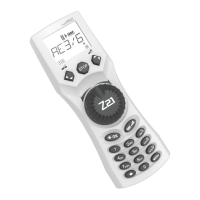
51
3. THE “SETTINGS” MENU
3.2.4. The
multi
MAUS has „CHILD LOCK“ which can be set to multiple levels and can be activated
after calling up the menu item using the „arrow keys“.
To block an area, you will need to enter a code which is comprised of 4 numbers (no letters!).
The password is then always requested when you wish to call up a protected area of the
multi
MAUS.
Factory setting: OFF
– “DISABLE MENU”: The three main menus cannot be called up;
– “DISABLE PRG-MENU”: The quick-programming mode is also blocked;
– “DISABLE LIB-PRG-MENU”: All changes to the locomotive library are also prevented in ad
-
dition to both items mentioned above.
Each input has to be confirmed by pressing the “Light / OK” key.
3.2.5. “SMARTSEARCH” provides you help when searching for locomotive addresses (see also the
corresponding chapter in section 3).
Factory setting: ON
– Confirm the selection you have made with the “arrow keys” by pressing the “Light / OK” key.
You return to the start level “SMARTSEARCH”.
3.3.
“X-BUS“
“X-BUS” is the connection language which digital components such as the
multi
MAUS use to com-
municate with one another. An advanced user can use the two sub-items “ADDRESS” and “AUTO-
MATIC” to set all information and settings (for more information see the glossary in section 3).
However, we would like to point out that it is not usually necessary to make any changes in this menu
item. This may only be necessary if the
multi
MAUS is being used in connection with digital devices
made by other manufacturers.
3.3.1. When you call up the sub-item “ADDRESS”, the current X-Bus address is displayed. You can
simply overwrite it.
Value range: 0 – 31, Factory setting: 27 (master
multi
MAUS only)
– To confirm, press the “Light / OK” key. You return to the start level “ADDRESS”.
3.3.2. “AUTOMATIC” does exactly what it is supposed to: It searches for a free X-Bus address for the
multi
MAUS in a digital system.
Factory setting: ON
– Confirm the selection you have made with the “arrow keys” by pressing the “Light / OK” key.
You return to the start level “AUTOMATIC”.
3.4.
“SPEEDSTEPS”
The “SPEED STEPS“ presetting with which the
multi
MAUS controls the locomotive decoder is made
in this menu item (for more information on the subject of “
SPEED STEPS” see the glossary in section
3). Please see the respective operating manual to determine which speed steps your decoder has.
You can select between 14, 28 and 128 speed steps using the arrow keys.
Factory setting: 28
– To confirm, press the “Light / OK” key. You return to the start level “SPEED STEPS”.


 To Next Page