10. LED Visual Status Indicator Denitions
Power/Alarm indicator :
When the Power/Alarm indicator lights green, this means the system power is on.
When the Power Alarm indicator lights amber, this means the system temperature has exceeded its
limitation or the system fan has malfunctioned.
Hard drive status indicator :
When the hard drive status indicator is o, this means the drives are idling.
When the hard drive status indicator lights or blinks blue, this means the drives are being accessed for
operation.
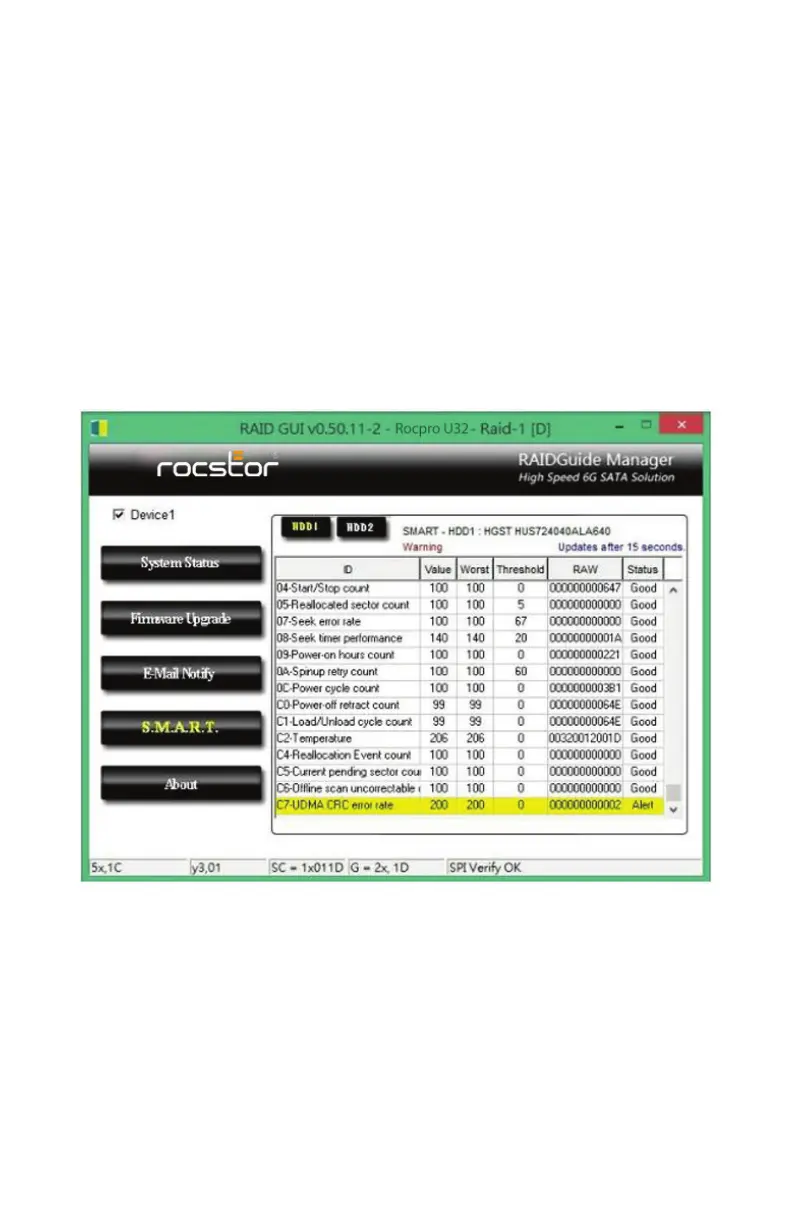
11. S.M.A.R.T
12. Frequently Asked Questions
Q1. Which drive format should I choose to format the hard drives in the U32 ?
A : It depends on the computer system you most often use. See the below suggestions:
1. Use NTFS for Windows 2000/XP/Vista/Windows 7 system.
2. Use HFS+ (Mac OS Extended) format for a Mac OS X system.
3. Choose FAT32 format if you’ll use the U32 in both Windows and Mac environments(the maximum
size of one single le may not exceed 4 GB).
page 9 - 10ROCPRO™ U32 Series User Manual












 To Next Page