RC310 1080P Video PTZ Camera User Manual
4
4.5 Installation
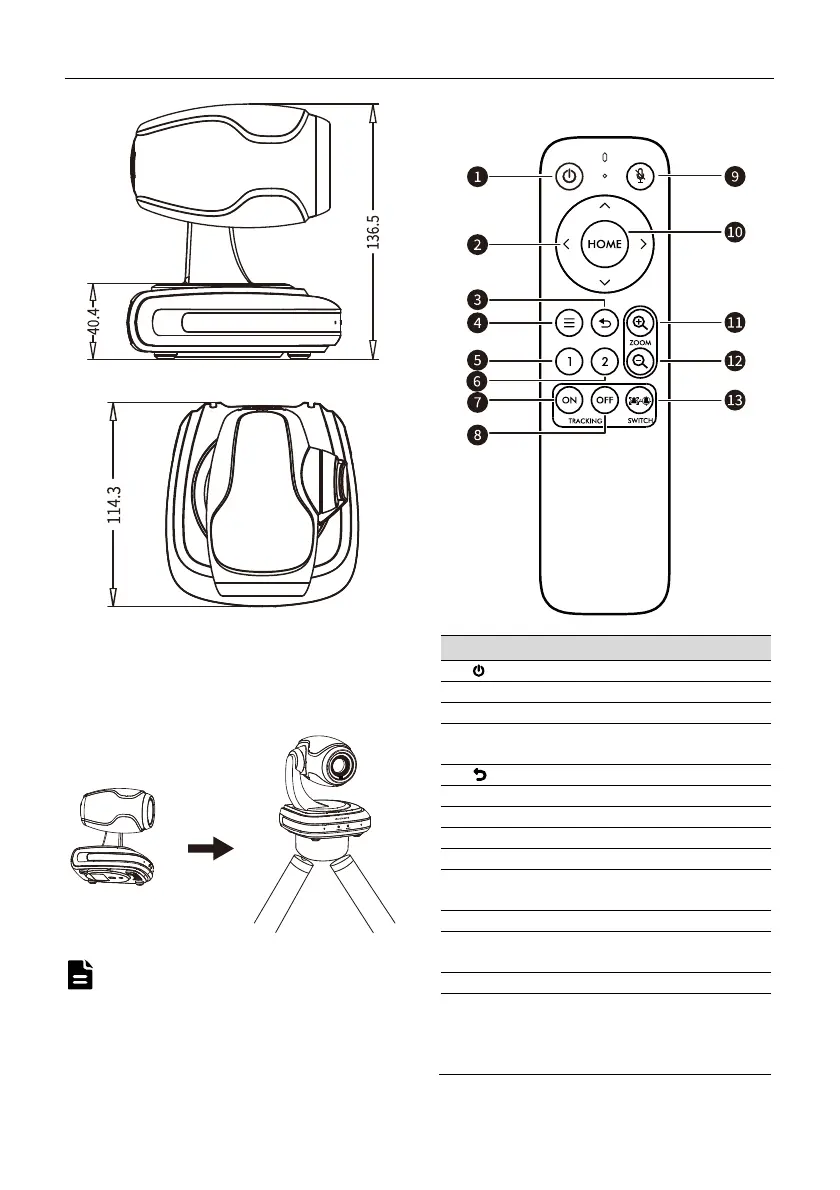
This camera can be placed on horizontal desktop
or installed on the tripod as below:
The above installation diagram is for reference
only, please refer to the actual product for the
installation accessories.
4.6 Remote Control
Key Description
1. (Powe
) Key
Press to turn On/Off the device.
2. Up/Down/Left/Right Keys
Control PTZ directions, move cursors and
adjust menu parameters.
3. (Return) Key
Press to return to the previous menu.
4. Menu Key
Enter/exit OSD menu.
5. Preset 1
Preset position 1: Long press 5s to set preset;
Short press to recall preset.
6. Preset 2
Preset position 2: Long press 5s to set preset;
Short press to recall preset.
7. ON
TRACKING ON: After the Single Tracking, Voice
Tracking or Auto Framing function turned off,
press [ON] key to turn on the last disabled
tracking mode.
Note


 To Next Page