EasyManua.ls Logo

Rogers 5-Device - User Manual

Rogers 5-Device
8 pages
Print Icon
To Next Page IconTo Next Page
Loading...
Rogers 5-Device
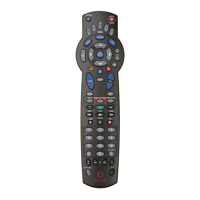
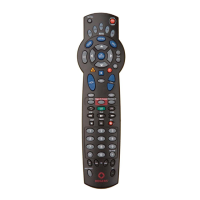
Universal Remote Control
Your Rogers Remote
User Guide
45709 URC Guide:Layout 1 07/12/09 10:12 AM Page 1
Question and Answer IconNeed help?

Do you have a question about the Rogers 5-Device and is the answer not in the manual?

Summary

Features and Functions

Basic Button Functions

Details the functions of core buttons like SETUP, PWR, device selection, GUIDE, SETTINGS, INFO, DAY+/-, navigation, and option buttons.

Volume, Channel, and Playback Controls

Explains controls for volume, channel tuning, mute, favorites, last channel, VCR/DVD playback, and On Demand.

Number Pad and PIP Controls

Covers direct channel tuning, PIP features, and video source selection for different devices.

Programming Your Remote

Code Search Method

Step-by-step guide for searching for and programming TV codes when the direct code is unknown.

Direct Code Entry

Instructions for programming the remote using specific device codes obtained online.

Recording Device Codes

Space provided to write down successfully programmed device codes for future reference.

Troubleshooting

Device Button Issues

Addresses problems like buttons not blinking or components not responding, including battery checks.

Component Control Problems

Solutions for when the remote doesn't control components properly or specific functions fail.

Programming and Compatibility Issues

Covers issues with finding codes, specific brand compatibility (RCA, Sony, Sharp), and alternative solutions.

Summary

Features and Functions

Basic Button Functions

Details the functions of core buttons like SETUP, PWR, device selection, GUIDE, SETTINGS, INFO, DAY+/-, navigation, and option buttons.

Volume, Channel, and Playback Controls

Explains controls for volume, channel tuning, mute, favorites, last channel, VCR/DVD playback, and On Demand.

Number Pad and PIP Controls

Covers direct channel tuning, PIP features, and video source selection for different devices.

Programming Your Remote

Code Search Method

Step-by-step guide for searching for and programming TV codes when the direct code is unknown.

Direct Code Entry

Instructions for programming the remote using specific device codes obtained online.

Recording Device Codes

Space provided to write down successfully programmed device codes for future reference.

Troubleshooting

Device Button Issues

Addresses problems like buttons not blinking or components not responding, including battery checks.

Component Control Problems

Solutions for when the remote doesn't control components properly or specific functions fail.

Programming and Compatibility Issues

Covers issues with finding codes, specific brand compatibility (RCA, Sony, Sharp), and alternative solutions.

Rogers 5-Device Specifications

General IconGeneral
BrandRogers
Model5-Device
CategoryRemote Control
LanguageEnglish

Related product manuals